
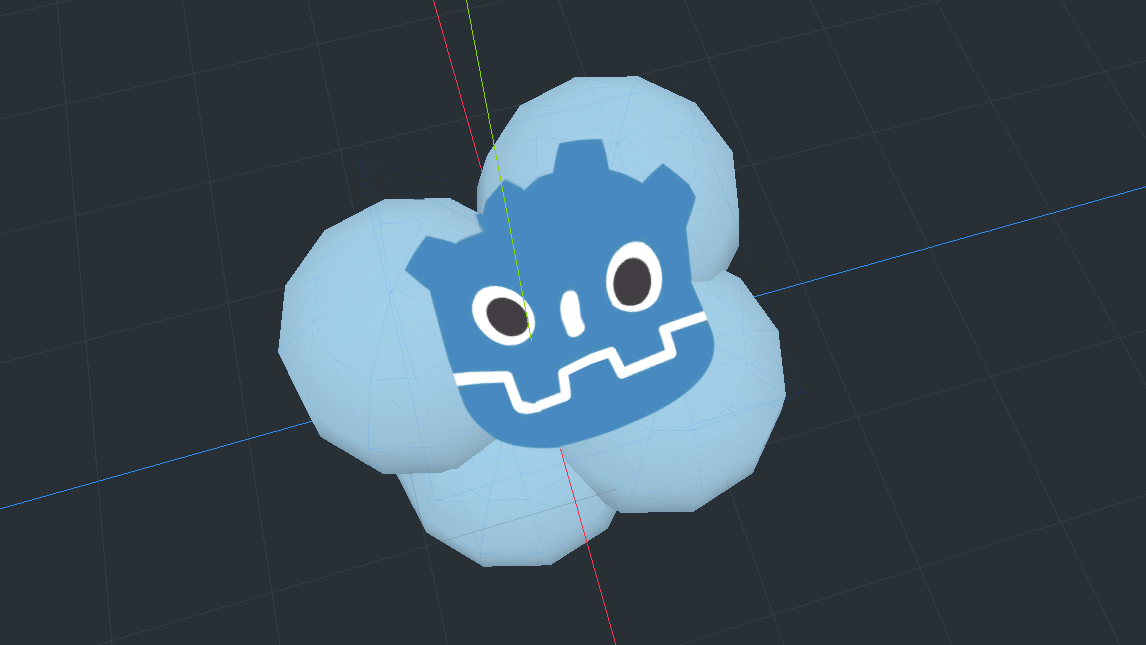
Godot 3 Decal Shader w/ Transparency

This shader is based on this shader here by TwistedTwigleg, with the goal of letting it use transparent textures while keeping it compatible with GLES2. It was a very small change so I can’t take much credit at all, but hopefully someone else finds this useful. Would’ve liked to add proper shading to the decal too, but it doesn’t seem to be so easy to do on GLES2 without dFdx/dFdy.
Shader code
shader_type spatial;
render_mode world_vertex_coords, unshaded;
uniform vec4 albedo : hint_color;
uniform sampler2D texture_albedo : hint_albedo;

uniform float cube_half_size = 1.0;


// Credit: https://stackoverflow.com/questions/32227283/getting-world-position-from-depth-buffer-value
vec3 world_pos_from_depth(float depth, vec2 screen_uv, mat4 inverse_proj, mat4 inverse_view) {
	float z = depth * 2.0 - 1.0;

	vec4 clipSpacePosition = vec4(screen_uv * 2.0 - 1.0, z, 1.0);
	vec4 viewSpacePosition = inverse_proj * clipSpacePosition;

	viewSpacePosition /= viewSpacePosition.w;

	vec4 worldSpacePosition = inverse_view * viewSpacePosition;

	return worldSpacePosition.xyz;
}

void fragment() {
	float depth = texture(DEPTH_TEXTURE, SCREEN_UV).x;
	vec3 world_pos = world_pos_from_depth(depth, SCREEN_UV, INV_PROJECTION_MATRIX, (CAMERA_MATRIX));
	vec4 test_pos = (inverse(WORLD_MATRIX) * vec4(world_pos, 1.0));

	if (abs(test_pos.x) > cube_half_size ||abs(test_pos.y) > cube_half_size || abs(test_pos.z) > cube_half_size) {
		discard;
	}

// added alpha pass
	vec4 tex = texture(texture_albedo, (test_pos.xz * 0.5) + 0.5);
	ALBEDO = tex.rgb * albedo.rgb;
	ALPHA = tex.a * albedo.a;
}