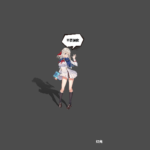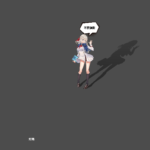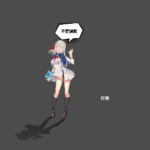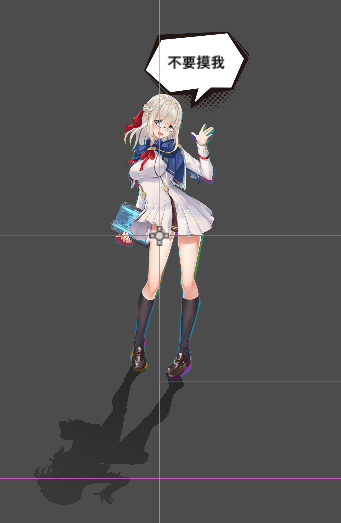
可以通过控制光源来自动变换的阴影

给物体添加阴影,支持动态图片。
注:sprite2d或者animatedsprite2d节点的中心点要在图片中心,即offset里的centered要为true,且不做任何偏移
参数说明:
shadow_color :阴影颜色
shadow_range :阴影阈值,只有当透明度大于该值才会显示阴影
shadow_opacity :阴影深度,该值越大,阴影越黑
light_pos :光源位置,用来模拟光源的照射,修改该值阴影会自动做变换,默认位置图片中心
ypl,ypr:阴影在变换时要有一排不变的顶点作为参考,一般为图片像素的最下方,ypl为左下方的参考坐标,ypr为右下脚的参考坐标,这两个值如果调不好会导致阴影不显示,一般先设置为图片的一半,然后再左右滑动改变其值直到满意为止
is_jianbian:阴影是否有渐变效果,如果该值为true,越远的阴影颜色越淡
is_lashen:是否拉伸,如果该值为true,阴影会随光源位置做拉伸
Shader code
shader_type canvas_item;
uniform vec4 shadow_color : source_color = vec4(0.0, 0.0, 0.0, 0.5);
uniform float shadow_range : hint_range(0.0, 1.0) = 0.1;
uniform float shadow_opacity : hint_range(0.0, 1.0) = 0.5;
uniform vec2 light_pos = vec2(0.0, 0.0);
uniform float ypl = 0.0;
uniform float ypr = 0.0;
uniform bool is_jianbian=true;
uniform bool is_lashen=true;

void vertex() {
	vec2 texture_size = 1.0 / TEXTURE_PIXEL_SIZE;

	float tx=texture_size.x;
	float yp=(ypl+ypr)/2.0;

	if(is_lashen){
    vec2 scale_center = vec2(0,yp);
    vec2 offset_from_center = VERTEX.xy - scale_center;
	float stretch_intensity=distance(light_pos,scale_center)/texture_size.y;
    vec2 scaled_offset = offset_from_center * stretch_intensity;
    VERTEX.y = scale_center.y + scaled_offset.y;
	}

	float	rotation_angle = -atan(light_pos.x, light_pos.y-yp);
	float bl=(VERTEX.x+texture_size.x/2.0)/texture_size.x;
	vec2 pivot = mix(vec2(-texture_size.x/2.0,ypr),vec2(texture_size.x/2.0,ypl),bl);
	vec2 rel_pos = VERTEX - pivot;

	float cos_r = cos(rotation_angle);
	float sin_r = sin(rotation_angle);
	float rotated_x = -rel_pos.y * sin_r;
	float rotated_y = rel_pos.y * cos_r;

	vec2 rotated_pos = vec2(rotated_x, rotated_y) + pivot;


	VERTEX.xy = rotated_pos;

}
void fragment() {
	vec4 original_color = texture(TEXTURE, UV);
	float final_alpha = 0.0;
	if(original_color.a > shadow_range){
		if (is_jianbian){
			final_alpha = mix(shadow_opacity/2.0,shadow_opacity,UV.y);
		}
		else{
			final_alpha = shadow_opacity;
		}
	}
	COLOR = vec4(shadow_color.rgb, final_alpha);
}
Live Preview