
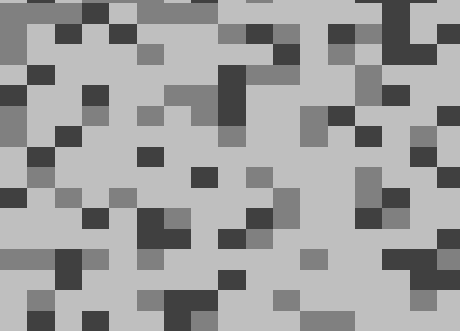
马赛克

动态马赛克
Shader code
shader_type canvas_item;

// 像素块大小
uniform int pixel_size : hint_range(2, 50) = 8;
// 随机变化速度
uniform float change_speed : hint_range(0, 5) = 1.0;
// 对比度
uniform float contrast : hint_range(0.5, 3.0) = 1.5;
// 灰度变化幅度
uniform float gray_variation : hint_range(0, 1) = 0.3;
// 闪烁效果强度
uniform float flicker_intensity : hint_range(0, 1) = 0.1;

// 随机数生成函数
float rand(vec2 co) {
    return fract(sin(dot(co.xy, vec2(12.9898, 78.233))) * 43758.5453);
}

void fragment() {
    // 计算像素化坐标
    vec2 pixel_uv = floor(UV * float(pixel_size)) / float(pixel_size);

    // 获取原始颜色并转换为灰度
    vec4 color = texture(TEXTURE, pixel_uv);
    float gray = dot(color.rgb, vec3(0.299, 0.587, 0.114));

    // 基于位置和时间的随机种子
    vec2 seed = pixel_uv * 100.0 + vec2(TIME * change_speed);

    // 生成随机值用于灰度变化
    float random_value = rand(seed);

    // 基于随机值调整灰度 - 创建明显的黑白对比
    float adjusted_gray;
    if (random_value > 0.5) {
        adjusted_gray = gray * (1.0 + gray_variation * (random_value - 0.5) * 2.0);
    } else {
        adjusted_gray = gray * (1.0 - gray_variation * (0.5 - random_value) * 2.0);
    }

    // 限制范围并增强对比度
    adjusted_gray = clamp(adjusted_gray, 0.0, 1.0);
    adjusted_gray = pow(adjusted_gray, contrast);

    // 添加闪烁效果
    float flicker = 1.0 - flicker_intensity * rand(seed + vec2(TIME * 5.0));
    adjusted_gray *= flicker;

    // 量化灰度值,增强像素感
    float quantized = floor(adjusted_gray * 4.0) / 4.0;

    // 输出最终颜色
    COLOR = vec4(vec3(quantized), color.a);
}
天哪您就是我的英雄…