
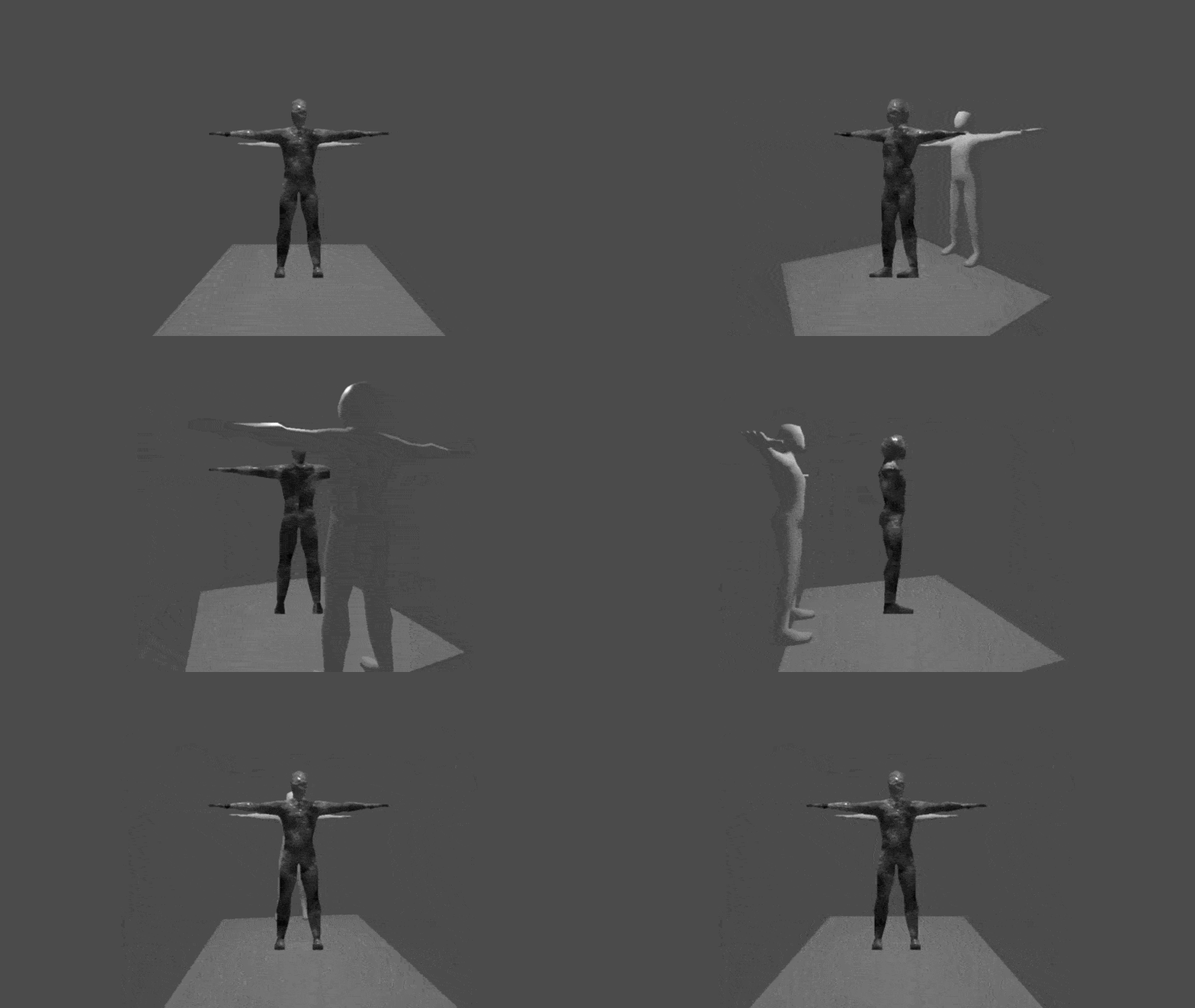
2.5D Billboard Angle Snapping / 2.5D Shader (Spatial) [Godot 4.5+]

Discrete Rotation Steps Like Classic Pre-Rendered Sprites.
Attention: this shader uses it’s own Albedo, Normal, Roughness, Metallic and Emission. You cann add the pixelation-shader for a bit more Doom-esque style if you like. Next Pass → Pixelation Shader.
Installation/ Usage:
1. Create a new ShaderMaterial on your MeshInstance3D
2. Paste the shader code
3. Assign your Albedo texture (With alpha for cutout)
4. Set the “Snap Steps” to control how many rotation angles the snaps to (8 = 45° increments)
That’s it!
Shader code
//    Installation/ Usage:
//    1. Create a new ShaderMaterial on your MeshInstance3D
//    2. Paste the shader code
//    3. Assign your Albedo texture (With alpha for cutout)
//    4. Set the "Snap Steps" to control how many rotation angles the snaps to (8 = 45° increments)


shader_type spatial;
render_mode world_vertex_coords;
// Pixelshader as a next pass
uniform int snap_steps : hint_range(1, 16) = 8;

uniform vec4 albedo_color : source_color = vec4(1.0);
uniform sampler2D albedo_texture : source_color, hint_default_white;
uniform sampler2D normal_texture : hint_normal;
uniform float normal_scale : hint_range(-16.0, 16.0) = 1.0;
uniform float roughness : hint_range(0.0, 1.0) = 0.5;
uniform sampler2D roughness_texture : hint_default_white;
uniform float metallic : hint_range(0.0, 1.0) = 0.0;
uniform sampler2D metallic_texture : hint_default_white;
uniform vec4 emission_color : source_color = vec4(0.0);
uniform float emission_energy : hint_range(0.0, 16.0) = 0.0;
uniform sampler2D emission_texture : hint_default_black;

float snap_angle(float angle, int steps) {
    float step = TAU / float(steps);
    return round(angle / step) * step;
}

void vertex() {
    vec3 obj_world = (MODEL_MATRIX * vec4(0.0, 0.0, 0.0, 1.0)).xyz;
    vec3 cam_world = (INV_VIEW_MATRIX * vec4(0.0, 0.0, 0.0, 1.0)).xyz;
    vec3 dir = normalize(cam_world - obj_world);

    float cam_angle = atan(dir.x, dir.z);
    float mesh_angle = atan(MODEL_MATRIX[0][2], MODEL_MATRIX[2][2]);

    float relative_angle = cam_angle - mesh_angle;
    float snapped = snap_angle(relative_angle, snap_steps);
    float diff = snapped - relative_angle;

    float cy = cos(diff), sy = sin(diff);
    mat3 snap_rot = mat3(
        vec3( cy, 0.0, sy),
        vec3(0.0, 1.0, 0.0),
        vec3(-sy, 0.0, cy)
    );

    vec3 world_pos = obj_world + snap_rot * (VERTEX - obj_world);


    vec4 view_pos = VIEW_MATRIX * vec4(world_pos, 1.0);
    vec4 obj_view = VIEW_MATRIX * vec4(obj_world, 1.0);
    view_pos.z = obj_view.z + (view_pos.z - obj_view.z) * 0.01;

    POSITION = PROJECTION_MATRIX * view_pos;

    NORMAL  = normalize(snap_rot * NORMAL);
    TANGENT = normalize(snap_rot * TANGENT);
}

void fragment() {
    vec4 albedo = texture(albedo_texture, UV) * albedo_color;
    ALBEDO = albedo.rgb;
    ALPHA_SCISSOR_THRESHOLD = 0.5;
    ALPHA = albedo.a;

    ROUGHNESS = texture(roughness_texture, UV).r * roughness;
    METALLIC = texture(metallic_texture, UV).r * metallic;

    NORMAL_MAP = texture(normal_texture, UV).rgb;
    NORMAL_MAP_DEPTH = normal_scale;

    EMISSION = texture(emission_texture, UV).rgb * emission_color.rgb * emission_energy;
}