
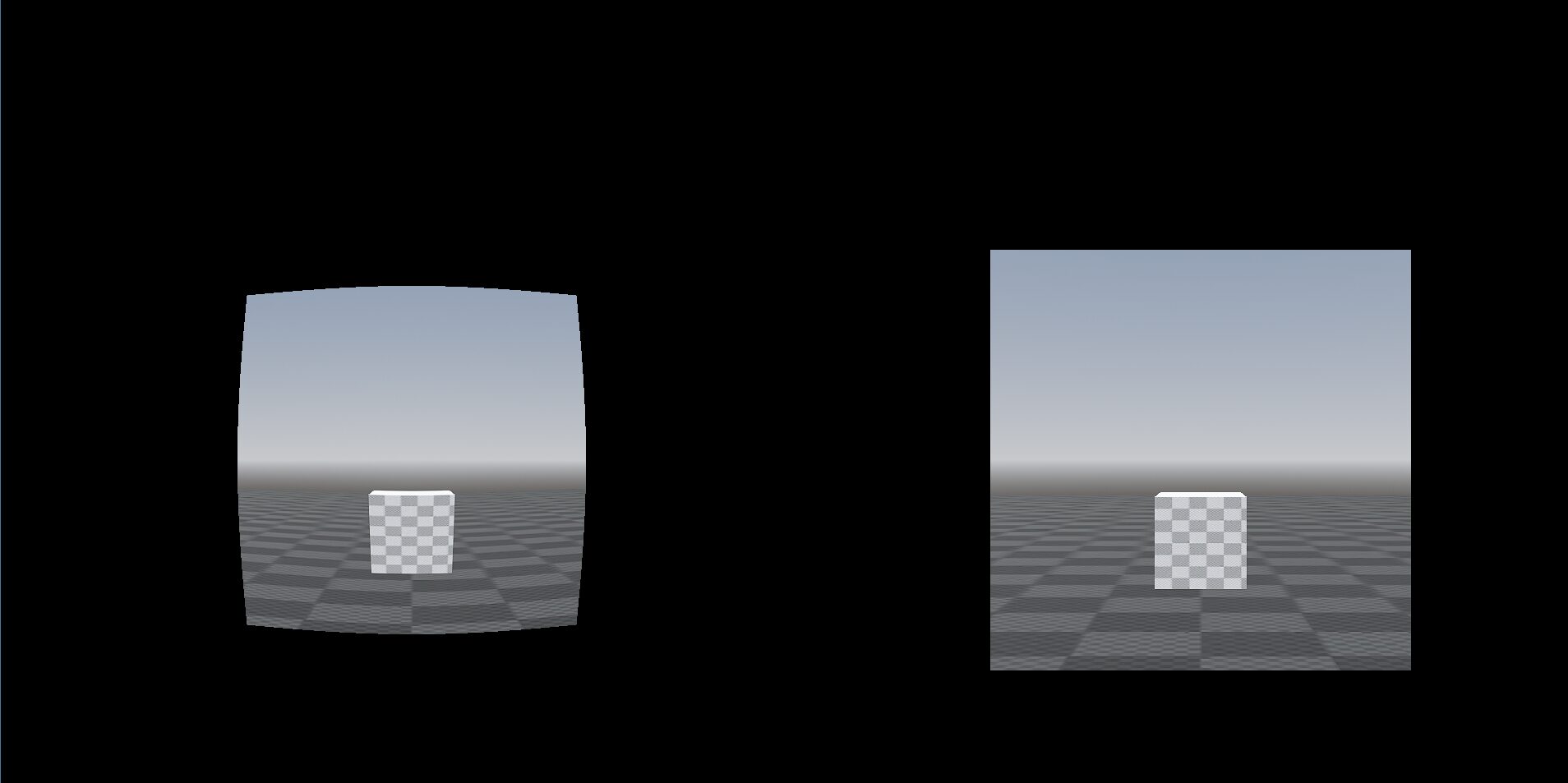
Barrel distortion

How to Set Up
This shader can be applied to TextureRect node, to create a lens distortion effect.
Steps to Apply the Shader:
-
Create a new Shader Material
- Select your TextureRect .
- In the Inspector, scroll down to Material and click [empty] → New ShaderMaterial.
-
Attach the Shader
- Click on ShaderMaterial → [empty] → New Shader.
- Open the newly created Shader and paste the shader code inside.
-
Customize the Effect
- Change Distortion strength to control how strong the distortion is.
- Adjust Distortion radius to change the size of the effect area.
Shader code
shader_type canvas_item;

uniform float distortion_strength : hint_range(-2.0, 2.0) = 0.5;
uniform float distortion_radius : hint_range(0.0, 1.0) = 1.0;

void fragment() {
	vec2 uv = UV - vec2(0.5);
	float dist = length(uv);
	if (dist < distortion_radius){
		float amount = dist / distortion_radius;
		vec2 distorted_uv = uv * (1.0 + amount * distortion_strength) + vec2(0.5);

		if (distorted_uv.x < 0.0 || distorted_uv.x > 1.0 || distorted_uv.y < 0.0 || distorted_uv.y > 1.0){

			COLOR = vec4(0.0, 0.0, 0.0, 1.0); // black color
		}
		else{
			COLOR = texture(TEXTURE, distorted_uv);
		}
	}
	else{
		COLOR = texture(TEXTURE, UV);
	}
}
Having some trouble implementing this – does it work within a 2D space/camera as well?
It works with 2D objects, but it doesn’t work with the 2D/3D camera directly.