
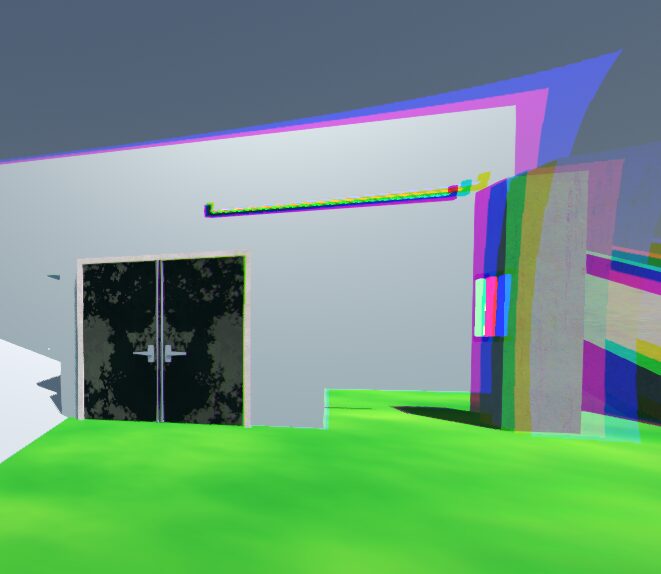
Chromatic aberration for 3D Post-processing

This a chromatic aberration effect that gets applied around the edges of the screen.
To use this shader, follow these steps:
- Create a MeshInstance3D node as a child of your Camera3D node
- Set the mesh of the MeshInstance3D to a QuadMesh
- Set the extra_cull_margin of your MeshInstance3D to the max
- Turn on the property flip_faces of the QuadMesh
- Set the size of the QuadMesh to (2, 2) so it covers the whole screen
- Add a ShaderMaterial to the QuadMesh with the shader code!
Remember to set the shader parameter distance_curve to a CurveTexture and the aberration_strength to something greater than 0.
Shader code
shader_type spatial;
render_mode unshaded, fog_disabled;

uniform sampler2D distance_curve;
uniform float aberration_strength : hint_range(0.0, 1.0) = 0.05;

uniform sampler2D screen_texture : source_color, hint_screen_texture;

void vertex() {
	POSITION = vec4(VERTEX.xy, 1.0, 1.0);
}

void fragment() {
	vec2 direction_from_center = SCREEN_UV - vec2(0.5);

	float distance_to_center = distance(vec2(0.5), SCREEN_UV);
	float curve_distance_intensity = texture(distance_curve, vec2(distance_to_center)).r;

	vec2 offset = direction_from_center * aberration_strength * curve_distance_intensity;

	float red = texture(screen_texture, SCREEN_UV - (offset / 2.0)).r;
	float green = texture(screen_texture, SCREEN_UV).g; // Sampling green at the original UV is common and looks good.
	float blue = texture(screen_texture, SCREEN_UV - offset).b;

	ALBEDO.rgb = vec3(red, green, blue);
}
hewwo