Compatibility-Friendly Texture Projection

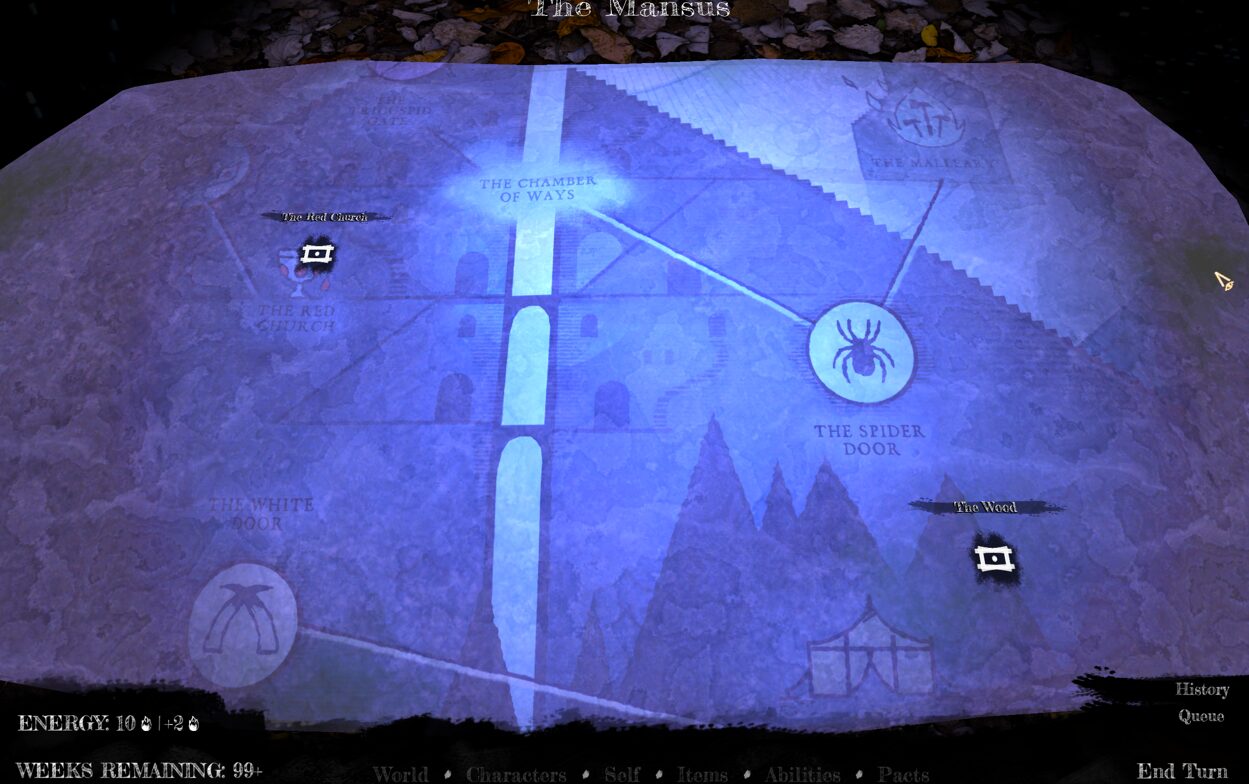
Spotlight3Ds have a texture projection option, which works great. However, it requires that shadows be enabled and only works on the Forward+ renderer. I needed a texture projection solution that was compatibility friendly, so I made this.
It is essentially a “standard” decal shader with a bunch of parameters that emulate the appearance of the Spotlight3D.
How to use:
1. Create a thin rectangular mesh. Call this “DecalVolume” or something similar.
2. Place this over another 3D mesh, such that it is intersecting the mesh. This is the mesh you want to project a texture on top of.
3. Assign a texture and tweak parameters as required. “Normal threshold” refers to how much a given pixel is, or isn’t, facing the camera. This is used to make sure your texture only applies to the face you want it to on the target mesh.
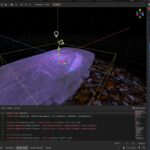
Configuration example is in the included screenshot.
Shader code
shader_type spatial;
render_mode blend_add, depth_draw_opaque, cull_disabled, unshaded, fog_disabled;

uniform vec4 modulate_color : source_color = vec4(1.0, 1.0, 1.0, 1.0);
uniform sampler2D depth_texture : hint_depth_texture, repeat_disable, filter_nearest;
uniform sampler2D decal_texture : source_color, filter_linear_mipmap, repeat_disable;

// Projection parameters
uniform float projection_energy : hint_range(0.0, 16.0) = 8.0;
uniform float center_intensity : hint_range(1.0, 4.0) = 2.0;
uniform float zoom : hint_range(0.1, 5.0) = 1.0; // Zoom into texture (1.0 = normal, <1.0 = zoom in, >1.0 = zoom out)
uniform float offset_x : hint_range(-5.0, 5.0) = 0.0; // Horizontal offset
uniform float offset_y : hint_range(-5.0, 5.0) = 0.0; // Vertical offset

// Falloff parameters
uniform float distance_falloff : hint_range(0.0, 2.0) = 1.0;
uniform float edge_softness : hint_range(0.0, 0.2) = 0.1;
uniform float projection_radius : hint_range(0.0, 10.0) = 5.0; // Max distance from center before fadeout

// Normal-based fading
uniform float normal_threshold : hint_range(0.0, 1.0) = 0.5; // How much surface must face up
uniform float normal_fade_sharpness : hint_range(0.1, 5.0) = 2.0; // Controls fade sharpness

// Debug
uniform bool normal_test = false;
void vertex() {
	// Called for every vertex the material is visible on.
}

void fragment() {
    float depth = texture(depth_texture, SCREEN_UV).x;
    if (depth >= 1.0) {
        discard;
    }

    // Reconstruct world position
    vec3 ndc = vec3(SCREEN_UV, depth) * 2.0 - 1.0;
    vec4 view = INV_PROJECTION_MATRIX * vec4(ndc, 1.0);
    view /= view.w;
    vec4 world = INV_VIEW_MATRIX * view;
    vec3 world_position = world.xyz / world.w;

    vec3 local_pos = (inverse(MODEL_MATRIX) * vec4(world_position, 1.0)).xyz;
    vec3 half_extents = vec3(5.0); // must match mesh size

    if (any(greaterThan(abs(local_pos), half_extents))) {
        discard;
    }

    // === NORMAL TEST MODE ===
    if (normal_test) {
        // Reconstruct normal from depth buffer
        vec2 pixel_size = 1.0 / VIEWPORT_SIZE;

        float depth_right = texture(depth_texture, SCREEN_UV + vec2(pixel_size.x, 0.0)).x;
        float depth_up = texture(depth_texture, SCREEN_UV + vec2(0.0, pixel_size.y)).x;

        vec3 ndc_right = vec3(SCREEN_UV + vec2(pixel_size.x, 0.0), depth_right) * 2.0 - 1.0;
        vec4 view_right = INV_PROJECTION_MATRIX * vec4(ndc_right, 1.0);
        vec3 world_right = (INV_VIEW_MATRIX * (view_right / view_right.w)).xyz;

        vec3 ndc_up = vec3(SCREEN_UV + vec2(0.0, pixel_size.y), depth_up) * 2.0 - 1.0;
        vec4 view_up = INV_PROJECTION_MATRIX * vec4(ndc_up, 1.0);
        vec3 world_up = (INV_VIEW_MATRIX * (view_up / view_up.w)).xyz;

        vec3 tangent = world_right - world_position;
        vec3 bitangent = world_up - world_position;
        vec3 world_normal = normalize(cross(tangent, bitangent));

        // Calculate angle to camera (view direction)
        vec3 view_dir = normalize((INV_VIEW_MATRIX * vec4(0.0, 0.0, 0.0, 1.0)).xyz - world_position);
        float alignment_to_camera = dot(world_normal, view_dir);

        // Visualize the normal and its angle
        // Red channel: how much normal points up (Y component)
        // Green channel: alignment with camera view
        // Blue channel: raw normal visualization
        ALBEDO = vec3(
            world_normal.y * 0.5 + 0.5,  // Y component mapped to 0-1
            alignment_to_camera * 0.5 + 0.5,  // Angle to camera mapped to 0-1
            length(world_normal.xz) * 0.5 + 0.5  // How horizontal the normal is
        );
        ALPHA = 1.0;
    } else {
        // Reconstruct normal from depth buffer for actual projection
        vec2 pixel_size = 1.0 / VIEWPORT_SIZE;

        float depth_right = texture(depth_texture, SCREEN_UV + vec2(pixel_size.x, 0.0)).x;
        float depth_up = texture(depth_texture, SCREEN_UV + vec2(0.0, pixel_size.y)).x;

        vec3 ndc_right = vec3(SCREEN_UV + vec2(pixel_size.x, 0.0), depth_right) * 2.0 - 1.0;
        vec4 view_right = INV_PROJECTION_MATRIX * vec4(ndc_right, 1.0);
        vec3 world_right = (INV_VIEW_MATRIX * (view_right / view_right.w)).xyz;

        vec3 ndc_up = vec3(SCREEN_UV + vec2(0.0, pixel_size.y), depth_up) * 2.0 - 1.0;
        vec4 view_up = INV_PROJECTION_MATRIX * vec4(ndc_up, 1.0);
        vec3 world_up = (INV_VIEW_MATRIX * (view_up / view_up.w)).xyz;

        vec3 tangent = world_right - world_position;
        vec3 bitangent = world_up - world_position;
        vec3 world_normal = normalize(cross(bitangent, tangent)); // Flipped order to fix winding

        // Check if surface is facing upward enough
        // world_normal.y gives us how much the normal points up:
        // 1.0 = straight up, 0.0 = horizontal, -1.0 = straight down
        float upward_facing = world_normal.y;

        // Smooth fade with pow function for control
        // Remap upward_facing from [threshold, 1.0] to [0.0, 1.0]
        float normalized_fade = clamp((upward_facing - normal_threshold) / (1.0 - normal_threshold), 0.0, 1.0);
        float normal_fade = pow(normalized_fade, normal_fade_sharpness);

        // Still discard if well below threshold for performance
        if (upward_facing < (normal_threshold - 0.05)) {
            discard;
        }

        // Calculate UV from local position
        vec2 local_uv = (local_pos.xz / (half_extents.xz * 2.0)) + 0.5;

        // Apply zoom by scaling UV from center
        vec2 uv_centered = local_uv - 0.5; // Center at origin
        uv_centered *= zoom; // Scale
        local_uv = uv_centered + 0.5; // Move back to 0-1 space

        // Apply offset
        local_uv.x += offset_x;
        local_uv.y += offset_y;

        // Discard pixels outside texture bounds (prevents repeating)
        if (local_uv.x < 0.0 || local_uv.x > 1.0 || local_uv.y < 0.0 || local_uv.y > 1.0) {
            discard;
        }

        // Distance from center for radial falloff
        // Use the UV BEFORE zoom is applied to keep fade consistent
        vec2 unzoomed_uv = (local_pos.xz / (half_extents.xz * 2.0)) + 0.5;
        float dist_from_center = distance(vec2(0.5, 0.5), unzoomed_uv);

        // === CIRCULAR FADE (like spot angle) ===
        float circle_fade = 1.0 - smoothstep(0.5 - edge_softness, 0.5, dist_from_center);
        if (circle_fade <= 0.0) {
            discard;
        }

        // === RADIUS FADE ===
        // Calculate actual world-space distance from decal center
        float world_dist = length(local_pos.xz);
        // Fade out smoothly as we approach the radius limit
        // Use edge_softness to control the fade smoothness
        float radius_fade = 1.0 - smoothstep(projection_radius - edge_softness, projection_radius, world_dist);
        if (radius_fade <= 0.0) {
            discard;
        }

        // === RADIAL INTENSITY (brighter in center, like light falloff) ===
        // This mimics the natural falloff of a spotlight
        float radial_intensity = 1.0 - pow(dist_from_center * 2.0, distance_falloff);
        radial_intensity = clamp(radial_intensity, 0.0, 1.0);

        // Boost center brightness
        float center_boost = 1.0 + (center_intensity - 1.0) * (1.0 - dist_from_center * 2.0);
        center_boost = max(center_boost, 1.0);

        // === SAMPLE PROJECTION TEXTURE ===
        vec4 projection_color = texture(decal_texture, local_uv);

        // === COMBINE ALL FACTORS ===
        // Use additive blending so we ADD light to the scene
        vec3 final_projection = projection_color.rgb * modulate_color.rgb;
        final_projection *= projection_energy;
        final_projection *= radial_intensity;
        final_projection *= center_boost;
        final_projection *= circle_fade;
        final_projection *= radius_fade; // Apply radius-based fading
        final_projection *= normal_fade; // Apply normal-based fading
        final_projection *= projection_color.a; // Respect texture alpha
        final_projection *= modulate_color.a; // Apply modulate alpha

        // In additive mode, ALBEDO is the light contribution
        ALBEDO = final_projection;
        ALPHA = 1.0; // Not used in blend_add mode, but set for consistency
    }
}

//void light() {
//	// Called for every pixel for every light affecting the material.
//	// Uncomment to replace the default light processing function with this one.
//}
Live Preview