
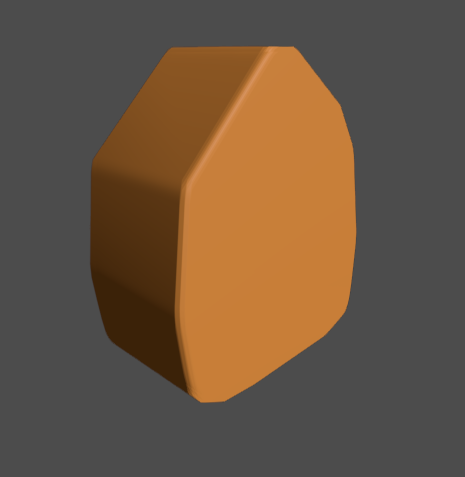
Fake Bevel Shader 2 Passes

Was looking for a way to have a bevel on the polygon3d with smooth_faces without changing the geometry.
Couldn’t find it, so here it is for you. 🙂
Shader code
shader_type spatial;
render_mode unshaded;

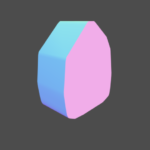
// Pass 1: write the raw view-space normal into the colour buffer so pass 2 can
// read it via the screen texture. Always the true geometry normal, so pass 2
// reading it creates no feedback loop.

void fragment() {
	ALBEDO = NORMAL * 0.5 + 0.5;
}


PASS 2
shader_type spatial;

// Pass 2 (next_pass of unit_body_normal_pass): read pass 1's raw normals from the
// screen texture, average them in a small kernel, and relight with the smoothed
// normal. At a hard edge the neighbours differ so the average bends -> the edge
// shades like a bevel. Flat areas average to themselves. No feedback: the source
// is pass 1, which only ever writes raw geometry normals. Silhouette stays sharp.

uniform vec4 albedo : source_color = vec4(0.8, 0.5, 0.2, 1.0);
uniform float roughness : hint_range(0.0, 1.0) = 0.6;
uniform sampler2D screen : hint_screen_texture, filter_nearest;
uniform sampler2D depth_tex : hint_depth_texture, filter_nearest;
uniform float smooth_radius : hint_range(0.0, 8.0) = 4.0;     // kernel reach in pixels
uniform float smooth_strength : hint_range(0.0, 1.0) = 1.0;
uniform float depth_threshold : hint_range(0.0, 0.01) = 0.001;

const vec2 DIRS[8] = {
	vec2(1.0, 0.0), vec2(-1.0, 0.0), vec2(0.0, 1.0), vec2(0.0, -1.0),
	vec2(1.0, 1.0), vec2(-1.0, 1.0), vec2(1.0, -1.0), vec2(-1.0, -1.0)
};

void fragment() {
	vec2 texel = smooth_radius / VIEWPORT_SIZE;
	float dc = texture(depth_tex, SCREEN_UV).r;
	vec3 nc = normalize(texture(screen, SCREEN_UV).rgb * 2.0 - 1.0);

	vec3 acc = nc;
	for (int i = 0; i < 8; i++) {
		vec2 uv = SCREEN_UV + DIRS[i] * texel;
		float dn = texture(depth_tex, uv).r;
		if (abs(dn - dc) < depth_threshold) {
			acc += normalize(texture(screen, uv).rgb * 2.0 - 1.0);
		}
	}
	vec3 smoothed = normalize(acc);

	NORMAL = normalize(mix(nc, smoothed, smooth_strength));
	ALBEDO = albedo.rgb;
	ROUGHNESS = roughness;
}
Live Preview

I’ve been working on a similar shader, thank you for sharing your method!