
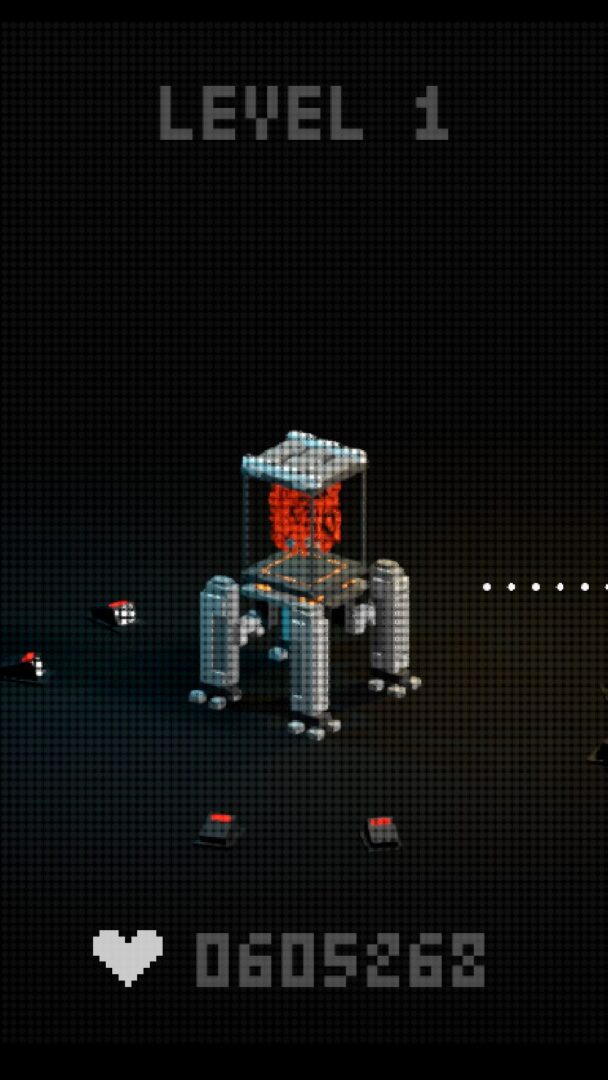
Halftone spatial shader

Using a Mesh3D as a “filter panel”, wherever it covers, that area of the subsequent scene is made into a halftone.
Shader code
shader_type spatial;
render_mode unshaded, blend_mix, cull_disabled;

uniform sampler2D SCREEN_TEXTURE : hint_screen_texture, filter_linear_mipmap;
uniform vec2 screen_size = vec2(1920.0, 1080.0);

uniform float dot_pitch_px : hint_range(3.0, 50.0) = 10.0;
uniform float dot_softness : hint_range(0.0, 2.0) = 0.8;
uniform float contrast     : hint_range(0.5, 2.0) = 1.0;
uniform vec3  bg_color = vec3(1.0);
uniform float opacity : hint_range(0.0, 1.0) = 1.0;
uniform float grid_rotate_deg : hint_range(-45.0, 45.0) = 0.0;

float luma(vec3 c) {
    return dot(c, vec3(0.299, 0.587, 0.114));
}

void fragment() {
    vec3 src = texture(SCREEN_TEXTURE, SCREEN_UV).rgb;
    float Y = clamp(luma(src) * contrast, 0.0, 1.0);

    // 转换到像素坐标
    vec2 screen_px = SCREEN_UV * screen_size;

    // 旋转
    float ang = radians(grid_rotate_deg);
    mat2 R = mat2(vec2(cos(ang), -sin(ang)),
                  vec2(sin(ang),  cos(ang)));
    vec2 p = R * screen_px;

    // 网格中心
    vec2 cell = floor(p / dot_pitch_px) + 0.5;
    vec2 center = cell * dot_pitch_px;

    float dist_px = length(p - center);

    // 半径随亮度
    float max_r = 0.5 * dot_pitch_px;
    float radius = max_r * (1.0 - Y);

    float dot_mask = 1.0 - smoothstep(radius - dot_softness,
                                      radius + dot_softness,
                                      dist_px);

    vec3 halftone = mix(bg_color, src, dot_mask);

    EMISSION = halftone;
    ALBEDO   = halftone;
    ALPHA    = opacity;
}
Live Preview


