
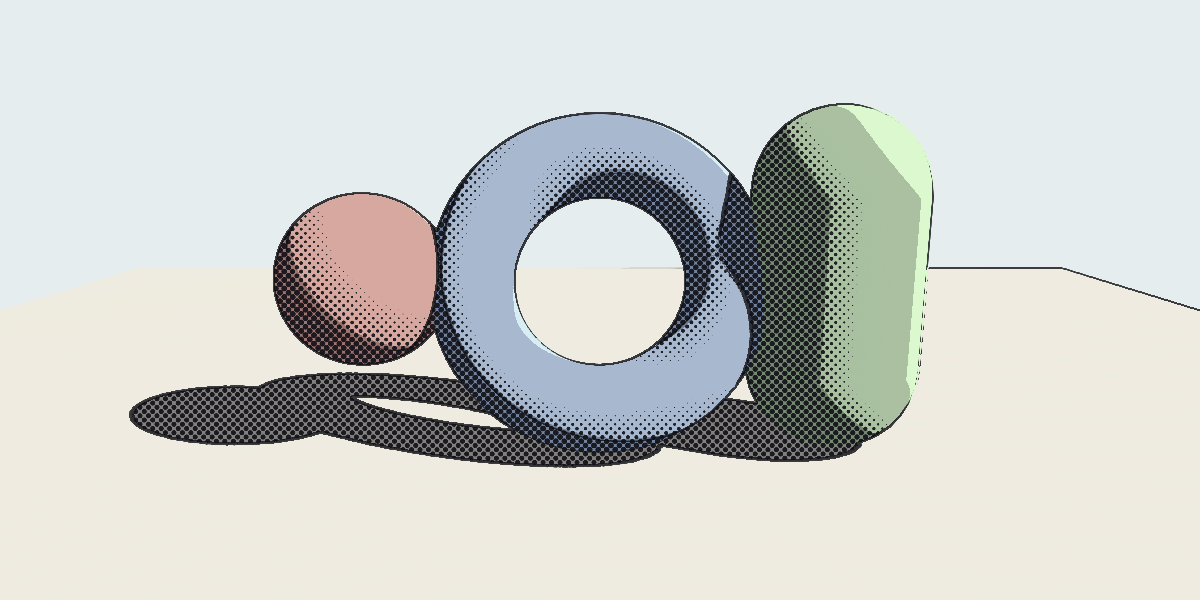
Manga Screentone Post-Process (dots, lines, crosshatch, ink outlines)

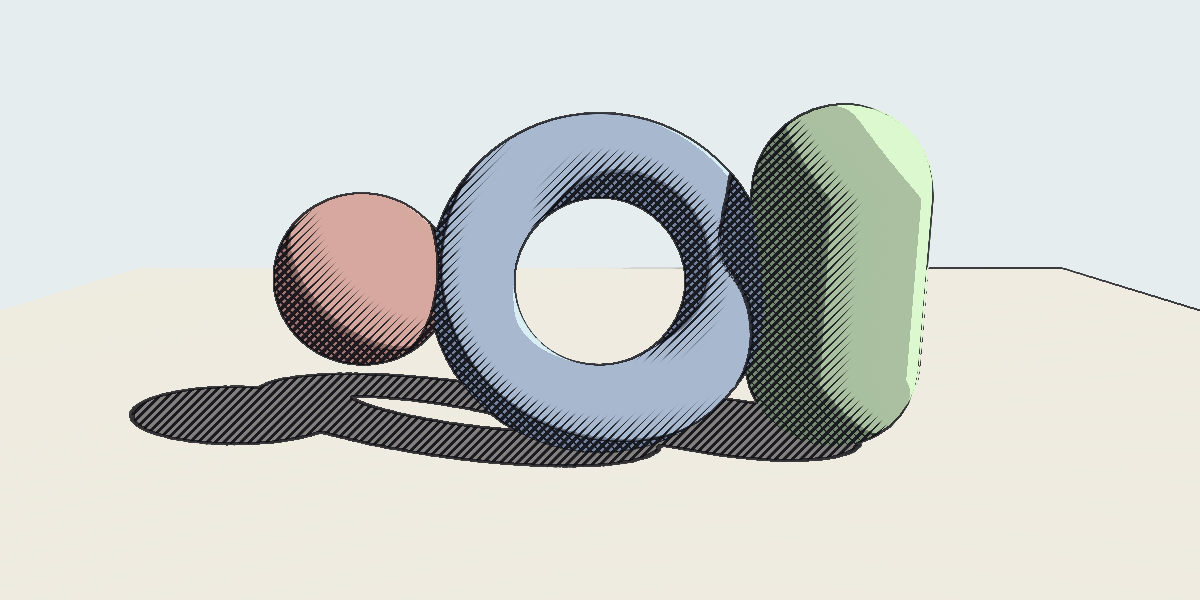
A full-screen post-processing version of the Manga Screentone Toon Shader. Instead of putting a material on each mesh, you put this on one ColorRect and the whole screen turns into a printed comic page: flat tone steps, screentone dots, lines or crosshatch in the dark areas, and ink outlines found from brightness edges. It works on 2D and 3D scenes.
How to use
- Add a CanvasLayer to your scene.
- Add a ColorRect inside it, set it to Full Rect and set Mouse Filter to Ignore.
- Give the ColorRect a ShaderMaterial with this shader.
Settings: pattern (0 none, 1 dots, 2 lines, 3 crosshatch), pattern size and angle, tone_steps (2 to 6), keep_color (0 = black ink on paper, 1 = keep the scene colours), and outline strength, threshold and width.
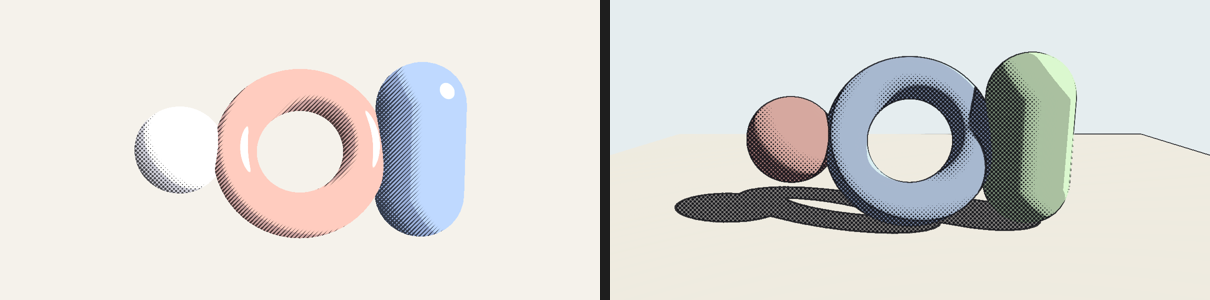
Want the look only on some objects? Use the material version: Manga Screentone Toon Shader. Both shaders and a demo scene for each are in the GitHub repo: github.com/johnisking/godot-manga-screentone.
Made with help from an AI assistant and tested in Godot 4.7 (Forward+). MIT licensed.
Shader code
// Manga screentone post-processing shader for Godot 4
// Turns the whole screen into a printed comic page: flat tone bands, screentone dots,
// lines or crosshatch in the dark areas, and optional ink outlines.
// Put it on a full-screen ColorRect inside a CanvasLayer (see demo/post_process.tscn).
// Works on 2D and 3D scenes. For a per-object look, use manga_screentone.gdshader instead.
//
// MIT License. Copyright (c) 2026 GameShipKit (gameshipkit.com)
// Free to use in commercial and non-commercial projects. Keep this notice.
// More looks and a live preview: https://gameshipkit.com/tools/toon-shader-maker-3d/

shader_type canvas_item;

uniform sampler2D screen_texture : hint_screen_texture, filter_linear_mipmap;

group_uniforms tone;
// 0 = black ink on paper, 1 = keep the scene colours under the pattern
uniform float keep_color : hint_range(0.0, 1.0) = 0.35;
uniform vec4 paper_color : source_color = vec4(0.97, 0.96, 0.92, 1.0);
uniform vec4 ink_color : source_color = vec4(0.06, 0.06, 0.08, 1.0);
// how many flat tone steps the picture is cut into (2 to 6)
uniform int tone_steps : hint_range(2, 6) = 3;
uniform float brightness : hint_range(0.5, 1.5) = 1.0;

group_uniforms screentone;
uniform int pattern : hint_range(0, 3) = 1; // 0 none, 1 dots, 2 lines, 3 crosshatch
uniform float pattern_size : hint_range(3.0, 24.0) = 6.0; // pixels per cell
uniform float pattern_angle : hint_range(0.0, 180.0) = 45.0; // degrees
uniform float pattern_reach : hint_range(0.05, 1.0) = 0.5; // how bright an area can be and still get the pattern
uniform float pattern_strength : hint_range(0.0, 1.0) = 0.9;

group_uniforms outline;
uniform float outline_strength : hint_range(0.0, 1.0) = 0.8;
uniform float outline_threshold : hint_range(0.01, 1.0) = 0.18; // lower = more lines
uniform float outline_width : hint_range(0.5, 3.0) = 1.0; // pixels

float luma(vec3 c) {
	return dot(c, vec3(0.299, 0.587, 0.114));
}

float hatch(float c, float s) {
	float d = abs(fract(c) - 0.5) * 2.0;
	return (1.0 - smoothstep(s * 0.9, s * 0.9 + 0.15, d)) * smoothstep(0.0, 0.1, s);
}

// 0..1 coverage of the pattern at this screen pixel for a brightness l
float screentone(vec2 frag, float l) {
	if (pattern == 0) return 0.0;
	float s = clamp((pattern_reach - l) / max(pattern_reach, 0.01), 0.0, 1.0);
	if (s <= 0.0) return 0.0;
	float a = radians(pattern_angle);
	vec2 q = mat2(vec2(cos(a), sin(a)), vec2(-sin(a), cos(a))) * frag / pattern_size;
	if (pattern == 1) {
		float r = sqrt(s) * 0.62;
		return 1.0 - smoothstep(r - 0.06, r + 0.06, length(fract(q) - 0.5));
	}
	float m = hatch(q.y, s);
	if (pattern == 3) m = max(m, hatch(q.x, (s - 0.45) * 1.8));
	return m;
}

// edge strength from brightness changes around this pixel (Sobel)
float edges(vec2 uv, vec2 px) {
	vec2 o = px * outline_width;
	float tl = luma(texture(screen_texture, uv + vec2(-o.x, -o.y)).rgb);
	float t  = luma(texture(screen_texture, uv + vec2(0.0, -o.y)).rgb);
	float tr = luma(texture(screen_texture, uv + vec2(o.x, -o.y)).rgb);
	float l  = luma(texture(screen_texture, uv + vec2(-o.x, 0.0)).rgb);
	float r  = luma(texture(screen_texture, uv + vec2(o.x, 0.0)).rgb);
	float bl = luma(texture(screen_texture, uv + vec2(-o.x, o.y)).rgb);
	float b  = luma(texture(screen_texture, uv + vec2(0.0, o.y)).rgb);
	float br = luma(texture(screen_texture, uv + vec2(o.x, o.y)).rgb);
	float gx = -tl - 2.0 * l - bl + tr + 2.0 * r + br;
	float gy = -tl - 2.0 * t - tr + bl + 2.0 * b + br;
	return length(vec2(gx, gy));
}

void fragment() {
	vec3 c = texture(screen_texture, SCREEN_UV).rgb * brightness;
	float l = clamp(luma(c), 0.0, 1.0);
	// flat tone steps, like the grey levels of a printed page
	float steps = float(tone_steps);
	float band = clamp(floor(l * steps) / (steps - 1.0), 0.0, 1.0);
	vec3 paper = paper_color.rgb * mix(0.55, 1.0, band);
	vec3 tinted = c / max(l, 0.001) * mix(0.55, 1.0, band) * 0.85;
	vec3 base = mix(paper, clamp(tinted, 0.0, 1.0), keep_color);
	vec3 col = mix(base, ink_color.rgb, screentone(FRAGCOORD.xy, l) * pattern_strength);
	if (outline_strength > 0.0) {
		float e = smoothstep(outline_threshold, outline_threshold * 1.6, edges(SCREEN_UV, SCREEN_PIXEL_SIZE));
		col = mix(col, ink_color.rgb, e * outline_strength);
	}
	COLOR = vec4(col, 1.0);
}
Live Preview

Comments 0
No comments yet.