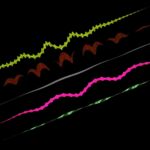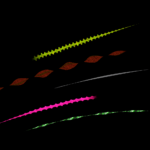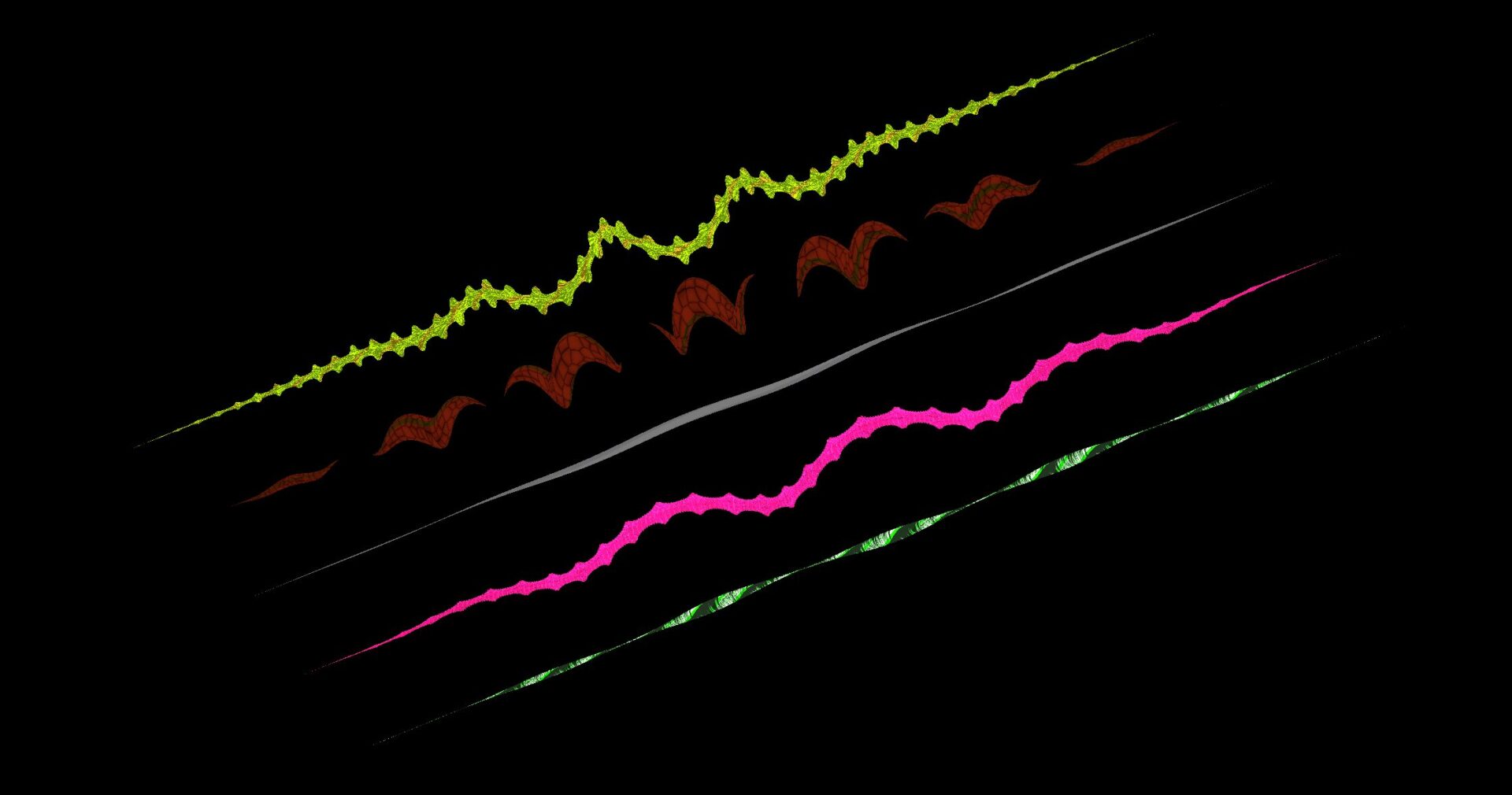
Ray Force Field

Customizable force field like effect.
Create a mesh instance node, assing cylinder mesh, and modify the number of rings/segments based on the fidelity you need. In the demo 32 segments with 1000 rings seem to do the job nicely (unique effects can be achieved by lowering these values, giving it a more retro look)
Make sure to change the rotation of the mesh instance node on the x or z axis, in the demo 90 degrees on the x axis is used. If you dont do this, all the vertices will be positioned at the origin and so nothing will be visible.
To use it in a script after setting it up the most important uniforms are pos_from, pos_to (start position and end position of the ray), pos_spline_influence (if you want the ray to be straight just set this to the middle point between pos_from and pos_to, otherwise, it will bend from pos_from towards pos_spline_influence and then reach pos_to), and show_progress which can be used to animate the effect fading in and out.
Also make sure to change the custom aabb property of the mesh instance node so it will be actually drawn.
Play around with the uniforms, a lot of effects can be created
Shader code
shader_type spatial;
render_mode unshaded;
//render_mode cull_disabled;
render_mode depth_draw_always;

// 0 for middle, 1 for from to to, 2 for to to from
uniform float progres_mode = 0.;
uniform vec3 pos_from = vec3(0, 0, 0);
uniform vec3 pos_to = vec3(0, 0, -5);
uniform vec3 pos_spline_influence = vec3(-1, 0, -2.5);
uniform float show_progress: hint_range(0.0, 1.0, .005) = .5;
uniform float scroll_y = 0.;
uniform float time_scroll_scale = 1.;
uniform float added_scroll = 0.;
uniform float added_scroll_scale = -1.0;
uniform float rotation_displacement_scale = 0.;
// rotation influence
uniform float rot_scale = 1.;
uniform int repeat_multiplier = 2;
uniform float displacement_repeat = 5.;
uniform float wave_displacement_min = .1;
uniform float wave_displacement_len_divide = 50.;
uniform float wave_displacement_sin_easing_power = 2.;

group_uniforms ThicknessSettings;
	uniform float min_thick = .1;
	uniform float max_thick = .2;
	uniform float thickness_power_scale = 1.;
	uniform float thickness_scale = 1.;
group_uniforms;

group_uniforms Visual;
	uniform float glow_scale = 1.;
	uniform float max_transp: hint_range(0.0, 1.0, 0.01) = .4;
	uniform int color_repeat_scale = 2;
	uniform vec3 color1: source_color;
	uniform vec3 color2: source_color;
	uniform float step_ratio: hint_range(0, 1, .05) = .5;
	uniform bool use_rotated_angle = true;
	uniform bool rotate_alpha_texture = false;
	uniform sampler2D alpha_texture: hint_default_white, filter_linear;
	uniform sampler2D alpha_texture_ramp: hint_default_white;
	uniform float min_texture_transp = 0.;
	uniform vec2 alpha_texture_uv_scale = vec2(1., 1.);
group_uniforms;

varying float y_normalized;
varying float initial_angle;
varying float final_angle;
varying float _len;

float map_range(float p, float a1, float b1, float a2, float b2) {
    return a2 + (p - a1) / (b1 - a1) * (b2 - a2);
}

mat2 rotationMatrix(float angle) {
    float c = cos(angle);
    float s = sin(angle);
    return mat2(vec2(c, -s), vec2(s, c));
}

vec3 quadraticBezier(vec3 p0, vec3 p1, vec3 p2, float t) {
    float u = 1.0 - t;
    return u * u * p0 + 2.0 * u * t * p1 + t * t * p2;
}

// x = total distance, l edge distance, t current progress
float smoothEdges(float x, float l, float t) {
	float start = smoothstep(0.0, l, t);
    float end = smoothstep(x, x - l, t);
    return start * end;
}

float flipAtInterval(float interval, float x) {
	return mod(floor((x + interval) / interval), 2.) * 2. - 1.;
}

float smoothSpikes(float power, float x) {
	// offset the start
	float a = x + 1.;
	// repeat the interval
	float b = a - floor((a + 1.) / 2.) * 2.;
	return pow(min(cos(PI * b/2.), 1. - abs(b)), power) * flipAtInterval(2., x);
}

void vertex() {
	// the origin is at the middle so we have to offset it
	VERTEX.y += .5;
	float vertex_progress_normalized = VERTEX.y;
	mat4 inv = inverse(MODEL_MATRIX);
	vec3 spline_influence_local = (inv * vec4(pos_spline_influence, 1)).xyz;
	vec3 from_local = (inv * vec4(pos_from, 1)).xyz;
	vec3 to_local = (inv * vec4(pos_to, 1)).xyz;
	vec3 spline_pos_local = quadraticBezier(from_local, spline_influence_local, to_local, vertex_progress_normalized);

	vec3 dir_local = normalize(to_local - from_local);
	float _dot = dot(vec3(0,1,0), dir_local);
	float len = length(pos_to - pos_from) * _dot;
	_len = len;

	// initial pos of vertices will be vertical, from 0 to height (height is 1, so we can use that as progress normalized)
	float curr_scroll = scroll_y;
	curr_scroll += time_scroll_scale * TIME + added_scroll * added_scroll_scale;

	// this makes repeat affect the number of repeated features that are visible
	float vertex_progress = vertex_progress_normalized * len;
	float vertex_progress_scaled = vertex_progress_normalized * float(repeat_multiplier);
	float vertex_progress_scaled_scrolled = vertex_progress_scaled + curr_scroll * float(repeat_multiplier);
	float vertex_progress_scaled_scrolled_with_added = vertex_progress_scaled + curr_scroll * float(repeat_multiplier);
	y_normalized = vertex_progress_normalized;
	vec2 t = vec2(VERTEX.x, -VERTEX.z);
	t = normalize(t);
	float rad = atan(t.x, t.y);
	initial_angle = rad;
	initial_angle = map_range(initial_angle, -PI, PI, 0, 1.);

	// rotation
	rad += vertex_progress_scaled_scrolled * rot_scale;

	// this will be a direction vector
	vec2 rotated_pos = rotationMatrix(rad) * vec2(1, 0);
	vec2 dir2 = normalize(rotated_pos);

	float thickness_eased = abs(pow(map_range(sin(PI * vertex_progress_scaled_scrolled_with_added), -1, 1, min_thick, max_thick), thickness_power_scale));

	vec3 original_pos = VERTEX;
	VERTEX = spline_pos_local;
	float wave_displacement = max(wave_displacement_min, len / wave_displacement_len_divide);
	wave_displacement *= pow(show_progress, 5.);
	float rotation_offset = TIME * rotation_displacement_scale + added_scroll;
	vec2 displace_dir = normalize(vec2(cos(vertex_progress_normalized * displacement_repeat * TAU + rotation_offset), sin(vertex_progress_normalized * displacement_repeat * TAU + rotation_offset)));
	VERTEX.xz += displace_dir * wave_displacement * pow(sin(PI * vertex_progress_normalized), wave_displacement_sin_easing_power);
	vec3 angle_pivot = VERTEX;
	float edge_smoothing = 1.;
	edge_smoothing = smoothEdges(len, min(.5, len / 3.), vertex_progress);
	VERTEX.zx += dir2 * thickness_eased * thickness_scale * edge_smoothing;


	// final angle for alpha texture
	vec3 angle_dir_vec = VERTEX - angle_pivot;
	final_angle = atan(angle_dir_vec.x, -angle_dir_vec.z);
	final_angle = map_range(final_angle, -PI, PI, 0., 1.);
	final_angle = final_angle * 2. - clamp(final_angle - .5, 0, .5) * 4.;

	vec3 world_pos = (MODEL_MATRIX * vec4(VERTEX, 1.)).xyz;
	POSITION = PROJECTION_MATRIX * MODELVIEW_MATRIX * vec4(VERTEX.xyz, 1.0);
}

void fragment() {
	//ALPHA = show_progress * MIN_TRANSP;
	float t = fract(show_progress + TIME / 1.);
	t = show_progress;
	//t = 0.;
	float fade_effect = pow(sin(PI * y_normalized), t * .2);

	float progress_midle = (1. - step(.5, progres_mode)) * sin(PI * y_normalized);
	float progress_front = step(.5, progres_mode) * (1. - step(1.5, progres_mode)) * (1. - y_normalized);
	float progress_back = step(.5, progres_mode) * step(1.5, progres_mode) * (1. - step(2.5, progres_mode)) * y_normalized;

	float smooth_max = 1.2;
	fade_effect *= smoothstep(1. - t, smooth_max * (1. - t), progress_midle + progress_front + progress_back);

	fade_effect = clamp(fade_effect, 0, 1);

	ALPHA = fade_effect * max_transp;
	float angle_normalized = final_angle;
	if (use_rotated_angle) {
		angle_normalized = initial_angle;
	}

	vec2 alpha_uv = vec2(angle_normalized * alpha_texture_uv_scale.x, y_normalized * _len * alpha_texture_uv_scale.y);
	if (rotate_alpha_texture) {
		alpha_uv = vec2(-alpha_uv.y, alpha_uv.x);
	}
	float alpha_tex_val = texture(alpha_texture, alpha_uv).r;
	float mapped_alpha = alpha_tex_val * texture(alpha_texture_ramp, vec2(alpha_tex_val, alpha_tex_val)).r;
	ALPHA *= max(mapped_alpha, min_texture_transp);

	float c = initial_angle * float(color_repeat_scale);
	float s = step(step_ratio, fract(c));
	ALBEDO.rgb = mix(color1, color2, s);
	ALBEDO.rgb *= glow_scale;

}
Live Preview