Shine 2D – Configurable

Shine 2D
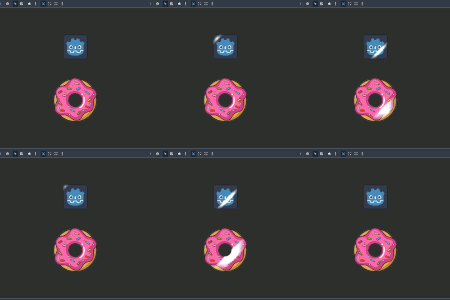
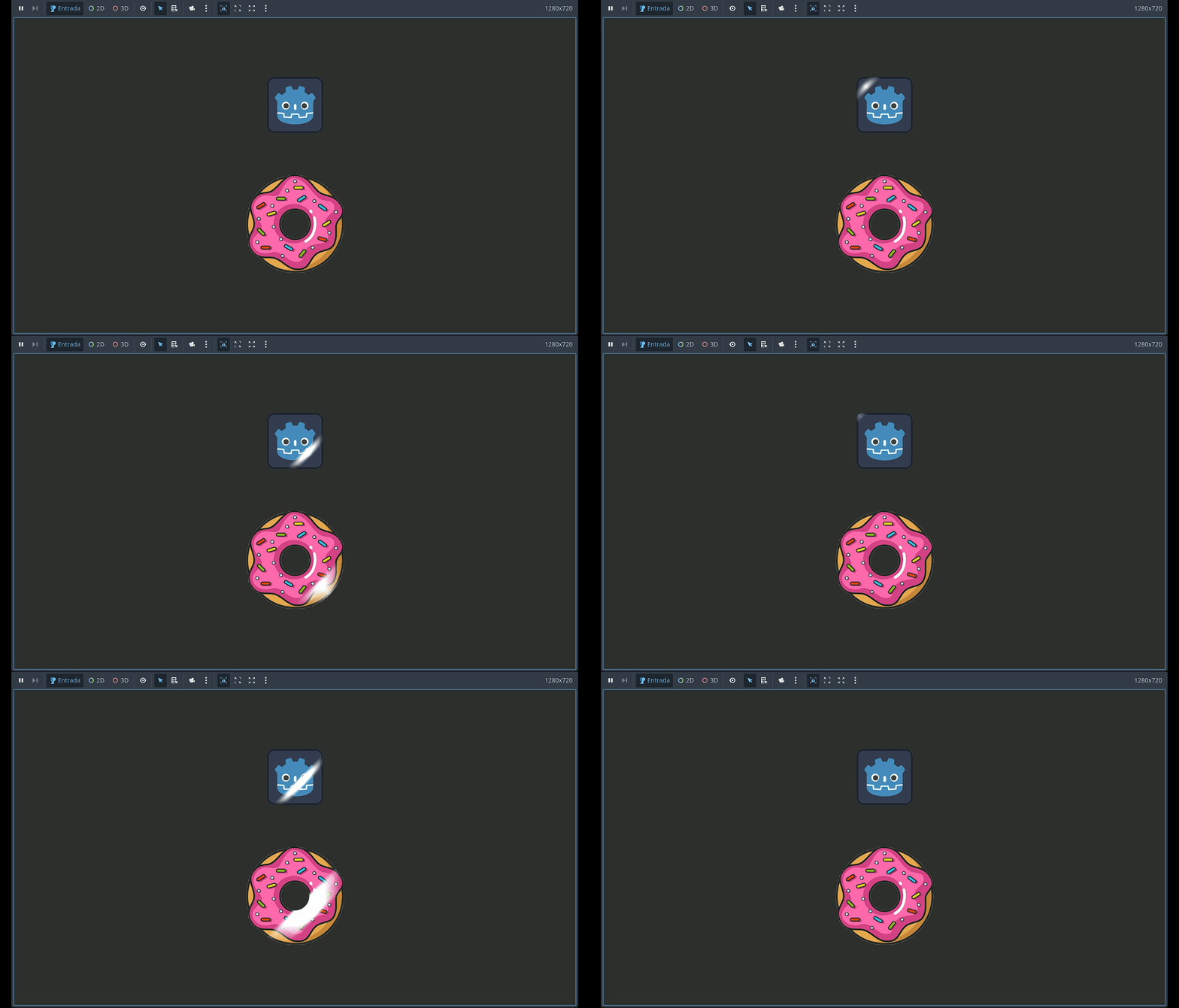
Genera sobre el sprite o textura, un efecto de brillo. Permite configurar el movimiento, el angulo, velocidad, delay entre brillo y brillo; además de los estilos como suavizado o distorsión.
Contempla el canal alpha evitando el brillo en transparencias (como en la dona).
Configurable:
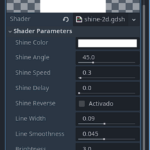
- Shine Color: Color del brillo, permite transparencia (alpha)
- Shine Angle: Angulo de 0º a 180º
- Shine Speed: Velocidad
- Shine Delay: Tiempo de espera ente brillo
- Shine Reverse: Invierte el sentido de movimiento
- Estilos:
- Line Width: Ancho de la linea de brillo
- Line Smoothness: suavizado
- Brightness: Intensidad de brillo
- Distortion: Distorsión del brillo
- Lens Strength: Efecto lens-flare
Son libres de editar a gusto el código. En ese caso, por favor, no olvides compartir y aportar 💖
EriNixie
Shader code
shader_type canvas_item;
render_mode blend_premul_alpha;

uniform vec4 shine_color : source_color = vec4(1.0);
uniform float shine_angle : hint_range(0.0, 180.0, 0.1) = 45.0;
uniform float shine_speed : hint_range(0.01, 10.0, 0.01) = 0.3;
uniform float shine_delay : hint_range(0.0, 5.0, 0.1) = 0.0;
uniform bool shine_reverse = false;

uniform float Line_Width : hint_range(0.0, 0.2) = 0.09;
uniform float Line_Smoothness : hint_range(0.001, 0.1) = 0.045;
uniform float Brightness : hint_range(0.0, 10.0) = 3.0;
uniform float Distortion : hint_range(1.0, 3.0) = 2;
uniform float LensStrength : hint_range(0.0, 0.1) = 0.05;

void fragment() {
    vec2 uv = UV;

    // Dirección y normal
    float angle_rad = radians(shine_angle);
    vec2 shine_dir = normalize(vec2(cos(angle_rad), -sin(angle_rad)));
    vec2 shine_normal = vec2(-shine_dir.y, shine_dir.x);

    // Gradiente radial
    vec2 center_uv = uv - vec2(0.5);
    float gradient_to_edge = max(abs(center_uv.x), abs(center_uv.y));
    gradient_to_edge = 1.0 - gradient_to_edge * Distortion;
    gradient_to_edge = clamp(gradient_to_edge, 0.0, 1.0);

    // Animación
    float cycle_duration = (1.0 / shine_speed) + shine_delay;
    float time_in_cycle = mod(TIME, cycle_duration);
    float shine_progress = clamp(time_in_cycle * shine_speed, 0.0, 1.0);
    if (shine_reverse) {
        shine_progress = 1.0 - shine_progress;
    }

    float max_offset = 1.5;
    float offset = mix(-max_offset, max_offset, shine_progress);
    vec2 shine_origin = vec2(0.5) + shine_normal * offset;

    // Brillo
    float distance = dot(uv - shine_origin, shine_normal);
    float smoothness = clamp(Line_Smoothness, 0.001, 1.0);
    float half_width = Line_Width * 0.5;
    float shine = smoothstep(-half_width - smoothness, -half_width, distance) -
                  smoothstep(half_width, half_width + smoothness, distance);

    // Lens flare
    vec2 lens_offset = shine * LensStrength * shine_normal;
    vec4 base_color = texture(TEXTURE, uv + lens_offset);

    // Respetar transparencia
    if (base_color.a <= 0.0) {
        discard; // opcional: no renderiza nada
    }

    shine *= base_color.a;

    float final_intensity = shine * gradient_to_edge * Brightness;
    final_intensity = clamp(final_intensity, 0.0, shine_color.a);

    vec3 final_color = mix(base_color.rgb, shine_color.rgb, final_intensity);

    // Aplicar alpha como máscara final
    COLOR = vec4(final_color, base_color.a);
}
Live Preview