Simple Grayscale Shader for CanvasItem

Just a simple shader for applying grayscale to one or more canvas items.
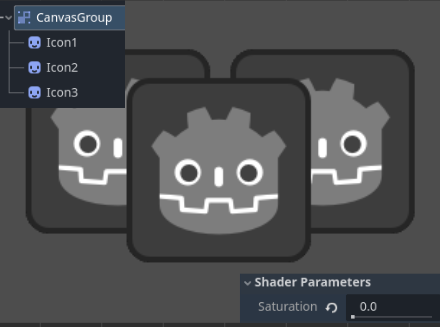
Example usage: Place several nodes with various textures under ‘CanvasGroup’. Add new shader material to the CanvasGroup and attach this shader. Use the saturation slider to reduce saturation.
Good for visually showing something is ‘disabled’.
Shader code
shader_type canvas_item;

uniform sampler2D screen_texture : hint_screen_texture, repeat_disable;
uniform float saturation : hint_range(0.0, 1.0) = 1.0; // 0 = grayscale, 1 = full color

void fragment() {
	vec4 tex = texture(screen_texture, SCREEN_UV);
	float gray = dot(tex.rgb, vec3(0.299, 0.587, 0.114)); // luminance weights
	vec3 result = mix(vec3(gray), tex.rgb, saturation);
	COLOR = vec4(result, tex.a);
}
Live Preview