
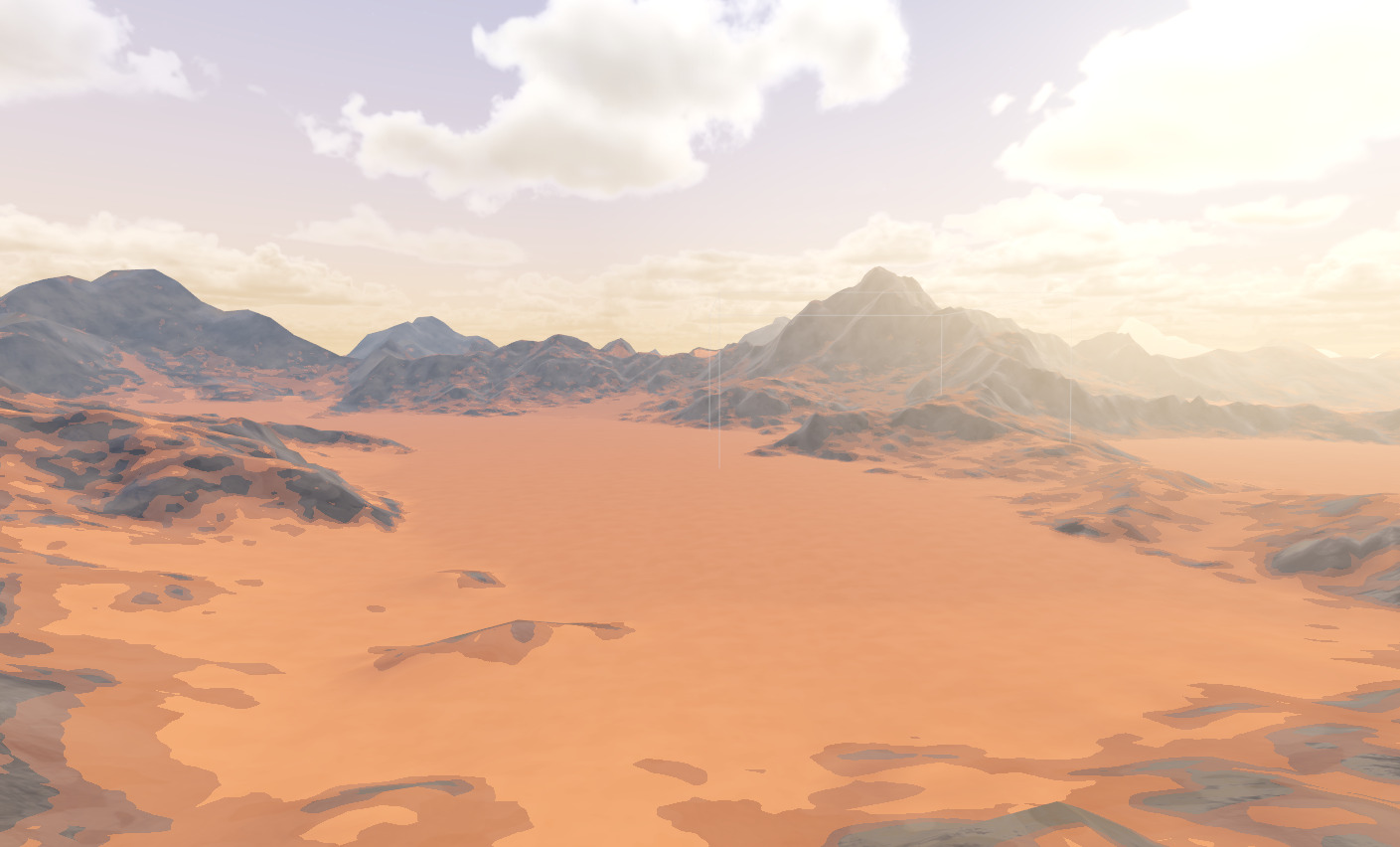
Wandering Clipmap – Stylized Terrain

Tested on Godot 4.1
A modified version of devmar’s wandering clipmap terrain, used for vertex offset and shading of a wandering clipmap heightmap!
Stylistic inspiration from Risk of Rain 2.
Devmar’s technique detailed here: https://youtu.be/rcsIMlet7Fw
Impliments devmar’s terrain normals fix detailed here: https://youtu.be/-dMbacvrDrs
Designed to work in concert with my wandering clipmap grass shader: https://godotshaders.com/shader/wandering-clipmap-foliage-particle-process
Shader code
shader_type spatial;
render_mode diffuse_lambert, specular_toon;


group_uniforms heightmaps;
uniform sampler2D heightmap;
uniform sampler2D heightmap_normals;
uniform float heightmap_normals_intensity : hint_range(0.0, 1.0);
uniform sampler2D splatmap;
uniform float heightmap_scale;
uniform float heightmap_height_scale;

group_uniforms slope_definition;
//uniform float slope_shift : hint_range(-1.0, 1.0);
uniform float slope_edge_1 : hint_range(0, 1.0);
uniform float slope_edge_2 : hint_range(0, 1.0);
uniform float slope_edge_3 : hint_range(0, 1.0);
uniform sampler2D slope_edge_noise;
uniform float slope_edge_noise_scale;
uniform float slope_edge_noise_intensity : hint_range(0.0, 1.0);

group_uniforms colors;
uniform vec3 slope_color_remap_top : source_color = vec3(1, 1, 1);
uniform vec3 slope_color_remap_bottom : source_color;
uniform vec3 flat_color_remap_top : source_color = vec3(1, 1, 1);
uniform vec3 flat_color_remap_bottom : source_color;

group_uniforms textures;
uniform sampler2D flat_albedo : hint_default_white;
uniform sampler2D flat_normal : hint_normal;
uniform float flat_uv_scale = 1.0;
uniform float flat_normal_scale : hint_range(0.0, 1.0);
uniform sampler2D slope_albedo : hint_default_white;
uniform sampler2D slope_normal : hint_normal;
uniform float slope_uv_scale = 1.0;
uniform float slope_normal_scale : hint_range(0.0, 1.0);

group_uniforms properties;
uniform float flat_specular : hint_range(0.0, 1.0);
uniform float flat_roughness : hint_range(0.0, 1.0);
uniform float flat_metallic : hint_range(0.0, 1.0);
uniform float flat_normal_intensity : hint_range(0.0, 1.0);
uniform float slope_specular : hint_range(0.0, 1.0);
uniform float slope_roughness : hint_range(0.0, 1.0);
uniform float slope_metallic : hint_range(0.0, 1.0);
uniform float slope_normal_intensity : hint_range(0.0, 1.0);

varying vec2 world_position;
varying vec3 vert_normal;


vec3 get_triplanarized_map(sampler2D sampler, vec4 projected_coords, vec3 normal_weights, float uv_scale) {
	vec3 texX = texture(sampler, projected_coords.zy * uv_scale).rgb;
	vec3 texY = texture(sampler, projected_coords.xz * uv_scale).rgb;
	vec3 texZ = texture(sampler, projected_coords.xy * uv_scale).rgb;
	return texX * normal_weights.x + texY * normal_weights.y + texZ * normal_weights.z;
}

vec3 unpack_normalmap(vec4 rgba) {
	vec3 n = rgba.xzy * 2.0 - vec3(1.0);
	n.z *= -1.0;
	return n;
}


void fragment() {
	vec4 projected_coords = INV_VIEW_MATRIX * vec4(VERTEX, 1.0);
	vec3 world_normal = abs(INV_VIEW_MATRIX * vec4(NORMAL, 0.0)).xyz;
	vec3 normal_weights = world_normal / (world_normal.x + world_normal.y + world_normal.z);

	vec3 triplanarized_slope_albedo = get_triplanarized_map(slope_albedo, projected_coords, normal_weights, slope_uv_scale * 0.01);
	vec3 triplanarized_slope_normal = get_triplanarized_map(slope_normal, projected_coords, normal_weights, slope_uv_scale * 0.01);
	vec3 triplanarized_flat_albedo = get_triplanarized_map(flat_albedo, projected_coords, normal_weights, flat_uv_scale * 0.01);
	vec3 triplanarized_flat_normal = get_triplanarized_map(flat_normal, projected_coords, normal_weights, flat_uv_scale * 0.01);

//	float steepness = dot(world_normal, vec3(0.0, 1.0, 0.0));
//	float inv_steepness = (steepness * -1.0) + 1.0;
	float slope_edge_noise_remap = mix(1, texture(slope_edge_noise, world_position * slope_edge_noise_scale).r, slope_edge_noise_intensity);
	float slope = texture(splatmap, world_position).r * slope_edge_noise_remap;


	float edge_1 = step(slope_edge_1, slope);
	float edge_2 = step(slope_edge_2, slope);
	float edge_3 = step(slope_edge_3, slope);
	float slope_mask = edge_1 * (2.0 / 5.0) + edge_2 * (2.0 / 5.0) + edge_3 * (1.0 / 5.0);
	float slope_mask_inverted = (slope_mask * -1.0) + 1.0;

	vec3 slope_color = mix(slope_color_remap_bottom, slope_color_remap_top, triplanarized_slope_albedo.r);
	vec3 flat_color = mix(flat_color_remap_bottom, flat_color_remap_top, triplanarized_flat_albedo.r);

	vec3 slope_normal_scaled = mix(vec3(0.5, 0.5, 1), triplanarized_slope_normal, slope_normal_scale);
	vec3 flat_normal_scaled = mix(vec3(0.5, 0.5, 1), triplanarized_flat_normal, flat_normal_scale);

	ALBEDO = mix(slope_color, flat_color, slope_mask_inverted);
	//ALBEDO = vec3(slope_mask);
	SPECULAR = mix(slope_specular, flat_specular, slope_mask_inverted);
	METALLIC = mix(slope_metallic, flat_metallic, slope_mask_inverted);
	ROUGHNESS = mix(slope_roughness, flat_roughness, slope_mask_inverted);
	NORMAL_MAP = mix(slope_normal_scaled, flat_normal_scaled, slope_mask_inverted);
	NORMAL_MAP_DEPTH = mix(slope_normal_intensity, flat_normal_intensity, slope_mask_inverted);
}

void vertex() {
	float pixel_size = 1.0 / float(textureSize(heightmap, 0).x);
	vec2 half_pixel_offset = vec2(pixel_size, pixel_size) / 2.0;

	float heightmap_size = float(textureSize(heightmap, 0).x);

	world_position = (MODEL_MATRIX * vec4(VERTEX, 1.0)).xz * 1.0 / (heightmap_size * heightmap_scale) + vec2(0.5) + half_pixel_offset;
	VERTEX.y += texture(heightmap, world_position).r * heightmap_height_scale;

	vec3 total_normal = unpack_normalmap(texture(heightmap_normals, world_position));
	vert_normal = mix(vec3(0.5, 0.5, 1.0), total_normal, heightmap_normals_intensity);

	NORMAL = vert_normal;
}
This is released as CC-0 but it states in the description that it is a modified form of another person’s work. Do you have a link to the license for their work?
how do i use the shader? do you have a demo i can look at?
anydemo?
For future reference of anyone stumbling upon this, to set this up:
This is the basic stuff to get it going I think, the other settings are either self-explanatory or I havent gotten to them yet