
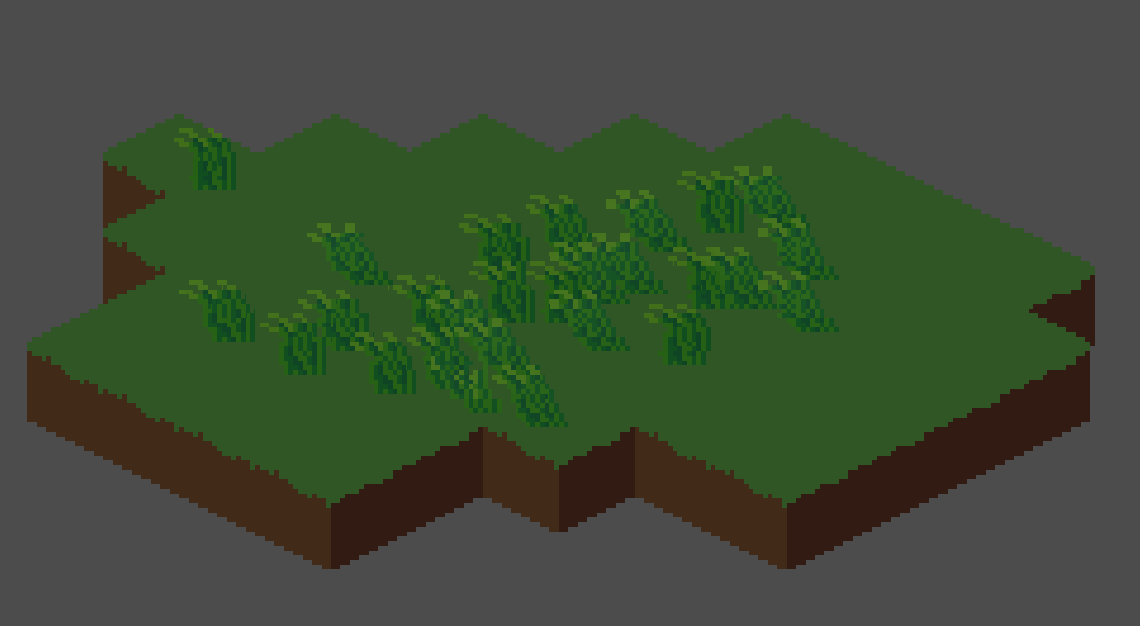
Wind with pixel snapping

A nice shader which you can put on grass or trees to emulate wind. Instead of just moving the vertices, it moves the individual pixels to give a nice pixel aesthetic.
Instructions:
WindCutoff determines where the sprite starts being affected by wind
WindSpeed determines how fast the wind is.
WindStrength determines how far it goes.
WindDirection is a bit like windStrength, but it also controls the direction the wind flows.
The colour of the sprite also slightly changes when it gets blown.
There’s also a variable called worldoffset, which basically just makes it so any sprites in the same x location have a synced up wind cycle – for added realism, of course 😉
Warning: I am crap at shader code so this might be a bit dodgy as I haven’t tested it with many different sprite sizes. If you fiddle around with the numbers you can probably get it to work on anything.
Shader code
shader_type canvas_item;

uniform float windCutoff = 8.0;
uniform float windStrength = 1.0;
uniform float windSpeed = 1.0;
uniform float windDirection = .5;

varying vec2 worldPos;

varying float worldOffset;

void vertex() {
    worldPos = (MODEL_MATRIX * vec4(VERTEX, 0.0, 1.0)).xy;
	worldOffset = sin(worldPos.x);
}

void fragment() {

	float xResolution = (1.0 / TEXTURE_PIXEL_SIZE.x);
	float yResolution = (1.0 / TEXTURE_PIXEL_SIZE.y);
	vec2 fixed_uv = UV;

	float windOffset = round(
		((windDirection * TEXTURE_PIXEL_SIZE.x) + windStrength * sin(
			windSpeed * TIME + round((UV.y * yResolution) + 0.5) / yResolution * (worldOffset * 2.0)
			) * TEXTURE_PIXEL_SIZE.x)
 		* (round((1.0 - (fixed_uv.y - (TEXTURE_PIXEL_SIZE.y * windCutoff)))))
		* (round((1.0 - fixed_uv.y) * (yResolution / 4.0) * 2.0))
		* xResolution) / xResolution;

	fixed_uv.x += windOffset;

	vec4 pixel_color = textureLod( TEXTURE, fixed_uv, 0.0 );

	COLOR = pixel_color;

	COLOR.r += windOffset * 0.15;
	COLOR.g += windOffset * 0.15;
	COLOR.b += windOffset * 0.15;
}
