

Wobbly Effect – Hand painted animation

Hi there,
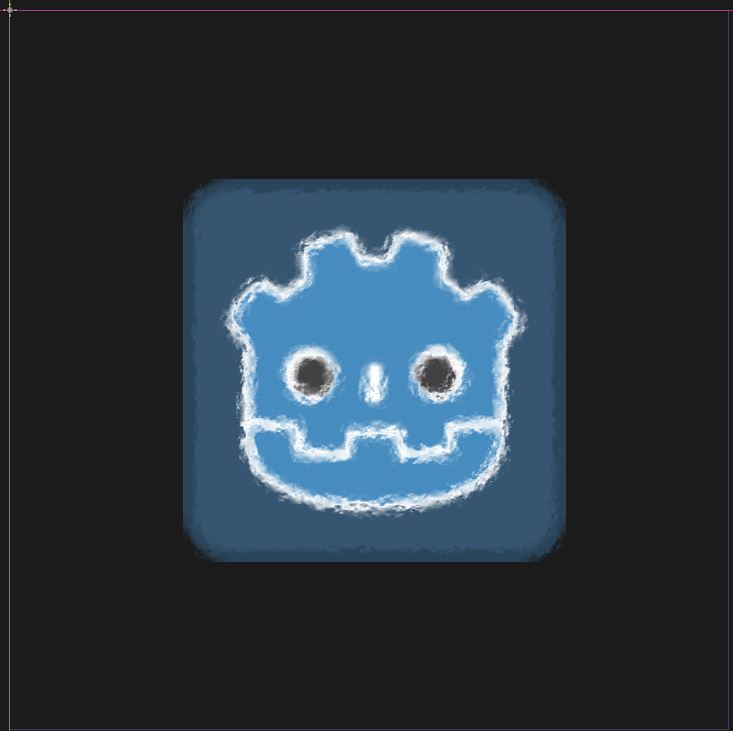
Here is a wobbly effect / hand painted animation for 2d sprites.
Uniforms:
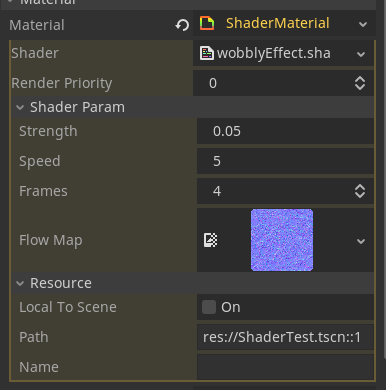
- flowMap: aka displacement map, adjust the movement of the sprite using normals.
- strenght: Force of the distortion from the displacement map.
- speed: Velocity of each frame.
- frames: How many frames should have the animation.
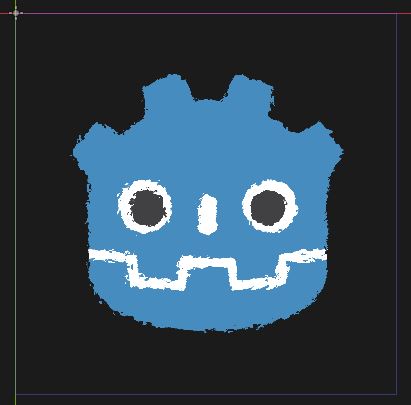
Important note: It’s better to have a little transparent border in the image so that the effect can go outside the sprite. If not, the edges will be cut. (See screenshot with the normal logo vs logo with transparencies).
Stay safe everyone!
Shader code
shader_type canvas_item;

uniform sampler2D flowMap; //Displacement map
uniform float strength;    //Force of the effect
uniform float speed;       //Speed of the effect
uniform int frames : hint_range(1, 10); //Frames of the effect

//Returns a value between 0 and 1 depending of the frames -> exemple: frames = 4, frame 1 = 0.25
float clock(float time){
	float fframes = float(frames);
	return floor(mod(time * speed, fframes)) / fframes;
}

void fragment(){
	float c = clock(TIME); //Get clock frame
	vec4 offset = texture(flowMap, vec2(UV.x + c, UV.y + c)) * strength; //Get offset
	//COLOR = texture(TEXTURE, vec2(UV.x,UV.y) + normal.xy); //Apply offset
	COLOR = texture(TEXTURE, vec2(UV.x,UV.y) + offset.xy - vec2(0.5,0.5)*strength); //We need to remove the displacement
}


// TEST CLOCK
/*
void fragment(){
	float c = clock(TIME);
	COLOR = vec4( c, c, c, 1);
}
*/
Live Preview

Comments 9
Woah tremendous shader! Like :)
Thanks a lot, awesome shader! Is it possible to affect the entire viewport?
Hmmm, I haven’t tested it, but you should be able to do so by changing:
to
And maybe replacing UV by SCREEN_UV.
And finally, apply it to a ColorRect node that covers all your screen.
Stay safe and tell me if it works!
After applying the changes, I do see the results and it is working, but there is some sort of artifacts happening as well.
Any idea how to fix it?
If you still require a fix, i posted a comment that mitigates artifacts
Thanks, I've used it my latest project.
Hi, great shader! Thanks for posting it!
I had some trouble with the flow map not being sampled as expected when using FastNoiseLite, presumably because I didn't enable tiling. The problem was that the bottom right parts of the image would show no displacement.
I'm mainly commenting in case anyone sees a similar problem and need a fix. My fix was to replace L16 in the shader with:
Here is an edited version i made. It decreases the amount of artifacts that can happen, and it makes the frames not effect speed, just the variations. It is also edited to be applied to a color rect to make the entire viewport painted
shader_type canvas_item; uniform sampler2D flowMap; //Displacement map uniform float strength; //Force of the effect uniform float speed; //Speed of the effect uniform int frames : hint_range(1, 25); //Frames of the effect uniform sampler2D SCREEN_TEXTURE : hint_screen_texture, filter_linear_mipmap; //Returns a value between 0 and 1 depending of the frames -> exemple: frames = 4, frame 1 = 0.25 float clock(float time){ float fframes = float(frames); return floor(mod(time * speed, fframes)); } void fragment(){ float c = clock(TIME); //Get clock frame vec4 offset = texture(flowMap, vec2(UV.x + c/100.0, UV.y + c/100.0)) * strength; //Get offset //COLOR = texture(TEXTURE, vec2(UV.x,UV.y) + normal.xy); //Apply offset COLOR = texture(SCREEN_TEXTURE, UV + offset.xy *strength); //We need to remove the displacement }Any ideas how to make this work for 3d?