
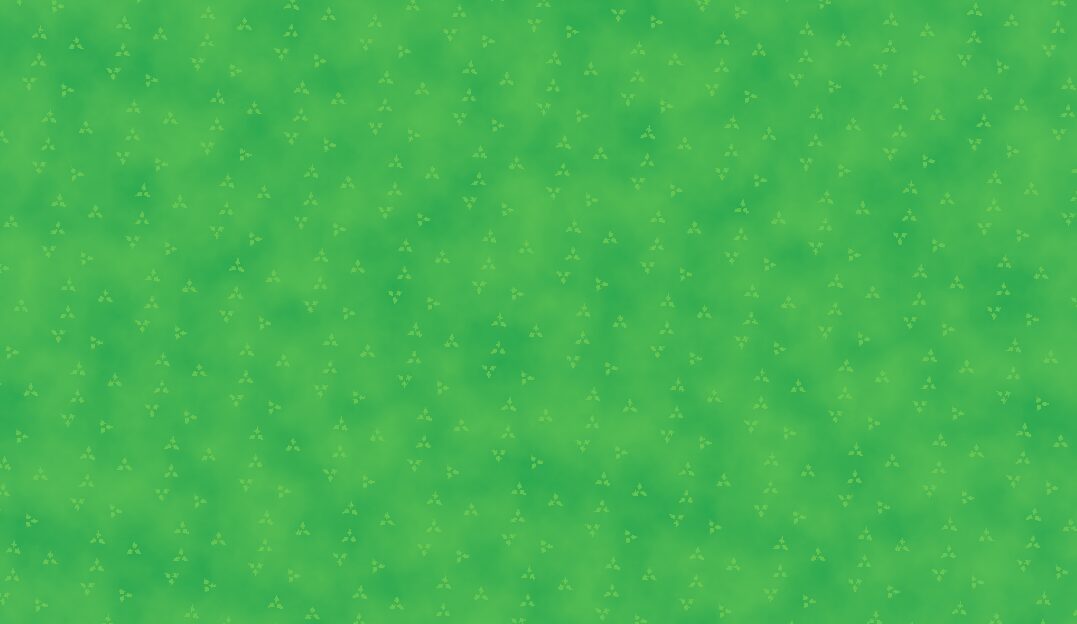
Grass & Soil Texture – Tileable Texture + Noise

How to use
-
Add a
MeshInstance3Dto your scene (e.g., aBoxMesh).Go to the Inspector of your mesh, expand the Material (or Material Override) property, and create a New ShaderMaterial.
Click the material to open it, create a New Shader, and paste the code into the script editor.
-
Parameters:
-
Background Floor Color: Choose a dark, matte brown or muted green. This fills the spaces where there are no grass blades. -
Base Color: Pick your primary lush green tone to tint your grass texture. -
Grass Texture: Load your diffuse grass/vegetation texture (PNG or JPG). If it has a solid black background, don’t worry the shader will mask it out. -
Black Clip Threshold&Clip Smoothing: Adjust these sliders if you still see dark outlines around your grass texture details until the mask edge looks completely sharp and clean. -
Noise Texture:-
Click the dropdown and select New NoiseTexture2D.
-
Click inside your new
NoiseTexture2Dand check theSeamlessbox so you don’t get harsh seams across your grid. -
Under the
Noiseslot, create a New FastNoiseLite. Open its settings, change the Noise Type to Perlin, and lower the Frequency parameter (e.g., to0.005) to create large, smooth, natural color variations across your map.
-
-
Variation Color: Choose a secondary tint (like a yellowish-green or dried grass color) that the noise texture will organically blend over your blocks.
-
Shader code
shader_type spatial;
render_mode blend_mix, diffuse_lambert, specular_schlick_ggx;

uniform vec4 background_floor_color : source_color = vec4(0.15, 0.12, 0.08, 1.0);

uniform vec4 base_color : source_color = vec4(0.2, 0.4, 0.15, 1.0);
uniform sampler2D grass_texture : source_color, filter_nearest_mipmap, repeat_enable;
uniform vec2 grass_scale = vec2(2.0, 2.0);

uniform float black_clip_threshold : hint_range(0.0, 1.0) = 0.05;
uniform float clip_smoothing : hint_range(0.0, 0.5) = 0.02;

uniform sampler2D noise_texture : filter_linear, repeat_enable;
uniform vec2 noise_scale = vec2(0.2, 0.2);
uniform float noise_intensity : hint_range(0.0, 1.0) = 0.35;
uniform vec4 variation_color : source_color = vec4(0.35, 0.5, 0.15, 1.0);

uniform float roughness : hint_range(0.0, 1.0) = 0.9;
uniform float specular : hint_range(0.0, 1.0) = 0.2;

varying vec3 world_position;
varying vec3 world_normal;

void vertex() {
	world_position = (MODEL_MATRIX * vec4(VERTEX, 1.0)).xyz;
	world_normal = MODEL_NORMAL_MATRIX * NORMAL;
}

void fragment() {
	vec3 n_blend = abs(world_normal);
	n_blend = pow(n_blend, vec3(4.0));
	n_blend /= (n_blend.x + n_blend.y + n_blend.z);

	vec4 tex_x = texture(grass_texture, world_position.zy * grass_scale);
	vec4 tex_y = texture(grass_texture, world_position.xz * grass_scale);
	vec4 tex_z = texture(grass_texture, world_position.xy * grass_scale);

	vec4 tex_grass_color = tex_x * n_blend.x + tex_y * n_blend.y + tex_z * n_blend.z;

	vec4 noise_x = texture(noise_texture, world_position.zy * noise_scale);
	vec4 noise_y = texture(noise_texture, world_position.xz * noise_scale);
	vec4 noise_z = texture(noise_texture, world_position.xy * noise_scale);

	vec4 tex_noise_color = noise_x * n_blend.x + noise_y * n_blend.y + noise_z * n_blend.z;

	vec3 pure_grass = base_color.rgb * tex_grass_color.rgb;

	float pixel_brightness = (tex_grass_color.r + tex_grass_color.g + tex_grass_color.b) / 3.0;

	float blend_mask = smoothstep(black_clip_threshold, black_clip_threshold + clip_smoothing, pixel_brightness);
	blend_mask *= tex_grass_color.a;

	vec3 combined_base = mix(background_floor_color.rgb, pure_grass, blend_mask);

	vec3 final_albedo = mix(combined_base, variation_color.rgb, tex_noise_color.r * noise_intensity);

	ALBEDO = final_albedo;
	ROUGHNESS = roughness;
	SPECULAR = specular;
}
Live Preview
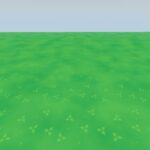

I put in the shader after following the instructions and it looked fine from the editor but when i started the game, i realized that the mouse was zooming the camera in and out, is this something on my fault or is that a part of the shader that i can remove so that it doesn’t do that?