
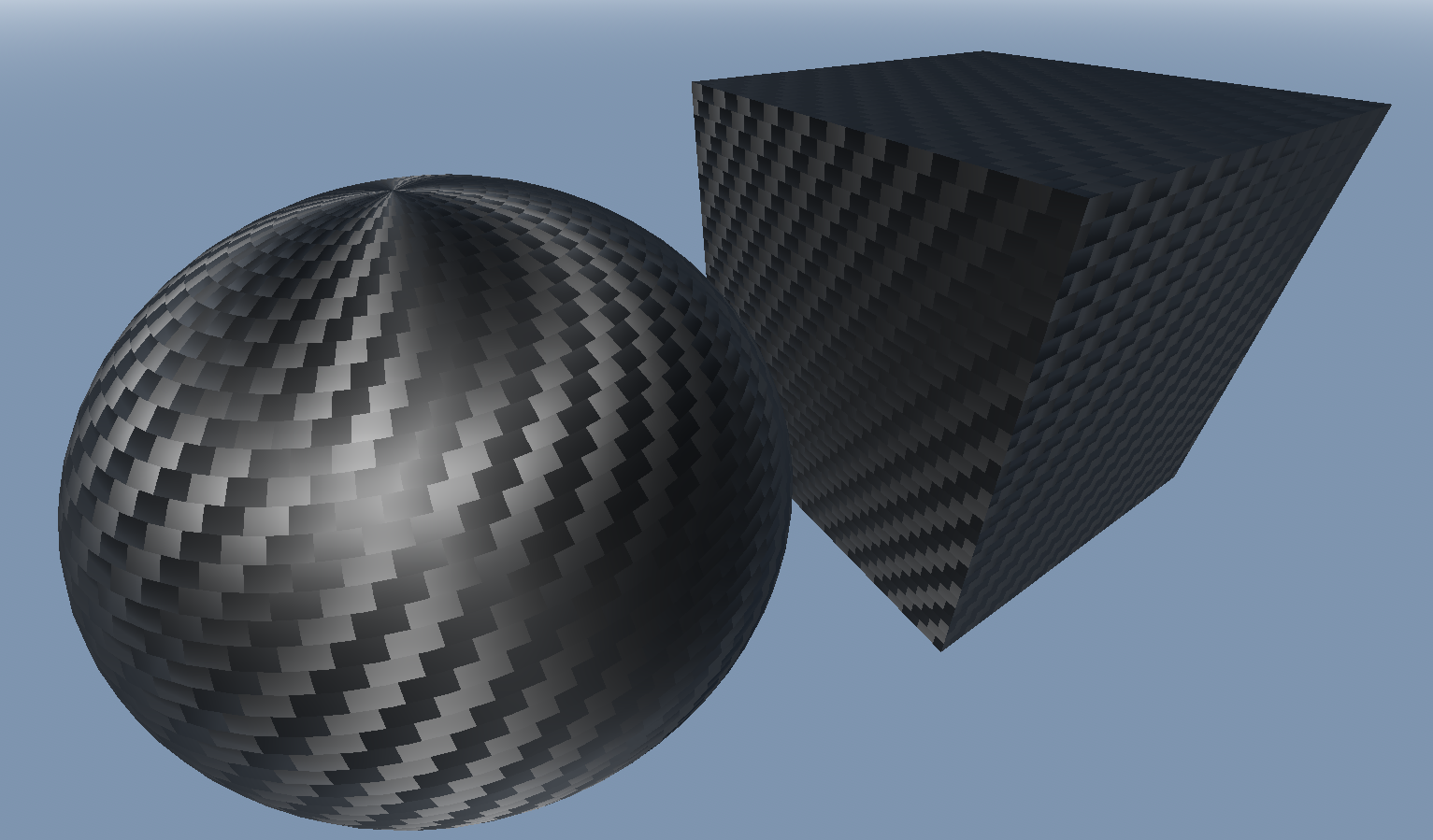
Realistic Carbon Fiber shader

Realistic carbon fiber shader using normal maps and anisotropy.
Shader code
shader_type spatial;

uniform vec3 color: source_color = vec3(0.0, 0.0, 0.0);
uniform float roughness: hint_range(0.0, 1.0) = 0.65;
uniform float sheen: hint_range(0.0, 1.0) = 0.2;
uniform float anisotropy: hint_range(0.0, 1.0) = 0.8;
uniform float scale: hint_range(20.0, 100.0) = 60.0;

//creates a circle slice normal map.
//with angle_range=PI, this will produce a 1D semicircle normal map
//with angle_range=PI/2.0, the bumps will be quarter circles instead of semicircles
vec3 get_normal_map(float x) {
	const float QUARTER = PI/2.0;
	float angle_range = PI*0.5; //with this at 90deg, the angles will go from 45deg to 135deg
	float start = QUARTER - angle_range/2.0;
	float theta = start+fract(x)*angle_range;

	vec3 normal = vec3(cos(theta), 0.0, -sin(theta));

	//convert normal vector to correct normal map color
	return vec3(
		0.5+normal.x*0.5,
		0.5+normal.y*0.5,
		0.5-normal.z*0.5);
}

void fragment(){
	float y = UV.y * scale;
	float x = UV.x * scale;
	//the weave pattern b&w mask
	int surface = int( float(int(y)) / (2.0/5.0) +x ) % 2;

	ALBEDO = color;
	ROUGHNESS = roughness;
	ANISOTROPY = anisotropy;
	METALLIC = 0.75;

	float weave = round(fract(y*0.5));

	NORMAL_MAP = mix(vec3(0.5, 0.5, 1.0), mix(mix(get_normal_map(x), get_normal_map(x+0.5), weave), get_normal_map(y), float(surface)), sheen);
	ANISOTROPY_FLOW = mix(vec2(0.0, 1.0), vec2(1.0, 0.0), float(surface));

}