
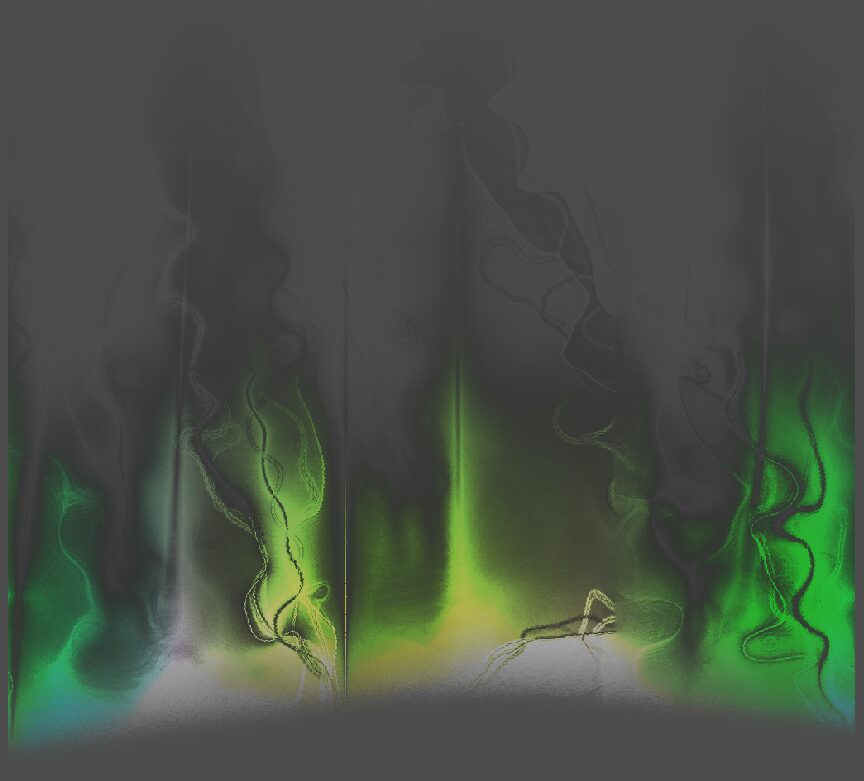
2d aurora borealis
I tried to recreate the effect of an aurora borealis for a canvas item :3 this one lives and dies by the base texture you give it
Basic gist is to have a base b/w texture of the light of the aurora, then manip the vertices to make it sway slighty, give it a curved lower bound, and let some colors play over it
First shader uploaded yippie tell me if anythings unclear
Shader code
shader_type canvas_item;

group_uniforms Frag_unis;
uniform float aurora_scroll_speed: hint_range(0.0, 1.0, 0.1) = .2;
uniform float color_scroll_speed: hint_range(0.0, 5.0, 0.1) = 1.2;
uniform sampler2D lower_transparency_mask :repeat_enable;
uniform float curve_horizontal_repition: hint_range(1.0, 10.0, 0.0001);
uniform float glow_strength: hint_range(0.0, 10.0, 0.01) = 3.;
uniform float base_white_size: hint_range(0.0, 10.0, 0.01) = 1.5;
uniform sampler2D gradient_base :repeat_enable;
uniform vec4 tint: source_color = vec4(0.3, 0.8, 0.5,0.0);

group_uniforms Vertex_unis;
uniform float sway_strength = 1.2;
uniform float sway_phase_len = 1.2;
uniform float sway_speed = 1.2;

void vertex() {
	float strength = COLOR.r * sway_strength;
	VERTEX.x += sin(VERTEX.x * sway_phase_len * 1.123 + TIME * sway_speed) * strength;
	VERTEX.y += cos(VERTEX.y * sway_phase_len + TIME * sway_speed * 1.12412) * strength;
}


void fragment() {
	vec2 scroll_uv = vec2(UV.x + TIME * aurora_scroll_speed, UV.y);
	vec4 result = texture(TEXTURE, scroll_uv);

	//the sin is optional causes there to be more "play" of the colors
	vec4 base_color = texture(gradient_base, vec2(scroll_uv.x + sin(TIME * color_scroll_speed)+.2, scroll_uv.y));
	//we subtract TIME to make the transparency mask move in the opposite direction of the aurora, looks more funky imo :3
	//also we do UV.y -.01 to get rid of a ugly 1 px wide line that would appear else wise OTL
	vec4 curve = texture(lower_transparency_mask, vec2(UV.x * curve_horizontal_repition - TIME * .3, UV.y -.01 ));

	//applies the transparency of our mask texture to avoid a hard lower cutoff
	result.a *= mix(result.a, 0., curve.a);
	//add stronger luminance to the base of the aurora
	result.rgb *= mix(result.rgb, result.rgb*base_white_size, curve.a);

	//more transparency mixing to create a more "organic" looking result
	result.a *= mix(0., 1., result.r);
	result.a *= mix(0,1, UV.y);

	//more funky color magic, remove/edit as needed
	result.rgb *= mix(result.rgb, base_color.rgb, UV.y );
	result.rgb *= mix(result.rgb, result.rgb*glow_strength,UV.y);
	result.rgb *= mix(result.rgb, result.rgb*glow_strength, curve.a);
	//gives it an overall richer color
	result.rgb *= tint.rgb;

	COLOR = result;
}
Live Preview
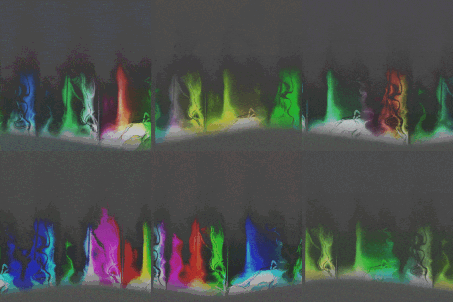

I put it in the shader inside the texturerect material, but tint, lower_transparency_mask, gradient_base I don’t know what to put, I try to put some color or noise in it, it doesn’t work, No matter what you put in, the texture that comes out is always completely transparent
I’m still learning about shaders myself but it seems like something is wrong with this one. Both the web preview here and in Godot I’m getting a fully transparent output. I think having a file we can download would be helpful.