
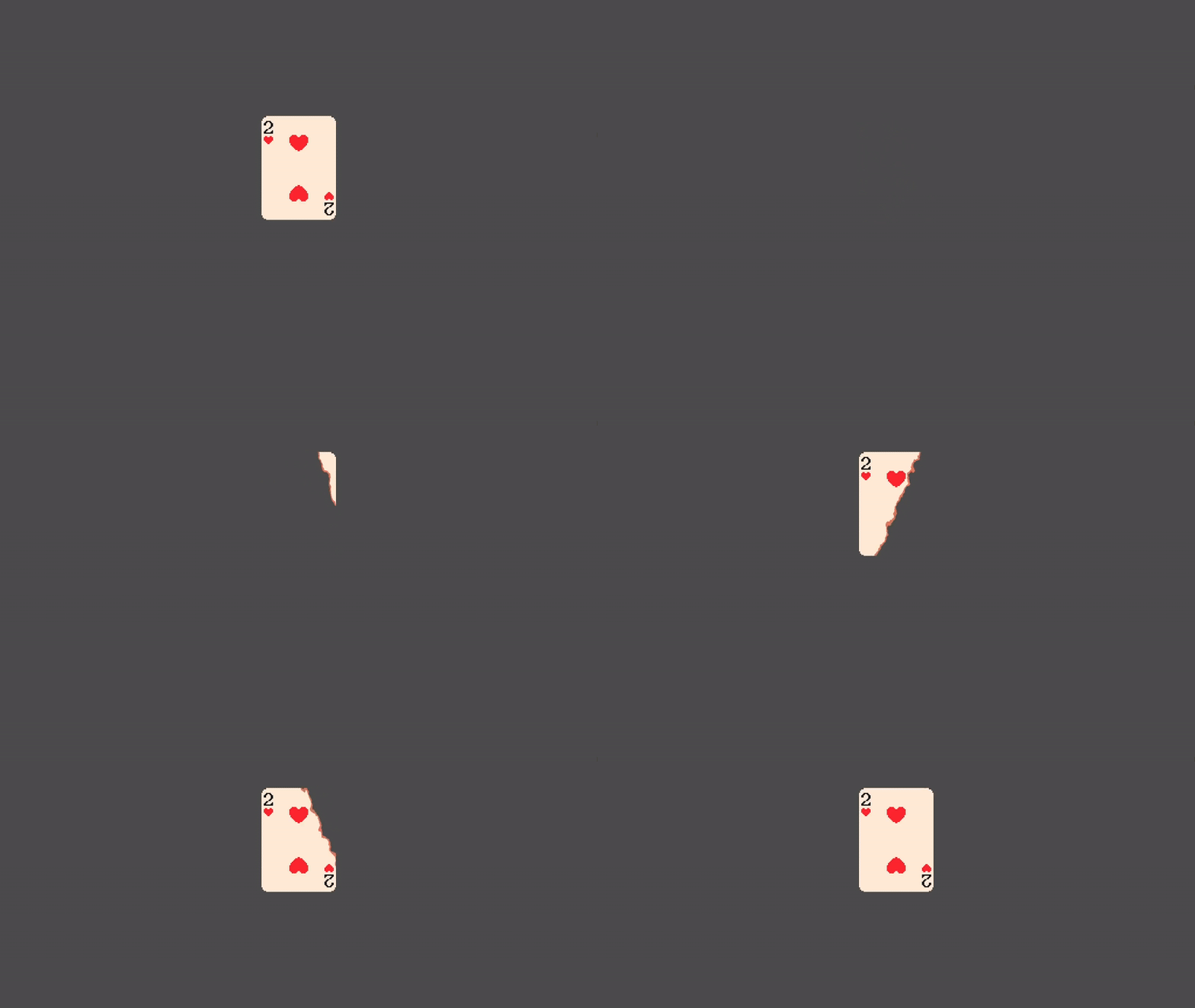
2D Burn/dissolve with direction (V 1.0)

2D burn/dissolve given a specific direction.
First set the direction parameter, with any value between 0 to 360 degrees. (0.0 is left to right, 180.0 right to left and 360.0 again left to right). Then increment the progress value from -1.5 to 1.5 to completely burn.
The following code is an example that burns a sprite every time you click it, always with a different direction, as shown in the video.
extends Sprite2D
var rng = RandomNumberGenerator.new()
func _input(event):
if event is InputEventMouseButton and event.pressed and event.button_index == MOUSE_BUTTON_LEFT:
burnCard(rng.randf_range(0.0, 360.0))
func burnCard(direction):
if material and material is ShaderMaterial:
var tween = create_tween()
# set burning direction in degrees
material.set_shader_parameter("direction", 180.0)
# use tweens to animate the progress value
tween.tween_method(update_progress, -1.5, 1.5, 1.0)
func update_progress(value: float):
if material:
material.set_shader_parameter("progress", value)
Shader code
shader_type canvas_item;
uniform float progress = 0.0;
uniform float noiseForce = 0.2;
uniform sampler2D noiseTexture;
uniform vec4 burnColor: source_color;
uniform float borderWidth;
uniform float direction = 180.0f;

vec2 degreesToPerpendicular(){
	return vec2(cos(radians((direction))), -sin(radians(direction)));
}
void fragment(){
	vec2 normUV = UV * 2.0 - 1.0;
	COLOR.rgb = mix(COLOR.rgb, burnColor.rgb, float(dot(normUV, degreesToPerpendicular()) + (texture(noiseTexture, UV).r * noiseForce) < (progress + borderWidth)));
	if(!(dot(normUV, degreesToPerpendicular()) + (texture(noiseTexture, UV).r * noiseForce) > progress)){
		COLOR.a = 0.0;
	}
}
That’s hot