2D Vertical Pixel Dissolving Wave

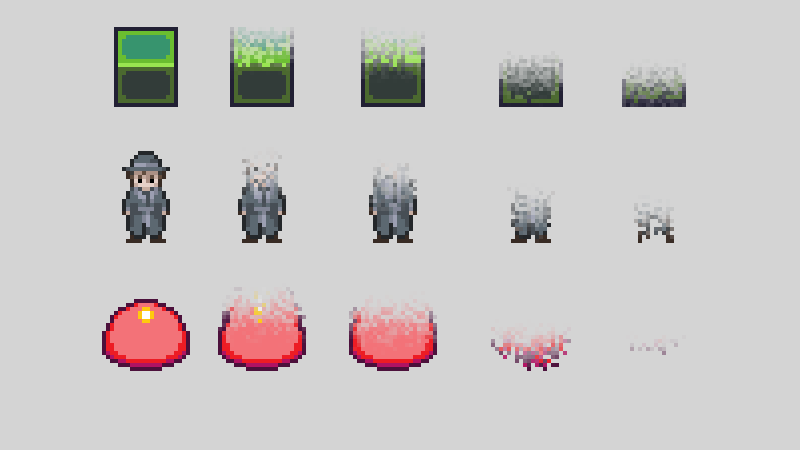
A shader that creates a dissolving effect where the pixels in an image float away and disappear progressively from the top down. It might be useful for creating the effect of deconstructing or reconstructing an object from the top down or ground up.
Randomization function from: https://godotshaders.com/shader/pixel-perfect-dissolving/
To use:
- Set texture_size to your texture’s size (only the y-value is used).
- Adjust the progress param from 0 to 1 and back to dissolve/rematerialize an object.
- The float_dist param determines how high the pixels will float away before dissolving.
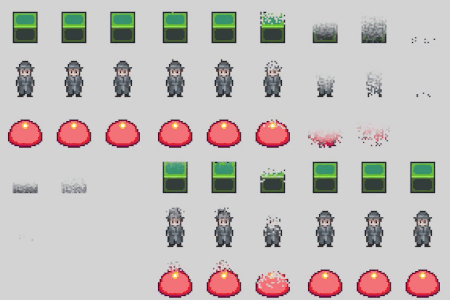
- If set to 0, the pixels won’t float at all, as in the third column of the gif example.
- The progress_rand_range param determines the “noise” for the dissolving wave.
- If set to 0, all pixels at each row will dissolve at the same time.
The attached gif example below animates the progress param from 0 to 1 and then back again over a period of 1.5 seconds with an easing value of 1.8. The red barrier in the gif example includes a bit of vertical padding at the top of the image. Example images are from the game Mirrored Soul.
Parameters used for each column in the gif example, from left to right (the cover image is from the first column):
- float_dist 6, progress_rand_range 0.2
- float_dist 10, progress_rand_range 0.4
- float_dist 0, progress_range_range 0.5
Shader code
shader_type canvas_item;

/* Shift this value to create the dissolving effect. Represents the percentage
   of the image that's been dissolved. */
uniform float progress : hint_range(0.0, 1.0);
uniform vec2 texture_size;
// How far the pixels will float away before dissolving
uniform float float_dist = 6.0;
// Increase how far pixels can vertically differ from the "wave"
uniform float progress_rand_range = 0.2;

float random(vec2 uv) {
	return fract(sin(dot(uv, vec2(12.9898, 78.233))) * 438.5453);
}

void fragment() {
	// Float dist in terms of UV
	float v = float_dist / texture_size.y;
	/* "Adjusted" progress based on how far above/below the image that the float
	   dist extends, plus a bit of randomness for which pixel floats when */
	float p = progress * (1.0 + (v + progress_rand_range) * 2.0) - v -
	   progress_rand_range + random(UV) * progress_rand_range;
	/* Value ranging from 0 to 1 depending on how far UV.y is above p */
	float q = smoothstep(p - v * 2.0, p, UV.y);
	// Map another pixel's UV to this one based on q (shift by up to v pixels)
	float mapped_uv_y = UV.y + v - v * q * step(q, 1.0);

	COLOR = texture(TEXTURE, vec2(UV.x, mapped_uv_y));
	// Increase transparency as particles begin to float away
	COLOR.a -= 1.0 - q;
	}
Live Preview