
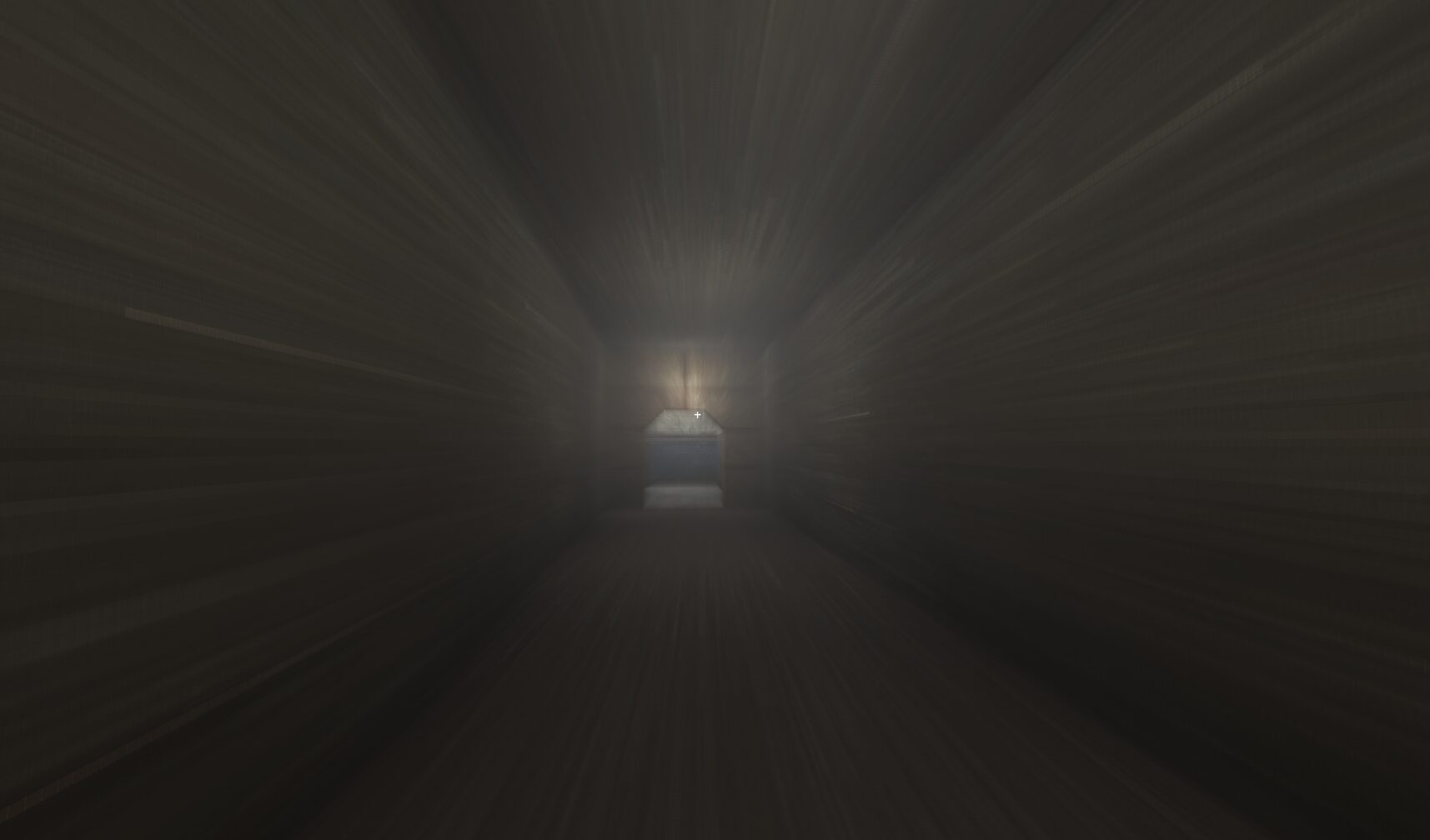
Accumulation Motion Blur – Compositor Pipeline
NOTE: This IS not a Canvas effect. It’s a GLSL + CompositorEffect setup that sits on your actual Camera3D and runs entirely on the GPU.
—
Inspired by this wonderful shader: https://godotshaders.com/shader/accumulation-motion-blur/
I was using this version of the shader in a couple of projects of mine but noticed the GPU -> CPU -> GPU readback was causing noticeable lag in more complex scenes. So I made it a proper compositor effect so it stays 100% GPU side the whole time.
It’s a combination of a GLSL frame buffer shader and a CompositorEffect, shown here:
@tool
extends CompositorEffect
class_name AccumBlurEffect

## Controls how much of the previous frame's blurred image to blend in. 0 = no blur, 1 = full blur (but full blur is not recommended as it will cause the image to persist indefinitely).
@export_range(0.0, 1.0, 0.001) var alpha: float = 0.0

var rd: RenderingDevice
var shader: RID
var pipeline: RID

func _init() -> void:
	effect_callback_type = EFFECT_CALLBACK_TYPE_POST_TRANSPARENT
	enabled = true
	rd = RenderingServer.get_rendering_device()


func _notification(what: int) -> void:
	if what == NOTIFICATION_PREDELETE:
		if shader.is_valid():
			rd.free_rid(shader)


func _ensure_shader() -> bool:
	if pipeline.is_valid():
		return true
	if not rd:
		return false

	var shader_file := load("res://assets/shaders/accumulation_blur.glsl") as RDShaderFile
	if not shader_file:
		return false

	var spirv := shader_file.get_spirv()
	shader = rd.shader_create_from_spirv(spirv)
	if not shader.is_valid():
		return false

	pipeline = rd.compute_pipeline_create(shader)
	return pipeline.is_valid()


func _render_callback(_effect_callback_type: int, render_data: RenderData) -> void:
	if not rd or not _ensure_shader():
		return
	if alpha <= 0.0:
		return

	var render_scene_buffers := render_data.get_render_scene_buffers() as RenderSceneBuffersRD
	if not render_scene_buffers:
		return

	var size := render_scene_buffers.get_internal_size()
	if size.x == 0 or size.y == 0:
		return

	# Create (or retrieve existing) persistent previous-frame texture.
	# create_texture returns the cached RID if it already exists with this name.
	var usage_bits := (
		RenderingDevice.TEXTURE_USAGE_SAMPLING_BIT
		| RenderingDevice.TEXTURE_USAGE_STORAGE_BIT
		| RenderingDevice.TEXTURE_USAGE_CAN_COPY_TO_BIT
	)
	render_scene_buffers.create_texture(
		&"accum_blur", &"prev_frame",
		RenderingDevice.DATA_FORMAT_R16G16B16A16_SFLOAT,
		usage_bits,
		RenderingDevice.TEXTURE_SAMPLES_1,
		size, 1, 1, false, false
	)

	var x_groups := ceili(float(size.x) / 8.0)
	var y_groups := ceili(float(size.y) / 8.0)

	var push_constant := PackedFloat32Array([size.x, size.y, alpha, 0.0])

	var view_count := render_scene_buffers.get_view_count()
	for view in range(view_count):
		var color_image: RID = render_scene_buffers.get_color_layer(view)
		var prev_image: RID = render_scene_buffers.get_texture_slice(
			&"accum_blur", &"prev_frame", view, 0, 1, 1
		)

		# Uniform for color buffer (binding 0)
		var color_uniform := RDUniform.new()
		color_uniform.uniform_type = RenderingDevice.UNIFORM_TYPE_IMAGE
		color_uniform.binding = 0
		color_uniform.add_id(color_image)

		# Uniform for previous frame buffer (binding 1)
		var prev_uniform := RDUniform.new()
		prev_uniform.uniform_type = RenderingDevice.UNIFORM_TYPE_IMAGE
		prev_uniform.binding = 1
		prev_uniform.add_id(prev_image)

		var uniform_set := UniformSetCacheRD.get_cache(shader, 0, [color_uniform, prev_uniform])

		var compute_list := rd.compute_list_begin()
		rd.compute_list_bind_compute_pipeline(compute_list, pipeline)
		rd.compute_list_bind_uniform_set(compute_list, uniform_set, 0)
		rd.compute_list_set_push_constant(compute_list, push_constant.to_byte_array(), push_constant.size() * 4)
		rd.compute_list_dispatch(compute_list, x_groups, y_groups, 1)
		rd.compute_list_end()
Shader code
#[compute]
#version 450

layout(local_size_x = 8, local_size_y = 8, local_size_z = 1) in;

layout(rgba16f, set = 0, binding = 0) uniform image2D color_image;
layout(rgba16f, set = 0, binding = 1) uniform image2D prev_frame;

layout(push_constant, std430) uniform Params {
	vec2 raster_size;
	float alpha;     // blend factor: 0 = no trail, 1 = infinite trail
	float _pad;
} params;

void main() {
	ivec2 texel = ivec2(gl_GlobalInvocationID.xy);
	ivec2 size = ivec2(params.raster_size);

	if (texel.x >= size.x || texel.y >= size.y) {
		return;
	}

	vec4 current = imageLoad(color_image, texel);
	vec4 previous = imageLoad(prev_frame, texel);

	// Blend: higher alpha = more trail persistence
	vec4 blended = mix(current, previous, params.alpha);

	// Write blended result to screen
	imageStore(color_image, texel, blended);

	// Store current blended frame as next frame's "previous"
	imageStore(prev_frame, texel, blended);
}

This is awesome! I’m glad my shader was able to provide you inspiration to make this! I imagine this is far more performant haha
I’d love to use this, but I’m a little lost on how to properly set this up. Putting the shader code in a shader file with the
section.and lack of shader_type gives an error. There are no nodes or types called CompositorEffect, so I’m not sure how I’m supposed to make this a child of the Camera3D node.
I apologize about having to ask all that, but this code is waaaaaaay over my head lol
This is not a “.gdshader” file, this is “.glsl” file.
You can’t create a .glsl file inside Godot, you have to use an external text editor (VSCode, NotePad++ or any text editor you have), than you save the .glsl file inside your project folder, remember that if you change the folder path you must update the .gdscrip with the correct folder.
Ah thank you! I’m totally new to this, so I’m trying to look up how to use Compositor Effects, but I’m definitely struggling with it. Since the description says that it “sits on your Camera3D”, I assume that it needs a script of its own.
Currently, I have this, but it doesn’t work.
Looking at the docs and watching tutorials on Compositor Effects are both going way over my head, if you could offer some help, I would be super grateful.
Nevermind, I think I got it! 😀
I changed
var shader_file := load(“res://assets/shaders/accumulation_blur.glsl”) as RDShaderFile
to this so that I can move the GLSL file wherever:
var shader_file: RDShaderFile = load(“uid://…”)
(Unsure if casting “load(…) as RDShaderFile” is needed when it’s already statically typed with “var variable: RDShaderFile”)
I didn’t see that Camera3D has a Compositor property in the editor, so I just used that and as far as I can see it works like a charm!
Both Camera3D and WorldEnvironment have a compositor property in the editor.
All you have to do is to chose the effect on the compositor pop up.
No extra script needed.
hey lamb. sorry i never got around to replying, busy week aha. glad you got it figured out and thanks for opening the can of worms in the first place! cheers
I had some image glitches and I made this modification to the GLSL file:
// Blend: higher alpha = more trail persistence
vec4 blended = clamp(mix(current, previous, params.alpha), 0.0, 1.0);
Clamping the value solved it.
nice, upvoted! thanks for sharing
For some reason, the effect creates strange glitched-out artifacts on my screen. It’s as if it’s reading GPU memory and displaying it or something. Like, the literal sprites and textures in my game are corrupted and displayed while the effect is active. Anyone have any ideas on how to fix/run into anything similar?
hi! This looks incredible, I’m so glad I’m not the only fan of this effect!
I’m a total beginner to compositor stuff, so I don’t really even know how to approach this, but I have a tweak I would like to make to the effect. Would it be possible to have the amount of blur be adjusted based on pixel brightness, so bright spots hang around longer and “smear” more? Ideally with a parameter so it can be modified in code. If so, how would I go about that?
nvm, i figured it out! Just multiplied params.alpha by previous.r (probably will need more vector math than that once my game has color lol)
Thank you so much. As a Silent Hill 2-4 nerd, I would have never dreamed of being able to utilize this particular effect so truthfully in any of my own games. This makes it possible. My Eternal Gratitude!