Blend Dot Matrix

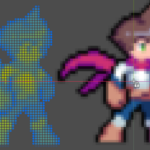
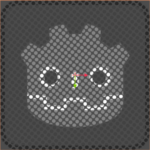
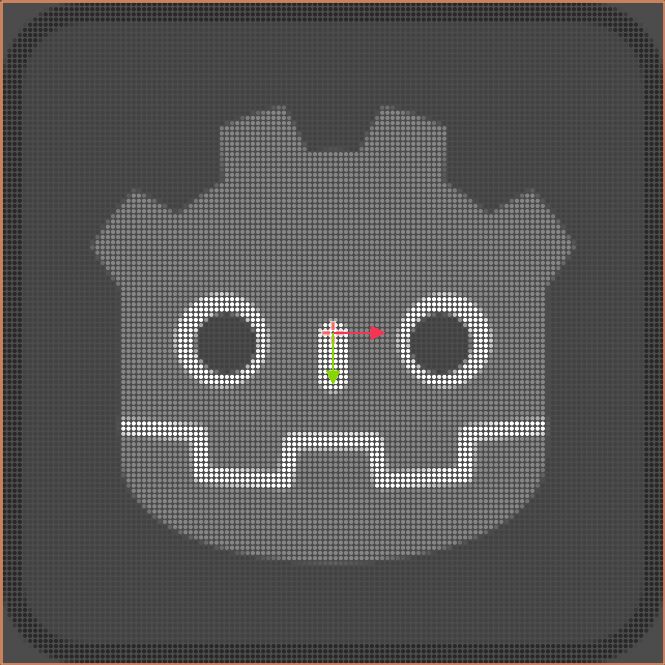
A raster shader can transform an image into a comic style.
You can add this material to Sprite and ColorRect nodes.
screenshots charater come from: https://ozzbit-games.itch.io/fantasy-character
Description
- dot_density: determines how the grid is divided
- dot_size: size of a dot within a grid
- edge_softness: the smaller the value, the sharper the edge.
- brightness_variation: make the dots brighter
- brightness_threshold: The threshold value for brightness is determined
- blend_mode: determine whether the dot is a solid color
- color1 and color2: based on a linear gradient of two colors of grayscale
Shader code
shader_type canvas_item;

// 点阵密度控制
uniform vec2 dot_density = vec2(128.0, 128.0);
// 点的大小(相对于单元格)
uniform float dot_size : hint_range(0.001, 1.0) = 0.4;
// 边缘柔化程度
uniform float edge_softness : hint_range(0.0, 1.0) = 0.1;

// 亮度变化与阈值
uniform float brightness_variation : hint_range(-1.0, 1.0) = 0.0;
uniform float brightness_threshold : hint_range(0.0, 1.0) = 0.01;

// 旋转
uniform float rotation_angle : hint_range(0.0, 6.28318530718) = 0.0;

// 混合模式 - 是否允许圆形内有多种颜色
uniform bool blend_mode = false;

// 渐变色
uniform vec4 color1 : source_color = vec4(0.0, 0.0, 0.0, 1.0);
uniform vec4 color2 : source_color = vec4(1.0, 1.0, 1.0, 1.0);

// 旋转函数 — 使用 vec2 列向量构造 mat2(Godot 要求此形式)
vec2 rotate(vec2 uv, float angle) {
    float s = sin(angle);
    float c = cos(angle);
    // mat2 的列向量构造:mat2(vec2(col0), vec2(col1))
    return mat2(vec2(c, -s), vec2(s, c)) * uv;
}

void fragment() {
    // 居中旋转UV(先平移到中心,旋转,再平移回去)
    vec2 centered_uv = UV - 0.5;
    vec2 rotated_uv = rotate(centered_uv, rotation_angle) + 0.5;

    // 按XY密度分别划分网格
    vec2 grid_uv = rotated_uv * dot_density;
    vec2 cell = floor(grid_uv);
    vec2 cell_uv = fract(grid_uv);

    // 单元格中心
    vec2 cell_center = vec2(0.5);

    // 到中心距离(使用欧几里得距离)
    float dist = distance(cell_uv, cell_center);

    // 根据混合模式采样颜色
    vec4 original_color;
    if (blend_mode) {
        // 在混合模式下使用当前像素的颜色(允许圆内渐变)
        original_color = texture(TEXTURE, UV);
    } else {
        // 使用单元格中心的采样,使整个圆为单一色
        vec2 sample_uv = (cell + vec2(0.5)) / dot_density;
        original_color = texture(TEXTURE, sample_uv);
    }

    // 圆形点抗锯齿 alpha
    float circle_alpha = 1.0 - smoothstep(dot_size - edge_softness, dot_size + edge_softness, dist);

    // 亮度与阈值
    float brightness = (original_color.r + original_color.g + original_color.b) / 3.0;
    if (brightness < brightness_threshold) {
        circle_alpha = 0.0;
    } else {
        brightness = clamp(brightness + brightness * brightness_variation, 0.0, 1.0);
    }

    // 在 color1 和 color2 之间根据亮度混合点颜色
    vec3 dot_color = mix(color1.rgb, color2.rgb, brightness);

    COLOR = vec4(dot_color, circle_alpha * original_color.a);
}
Live Preview