A simple shader that can be used to easily blur spinning objects.
To make it work, simply take a 2D image of the face to be blurred and adjust the settings with a script.
This shader is a rough adaptation of this shader found on shadertoy.com:
https://www.shadertoy.com/view/DsXSRf
Shader code
shader_type spatial;
render_mode diffuse_toon,specular_toon,cull_disabled;
uniform sampler2D iChannel0 : source_color;
uniform int samples =100;
//
//
uniform float alpha_cut ;
uniform float gain = 1.0; // gain : (gain), min = 0., max = 50.
//
uniform float blur_x =50.0; // X blur : (X blur), min = 0, max = 1000.
uniform float blur_y = 50.0; // Y blur : (Y blur), min = 0, max = 1000.
uniform float Rot_Angle : hint_range(0.0, 100.0, 0.1);
uniform float Metal : hint_range(0.0, 1.0, 0.1);
//
//
//
vec2 rotate(vec2 uv, vec2 p, float angle)
{
	mat2 rotation = mat2(vec2(cos(angle), -sin(angle)),vec2(sin(angle), cos(angle)));
	uv -= p;
	uv = uv * rotation;
	uv += p;
	return uv;
}

void fragment(){
	float Angle = Rot_Angle/-100.0;
	vec2 uv = UV;
	vec2 origin;
	float precompute = Angle * (1.0 / float(samples - 1));
	origin = vec2(0.5,0.5);
    vec4 color = vec4(0.0);
    float ws = 0.0;
	vec2 center = vec2(0.5,0.5);
	for(int i = 0; i <= samples; i++)
    {
		float p =  (float(i)* precompute);
		float w = 1.0 ;
        color += texture(iChannel0, rotate(uv,origin, p)) * w;
        ws += w;
    }

	ALBEDO = vec4(color.rgb / ws * gain, 1.0).rgb;
	//ALPHA = vec4(color.rgb / ws * gain, 1.0).r;
	ALPHA = step(alpha_cut,1.0 - distance(center,UV));
	METALLIC = Metal;
}
Live Preview
Tags
blur,
radial,
speed,
spin,
wheel

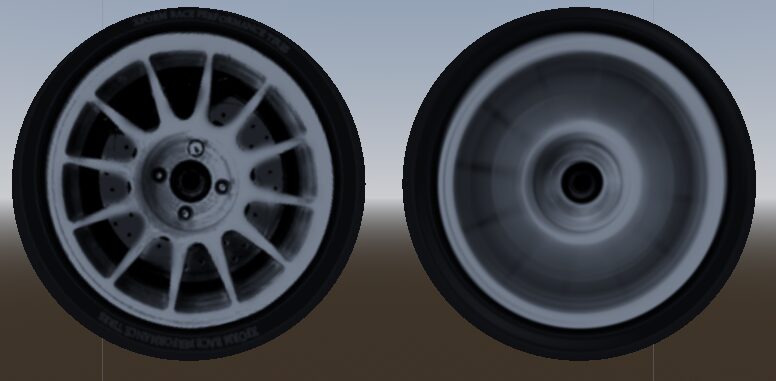

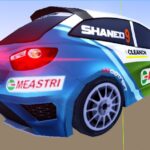
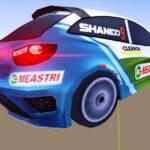

Hey!!!
It’s not cheap,It looks cool.