Colour-Changing material depending on Camera Distance

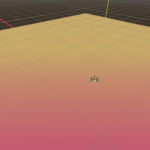
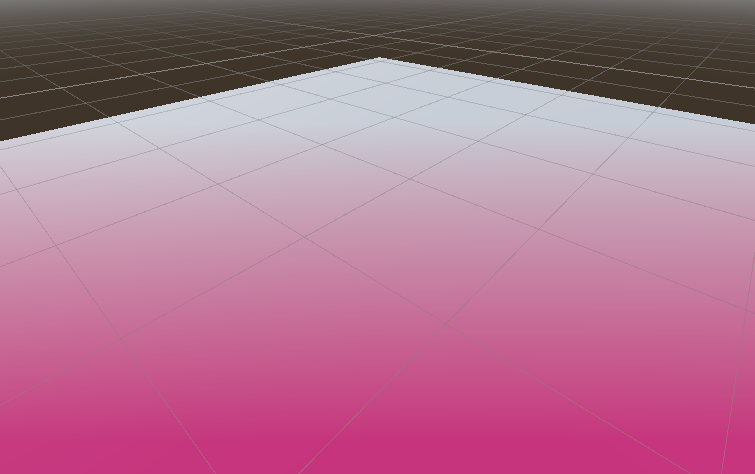
The material you apply this shader to will change colour depending on the pixel’s distance to the camera. When you move closer, it blends to one colour; When you move further, it blends to another. Once you’re too close, or too far, it stays as one colour
- Apply the shader as a material onto any mesh
- Set “Closest Color” to the colour to be shown when moving towards the material
- Set “Furthest Color” to the colour to be shown when moving away from the material (NOTE: If you want a “fade-in” effect, set this value to “Closest Colour”, but fully transparent)
- Set “Closest Distance” to the distance where the Colour Mix should be 100% “Closest Colour”. Being at or closer to the pixel than this distance will show “Closest Colour”
- Set “Furthest Distance” to the distance where the Colour Mix should be 100% “Furthest Colour”. Being at or further to the pixel than this distance will show “Furthest Colour”
- Enjoy
Shader code
shader_type spatial;

uniform vec4 closest_color : source_color = vec4(1.0, 0.044, 0.246, 1.0);
uniform vec4 furthest_color : source_color = vec4(1.0);
uniform float closest_distance = 10.0;
uniform float furthest_distance = 30.0;

float remap(float x, float a, float b, float c, float d) {
	return c + (d-c) * ((x-a) / (b-a));
}

void fragment() {
	vec4 upos = INV_PROJECTION_MATRIX * vec4(SCREEN_UV * 2.0 - 1.0, FRAGCOORD.z, 1.0);
	vec3 pixel_position = upos.xyz / upos.w;
	float distance = -pixel_position.z;

	float newDistance = remap(distance, closest_distance,furthest_distance , 0, 1);
	ALBEDO = mix(closest_color, furthest_color, clamp(newDistance, 0.0, 1.0)).xyz;
	ALPHA = mix(closest_color, furthest_color,clamp(newDistance, 0.0, 1.0)).w;
}
Live Preview