
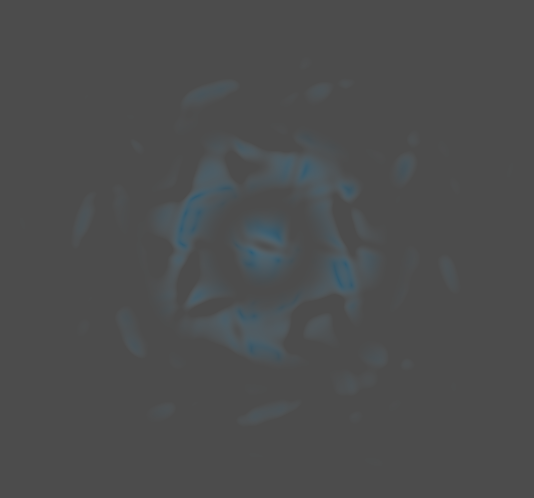
Customizable Pulse Effect
This shader is just https://godotshaders.com/shader/shock-wave-animation/ at its core, but I made some modifications and added some more customization to it.
I could not have done this without the base shader, go give it a try if you just want something simple (like a generic shockwave)!
I might clean up this shader and add some more customization sometime later, but you can also do that if you’d like.
Shader code
shader_type canvas_item;

// ----------------------------------------------------------------
//
// Based on this shader:
// https://godotshaders.com/shader/shock-wave-animation/
//
// I made some modifications and added some more customization,
// but the base came from the shader above!!
//
// ----------------------------------------------------------------

uniform float time_scale = 1.0; // The scale of time (just speeds up or slows down everything)
uniform vec4 primary_color : source_color = vec4(1.0, 0.0, 0.0, 1.0); // The primary color used
uniform vec4 secondary_color : source_color = vec4(0.0, 1.0, 0.0, 1.0); // The secondary color used
uniform float turbulence = 0.2; // Essentially the size of the distortion pattern (higher number means more pattern shown)
uniform float distortion = 0.1; // How pronounced the distortion pattern will be
uniform float ring_count_influence = 10.0; // An influence as to how many rings there will be (higher number means more rings generally)
uniform bool go_backwards = false; // Whether or not the pulse will go inwards
uniform float alpha_blend: hint_range(-1.0, 10.0) = 0.1; // The alpha channel for the final color mixing
uniform vec3 color_mix : source_color = vec3(1.0); // The color to mix with for the final color mixing; use pure black to only use the primary and secondary colors
uniform float distortion_speed = 1.0; // The speed of the distortion's scrolling
uniform float ring_speed = 1.0; // The speed of the moving rings
uniform float final_alpha_multi : hint_range(0.1, 10.0, 0.01) = 1.0; // The multiplier of the final alpha value
uniform float opacity_smoothstep_1 : hint_range(-10.0, 25.0, 0.01) = -0.25; // The first value for smoothstepping the opacity
uniform float opacity_smoothstep_2 : hint_range(-10.0, 25.0, 0.01) = 1.5; // The second value for smoothstepping the opacity

void fragment() {
	float time = TIME * time_scale;

	vec2 uv = (UV - vec2(0.5)) * vec2(2.0); // The current UV coordinate, scaled to fit the current object
	float dist = length(uv); // Distance

	// Calculating the opacity of the current pixel
	float opacity;
	if (go_backwards) { opacity = sin(dist * ring_count_influence + time * ring_speed) * 0.5 + 0.5; }
	else { opacity = sin(dist * ring_count_influence - time * ring_speed) * 0.5 + 0.5; }

	// Making the opacity be greater towards the center with some bias
	// Tweak the first two values to your use case if you want, I had to as well
	opacity *= smoothstep(opacity_smoothstep_1, opacity_smoothstep_2, 1.0 - dist);

	// Mixing the two colors together, with a pattern from the sine of the time
	vec4 color = mix(primary_color, secondary_color, abs(sin(time))) * dist;

	// Honestly I didn't mess around with this enough to understand it, sorry about that
	uv += vec2(sin(uv.y * turbulence / dist), cos(uv.x * turbulence / dist)) * distortion;

	// I wanted rotation, so I made rotation. I'll maybe make this a boolean uniform at some point
	float angle = time * distortion_speed; // You can scale time here to speed up rotation
	mat2 rotation = mat2(vec2(cos(angle), -sin(angle)), vec2(sin(angle), cos(angle)));
	vec2 rotated_uv = rotation * uv; // If you don't want rotation to be applied, you can simply set the rotated_uv to just be uv, instead of rotation * uv

	// This is essentially just an offset to the uv
	vec2 distorted_uv = rotated_uv + vec2(sin(rotated_uv.y * turbulence + time), cos(rotated_uv.x * turbulence + time)) * distortion;


	// Get the final color by mixing the current color with the color mix and the alpha blend
	// The length being of the distorted UV is to give it some variety. You can replace it with the regular UV if you want
	vec4 final_color = mix(color, vec4(color_mix, alpha_blend), length(distorted_uv));

	final_color.a *= final_alpha_multi;

	// Prevent the final alpha from becoming negative and making overlaps look weird
	final_color.a = clamp(final_color.a, 0.0, 1.0);

	// Finally, set the dang color of the pixel
	COLOR = vec4(final_color.rgb, final_color.a * opacity);
}