Easy Dithering Mask

I tried using the dithering shaders from this site, but none of them seem to work specifically for 2D… so I took it upon myself to create one for my own project.
The idea is for this shader to act as a mask that can be placed over anything… like a TextureRect, a Sprite2D, or something like that. I suppose it might work well on a CanvasLayer node, but who knows, I’m still a beginner 🙂
This shader was created in version 4.7.2… which I assume makes it compatible with the entire 4.x branch… But if that’s not the case, I’m sorry.
Instructions for use:
- Create a new scene with a ColorRect node.
- Go to the “CanvasItem/Material” tab and create a ShaderMaterial.
- Paste the shader code into the “Shader” section.
- Apply the parameters:
- U_Dither_Texture: Assign a texture. I recommend using the classic Bayer textures. (Check this github repo to find some textures!)
- U_Color_Texture: Assign a color palette. There’s no limit to the number of colors you can use… I think. Although I haven’t tested, I recommend using a 1D texture cuz… it never fails. (Lospec is an incredible site for finding color palettes, so go and check it out!!
- (To achieve a good effect, the colors should go from dark to lighter… that is, from left to right.)
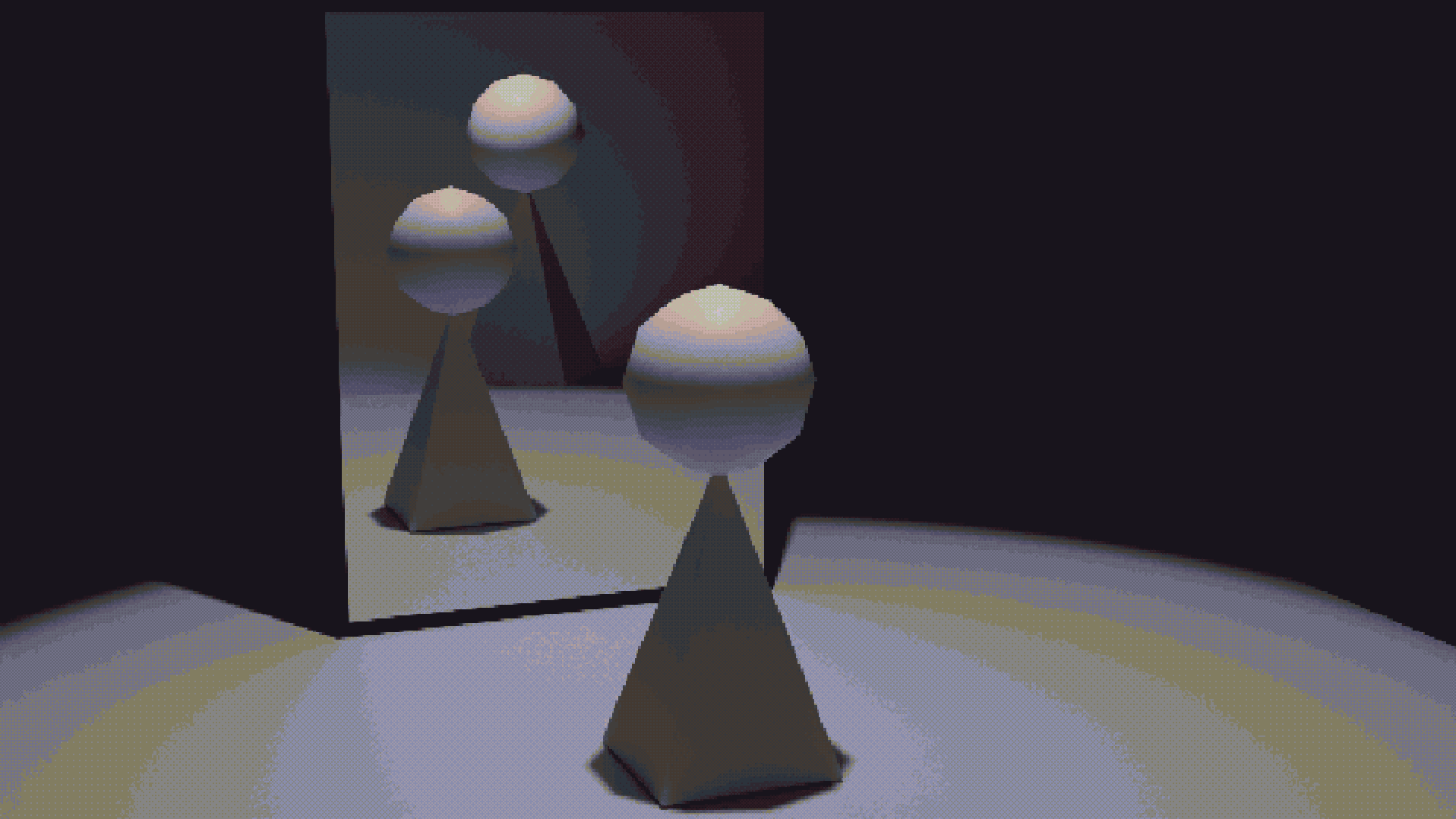
- U_Bit_Depth: A higher value will result in greater “definition” in the image. The example image I have shown uses a bit depth of 32.
- U_Contrast / U_Offset: Tbh, it’s a bit complicated to explain what these do… essentially, they serve as a way to experiment and refine the final result. All I’ll say is that the contrast should preferably be greater than or equal to 1, and the offset can be left at 0.
- U_Dither_Size: It’s the size of each pixel… I think 2 is the sweet spot, but try increasing it!
- And finally, place this scene above any other to create a dithering mask.
Thanks for making it this far!
I hope you find this shader useful!
If you use it in a project, I’d love to see it! 🙂
See ya!
This shader is based on “Dither Gradient Shader” by SamBigos.
Shader code
shader_type canvas_item;

uniform sampler2D screen_texture : hint_screen_texture, filter_nearest;
uniform sampler2D u_dither_tex : repeat_enable, filter_nearest;
uniform sampler2D u_color_tex : filter_nearest;

uniform int u_bit_depth = 8;
uniform float u_contrast = 1.0;
uniform float u_offset = 0.0;
uniform int u_dither_size = 2;

void fragment()
{
    vec2 screen_size = vec2(textureSize(screen_texture, 0)) / float(max(u_dither_size, 1));
    vec2 screen_sample_uv = floor(SCREEN_UV * screen_size) / screen_size;
    vec3 screen_col = texture(screen_texture, screen_sample_uv).rgb;

    float lum = dot(screen_col, vec3(0.299, 0.587, 0.114));

    lum = (lum - 0.5 + u_offset) * u_contrast + 0.5;
    lum = clamp(lum, 0.0, 1.0);

    float bits = float(max(u_bit_depth, 1));
    lum = floor(lum * bits) / bits;

    ivec2 col_size = textureSize(u_color_tex, 0);
    col_size /= col_size.y;

    float col_x = max(float(col_size.x) - 1.0, 1.0);
    float col_texel_size = 1.0 / col_x;

    lum = max(lum - 0.00001, 0.0);
    float lum_lower = floor(lum * col_x) * col_texel_size;
    float lum_upper = (floor(lum * col_x) + 1.0) * col_texel_size;
    float lum_scaled = lum * col_x - floor(lum * col_x);

    vec2 inv_noise_size = 1.0 / vec2(textureSize(u_dither_tex, 0));
    vec2 noise_uv = SCREEN_UV * screen_size * inv_noise_size;
    float threshold = texture(u_dither_tex, noise_uv).r;
    threshold = threshold * 0.99 + 0.005;

    float ramp_val = lum_scaled < threshold ? 0.0 : 1.0;
    float col_sample = mix(lum_lower, lum_upper, ramp_val);

    COLOR = vec4(texture(u_color_tex, vec2(col_sample, 0.5)).rgb, 1.0);
}
Live Preview