
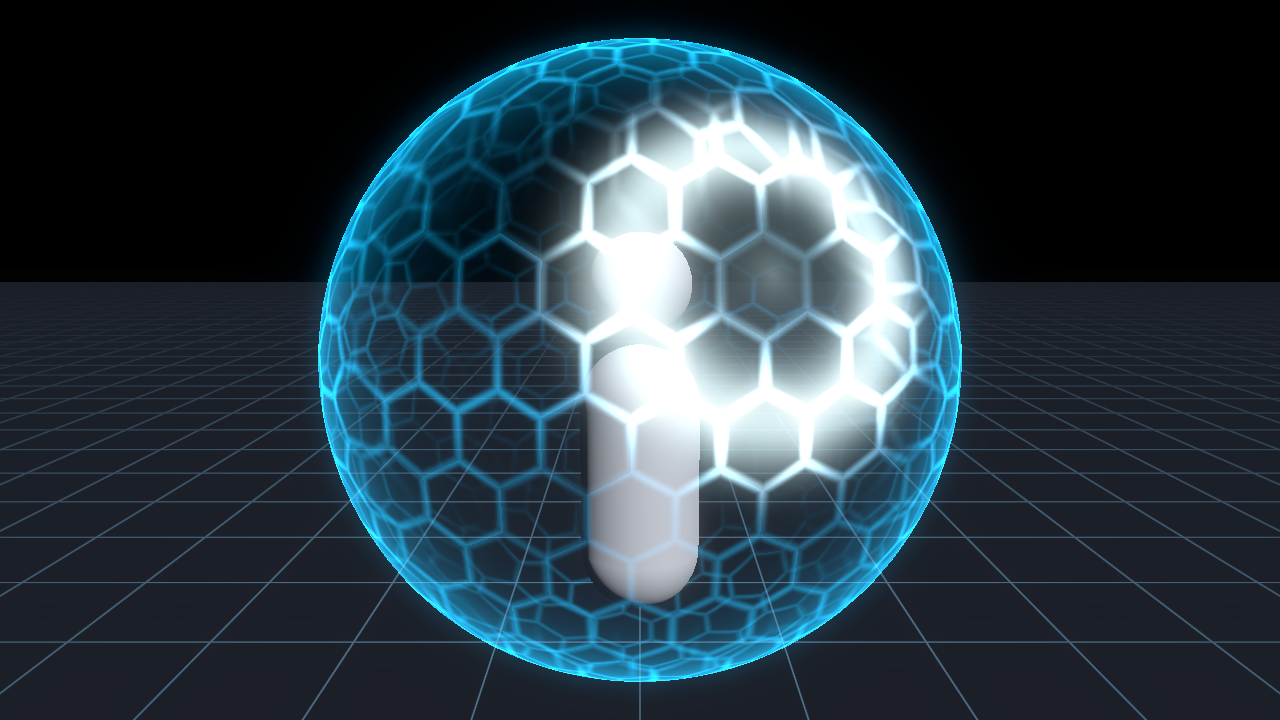
Energy Shield with Hit Ripple

A sci-fi energy shield for a sphere. It draws a hexagon grid with a bright fresnel rim, and a ring of light spreads out from the point where it was hit.
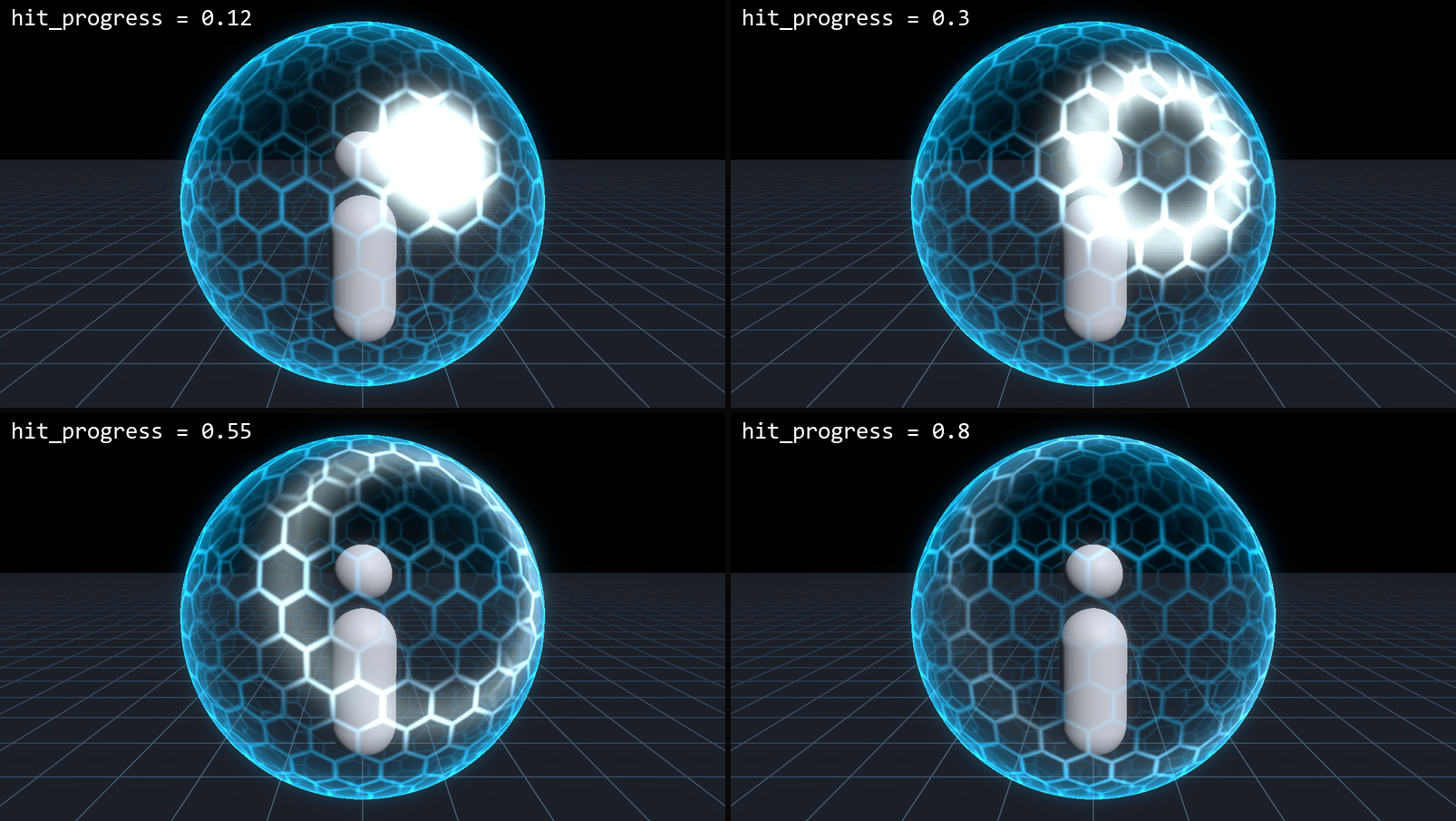
Put it on a MeshInstance3D with a SphereMesh as Material Override. To show a hit, set hit_position to the hit point in the sphere’s local space and animate hit_progress from 0 to 1. One ring spreads from that point and fades. appear raises the shield from the bottom up, from 0 to 1.
hex_scale sets the size of the cells, rim_strength and rim_power control the edge glow, and flow_speed moves a faint band of light across the grid. I darkened the back of the sphere after my first version looked too busy, with the grid showing through from behind.
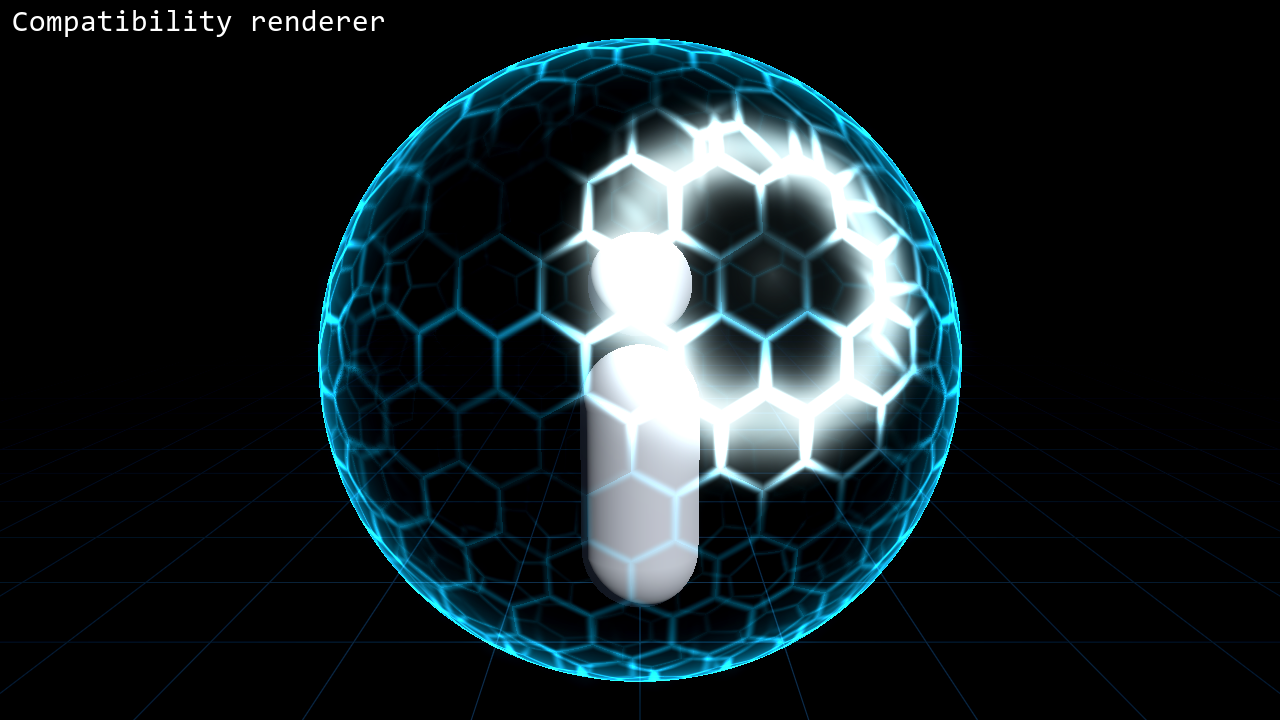
No textures are used. The hashes avoid sin(), so the grid looks the same in Forward+, Mobile and Compatibility. I tested it on Godot 4.4 and 4.7.
The code was written with the help of an AI coding assistant.
This is a cut-down version of the shield in my Sci-Fi Shield & Hologram VFX pack for Godot 4, which also takes several hits at once and can break apart.
Shader code
// Energy Shield with Hit Ripple for Godot 4
// MIT License. Copyright (c) 2026 gennai (https://gennai.itch.io)
//
// A hex-grid energy shield with a fresnel rim. Put this on a MeshInstance3D that uses a
// sphere (or any closed mesh), as Surface Material Override. One hit ripple at a time.
//
// Set hit_position to the hit point in the mesh's local space, then animate hit_progress
// from 0 to 1. The ripple spreads from that point and fades out. Animate appear from 0
// to 1 to raise the shield from the bottom up.
// No textures: the hex grid is computed in the shader, so it looks the same in Forward+,
// Mobile and Compatibility.
shader_type spatial;
render_mode blend_add, depth_draw_never, cull_disabled, unshaded, shadows_disabled;

group_uniforms look;
// Main color of the hex lines and the rim.
uniform vec4 shield_color : source_color = vec4(0.1, 0.75, 1.0, 1.0);
// Color of the ripple and the impact point.
uniform vec4 hit_color : source_color = vec4(0.9, 1.0, 1.0, 1.0);
// Overall brightness.
uniform float intensity : hint_range(0.0, 6.0) = 1.3;
// Size of the hex cells. Higher = smaller cells (cells per mesh local unit).
uniform float hex_scale : hint_range(1.0, 20.0) = 5.0;
// Thickness of the hex lines. 0 = hairline, 1 = nearly solid cells.
uniform float line_width : hint_range(0.0, 1.0) = 0.25;
// Strength of the fresnel rim. 0 = no rim.
uniform float rim_strength : hint_range(0.0, 4.0) = 1.5;
// How sharp the rim is. Higher = thinner rim.
uniform float rim_power : hint_range(0.5, 8.0) = 3.0;
// Faint fill between the hex lines. 0 = only lines and rim.
uniform float fill : hint_range(0.0, 0.5) = 0.04;
// Speed of the slow energy band that runs up the shield. 0 = off.
uniform float flow_speed : hint_range(0.0, 3.0) = 0.6;

group_uniforms hit;
// Hit point in the mesh's local space. Put it on the surface.
uniform vec3 hit_position = vec3(0.0, 0.3, 0.95);
// 0 = the ripple starts at the hit point, 1 = it has faded out. Animate this.
uniform float hit_progress : hint_range(0.0, 1.0) = 1.0;
// How far the ripple travels, in mesh local units.
uniform float hit_reach : hint_range(0.2, 4.0) = 1.1;
// Width of the ripple ring, in mesh local units.
uniform float hit_width : hint_range(0.02, 0.6) = 0.12;

group_uniforms visibility;
// 0 = shield hidden, 1 = fully up. Raises from the bottom of the mesh.
uniform float appear : hint_range(0.0, 1.0) = 1.0;
// Radius of the mesh in local units. Used by appear.
uniform float mesh_radius : hint_range(0.1, 20.0) = 1.0;

varying vec3 v_local;

// Hash without sin(), so every GPU gives the same pattern.
float sh_hash(vec2 p) {
	vec3 p3 = fract(vec3(p.xyx) * 0.1031);
	p3 += dot(p3, p3.yzx + 33.33);
	return fract((p3.x + p3.y) * p3.z);
}

// Returns x = how close to a cell edge (1 on the edge), y = random value per cell.
vec2 sh_hex(vec2 p, float width) {
	vec2 r = vec2(1.0, 1.7320508);
	vec2 h = r * 0.5;
	vec2 a = mod(p, r) - h;
	vec2 b = mod(p - h, r) - h;
	vec2 g = dot(a, a) < dot(b, b) ? a : b;
	vec2 id = p - g;
	vec2 q = abs(g);
	float d = max(dot(q, vec2(0.5, 0.8660254)), q.x);
	float edge = smoothstep(0.5 - 0.02 - width * 0.35, 0.5, d);
	return vec2(edge, sh_hash(id));
}

void vertex() {
	v_local = VERTEX;
}

void fragment() {
	if (appear <= 0.0) {
		discard;
	}
	vec3 dir = normalize(v_local);
	vec3 w = pow(abs(dir), vec3(6.0));
	w /= (w.x + w.y + w.z);
	// Three planar hex grids blended by facing, so the grid has no hard seam on a sphere.
	vec3 p = v_local * hex_scale;
	vec2 hx = sh_hex(p.yz, line_width) * w.x + sh_hex(p.xz + 7.3, line_width) * w.y + sh_hex(p.xy + 13.1, line_width) * w.z;
	float edge = hx.x;
	float cell = hx.y;

	float face = abs(dot(normalize(NORMAL), normalize(VIEW)));
	float rim = pow(1.0 - face, rim_power) * rim_strength;
	float y01 = clamp(v_local.y / mesh_radius * 0.5 + 0.5, 0.0, 1.0);
	float band = pow(0.5 + 0.5 * cos((y01 * 2.0 - TIME * flow_speed) * 6.2831853), 6.0) * step(0.001, flow_speed);

	// The hit ripple: a ring that spreads from hit_position and fades as hit_progress rises.
	float d = distance(v_local, hit_position);
	float t = clamp(hit_progress, 0.0, 1.0);
	float fade = (1.0 - t) * (1.0 - t);
	float ring = exp(-pow((d - t * hit_reach) / hit_width, 2.0)) * fade;
	float core = exp(-d * 7.0) * pow(1.0 - t, 4.0);

	float lines = edge * (0.12 + 0.3 * band + 0.25 * cell);
	// The far side of the shell shows through dimmer, so the front reads clearly.
	float back = FRONT_FACING ? 1.0 : 0.5;
	float base = (fill + lines + rim * (0.6 + 0.4 * edge)) * back;
	float hit = ring * (1.5 + 3.0 * edge) + core * 1.5;

	float reveal = clamp((appear * 1.25 - y01) / 0.25, 0.0, 1.0);
	ALBEDO = (shield_color.rgb * base + hit_color.rgb * hit) * intensity;
	ALPHA = clamp(base + hit, 0.0, 1.0) * reveal;
}
Live Preview

Comments 0
No comments yet.