
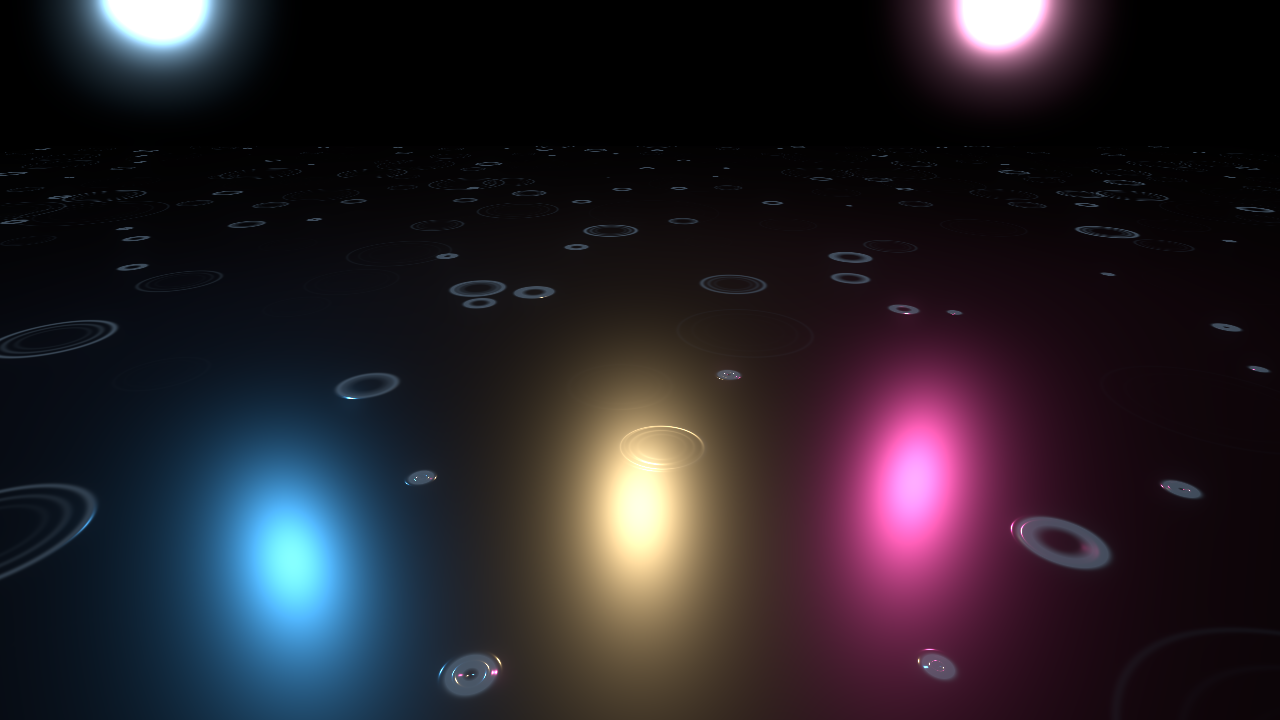
Rain Ripples on a Wet Floor

Raindrop ripples for a wet floor. Each drop makes two or three thin rings that spread, get thinner and fade, at random spots and times.
Put it on your floor mesh as Material Overlay (Geometry > Material Overlay), or in the Next Pass of the floor material. The floor has to face up.
The rings are drawn mostly by bending the normal, so they show up best where a light reflects in the floor: the reflection gets bent by every ring. A dark, slightly glossy floor works best. ring_glow adds a faint rim so the rings are also visible away from the reflections. The layer is additive, so it never darkens your floor. I first drew the rings in grey and they looked like smoke rings, which is why they bend the reflection now.
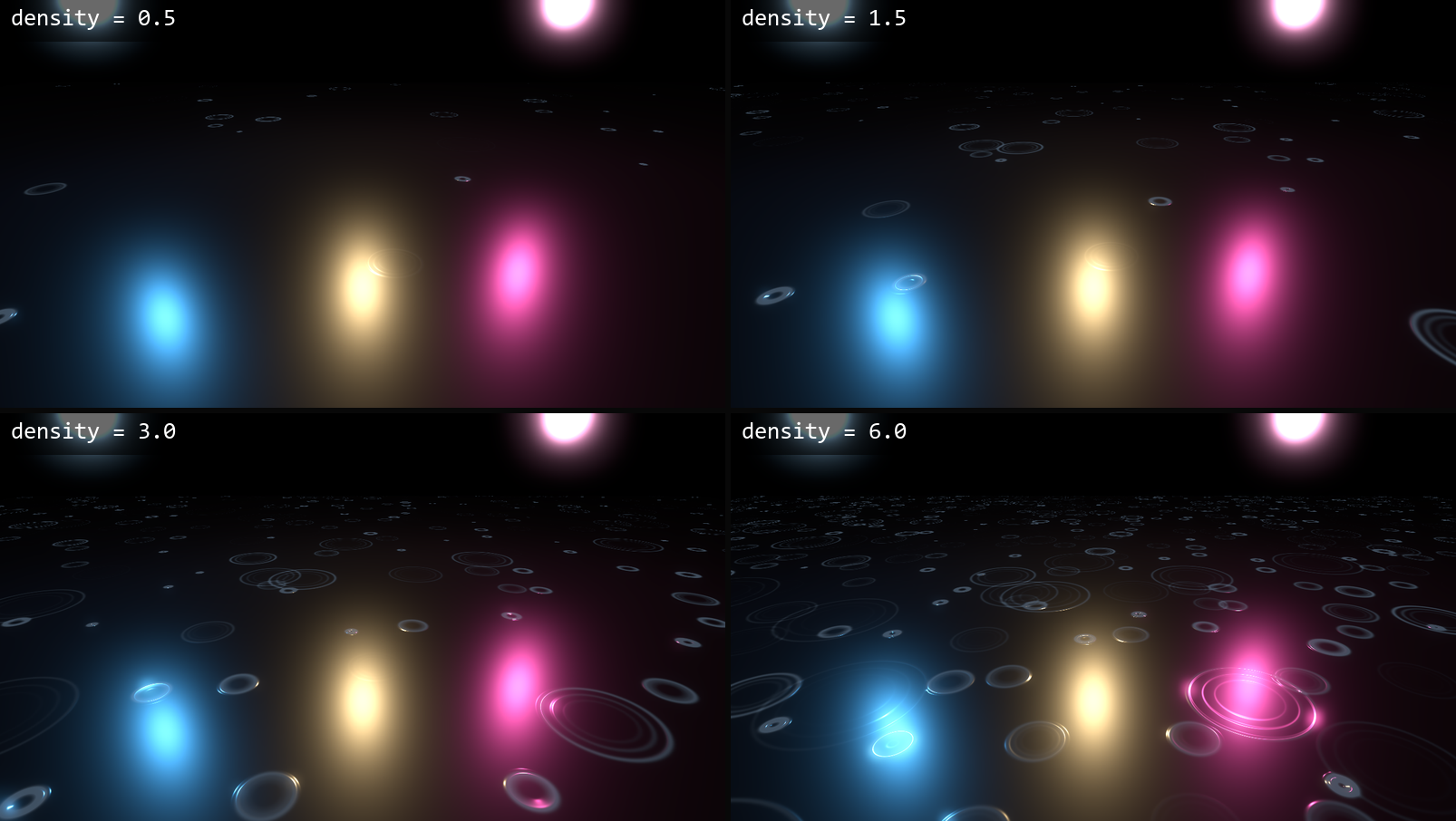
density is drops per square metre, ring_size is the largest ring radius in metres, and speed sets how fast they spread. normal_strength controls how much the rings bend the reflection.
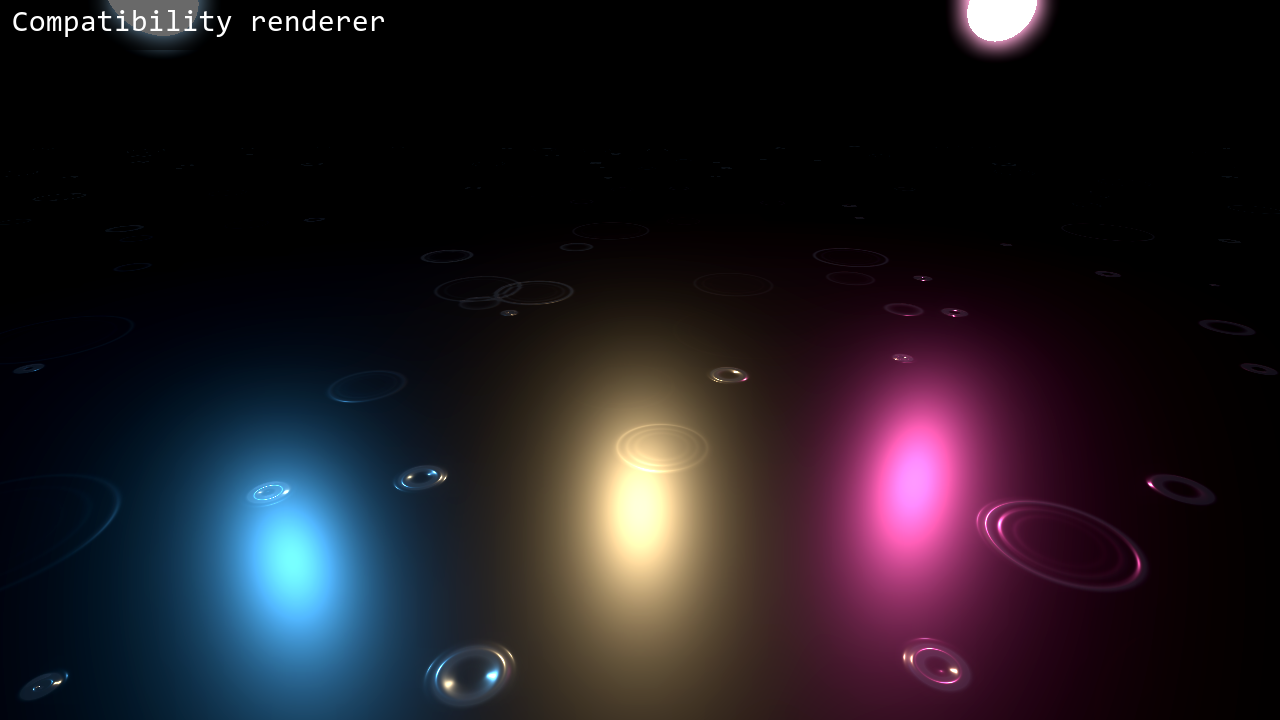
No textures are used. The hashes avoid sin(), so the pattern is the same on every renderer. I tested it on Godot 4.4 and 4.7. In Compatibility the rings far from a reflection come out fainter, so raise ring_glow a little there.
The code was written with the help of an AI coding assistant.
This is a small part of my Weather VFX pack for Godot 4, which has rain, snow and splashes. There is also a free rain pack on itch if you want to try it first. The free one is the first link and the full pack is the second.
Shader code
// Rain Ripples on Ground for Godot 4
// MIT License. Copyright (c) 2026 gennai (https://gennai.itch.io)
//
// Thin rings from raindrops on a wet floor. Each drop makes two or three rings that spread,
// thin out and fade. Put this on a MeshInstance3D with a PlaneMesh floor as Material
// Overlay (Geometry > Material Overlay) or as Next Pass of the floor material. The floor
// must face up in world space and should be dark and a little glossy.
//
// The rings are drawn by bending the normal, not by color: a light that reflects in the
// floor is bent by every ring. Without a light reflecting there, the rings are barely
// visible, so ring_glow adds a faint rim. The layer is additive and never darkens the floor.
// No textures: the random spots come from a hash in the shader, so it looks the same in
// Forward+, Mobile and Compatibility.
shader_type spatial;
render_mode blend_add, depth_draw_never, cull_back, shadows_disabled, specular_schlick_ggx;

group_uniforms rain;
// Raindrops per square metre of floor.
uniform float density : hint_range(0.2, 8.0) = 1.8;
// Largest ring radius in metres. Most rings are smaller than this.
uniform float ring_size : hint_range(0.05, 1.0) = 0.5;
// How fast rings spread and fade. 1 = a ring lives about two seconds.
uniform float speed : hint_range(0.1, 4.0) = 1.0;
// Changes the pattern so two floors do not match.
uniform float seed : hint_range(0.0, 100.0) = 0.0;

group_uniforms look;
// How strongly the rings bend the normal. This is what you see in the reflection.
uniform float normal_strength : hint_range(0.0, 6.0) = 4.0;
// Thickness of a ring in metres, at the moment it is born.
uniform float ring_width : hint_range(0.003, 0.06) = 0.014;
// Roughness inside the rings. Low = the reflection stays sharp. Set it a bit below your floor.
uniform float wet_roughness : hint_range(0.0, 1.0) = 0.15;
// Faint glow so rings also show away from the reflection. 0 = reflection only.
uniform float ring_glow : hint_range(0.0, 0.5) = 0.1;
uniform vec4 glow_color : source_color = vec4(0.7, 0.85, 1.0, 1.0);

varying vec2 v_pos;

// Hashes without sin(), so every GPU gives the same pattern.
float rr_hash(vec2 p) {
	vec3 p3 = fract(vec3(p.xyx) * 0.1031);
	p3 += dot(p3, p3.yzx + 33.33);
	return fract((p3.x + p3.y) * p3.z);
}

vec2 rr_hash2(vec2 p) {
	vec3 p3 = fract(vec3(p.xyx) * vec3(0.1031, 0.1030, 0.0973));
	p3 += dot(p3, p3.yzx + 33.33);
	return fract((p3.xx + p3.yz) * p3.zy);
}

void vertex() {
	// Floor position in metres, whatever the node's scale.
	v_pos = (MODEL_MATRIX * vec4(VERTEX, 1.0)).xz;
}

// One ring of a drop: adds its slope (radial) to grad and its strength to mask.
void rr_ring(float d, float r, float w, float amp, vec2 dir, inout vec2 grad, inout float mask) {
	float x = (d - r) / w;
	float env = exp(-x * x) * amp;
	grad -= dir * x * env;
	mask += env;
}

void fragment() {
	// One drop per cell of 1 / sqrt(density) metres. Work in metres.
	float cell = 1.0 / sqrt(density);
	vec2 p = v_pos / cell + seed * 1.7;
	vec2 base = floor(p);
	vec2 grad = vec2(0.0);
	float mask = 0.0;
	for (int j = -1; j <= 1; j++) {
		for (int i = -1; i <= 1; i++) {
			vec2 id = base + vec2(float(i), float(j));
			vec2 rnd = rr_hash2(id);
			float rnd3 = rr_hash(id + 17.0);
			// Many small rings, a few big ones.
			float size = ring_size * (0.25 + 0.75 * rnd.y * rnd.y * rnd.y);
			float life = fract(TIME * speed * 0.5 + rnd.x * 7.0 + rnd3 * 3.0);
			vec2 off = (p - (id + 0.1 + 0.8 * rnd)) * cell;
			float d = length(off);
			vec2 dir = off / max(d, 0.0001);
			// Born sharp and strong, then thinner and fainter as it spreads.
			float amp = pow(1.0 - life, 1.5);
			float w = ring_width * (1.0 - 0.5 * life);
			float r = size * (1.0 - pow(1.0 - life, 2.0));
			rr_ring(d, r, w, amp, dir, grad, mask);
			rr_ring(d, r * 0.78, w, amp * 0.55, dir, grad, mask);
			rr_ring(d, r * 0.58, w, amp * 0.3, dir, grad, mask);
		}
	}
	float a = clamp(mask * 1.5, 0.0, 1.0);
	if (a < 0.004) {
		discard;
	}
	// Bend the normal in world space (the floor faces +Y), then move it to view space.
	vec3 n_world = normalize(vec3(-grad.x * normal_strength * 0.35, 1.0, -grad.y * normal_strength * 0.35));
	NORMAL = normalize((VIEW_MATRIX * vec4(n_world, 0.0)).xyz);
	// The layer is added on top of the floor, so it can only brighten it: no dark donuts.
	ALBEDO = vec3(0.0);
	ALPHA = a;
	ROUGHNESS = wet_roughness;
	SPECULAR = 1.0;
	EMISSION = glow_color.rgb * ring_glow * a;
}
Live Preview

Comments 0
No comments yet.