
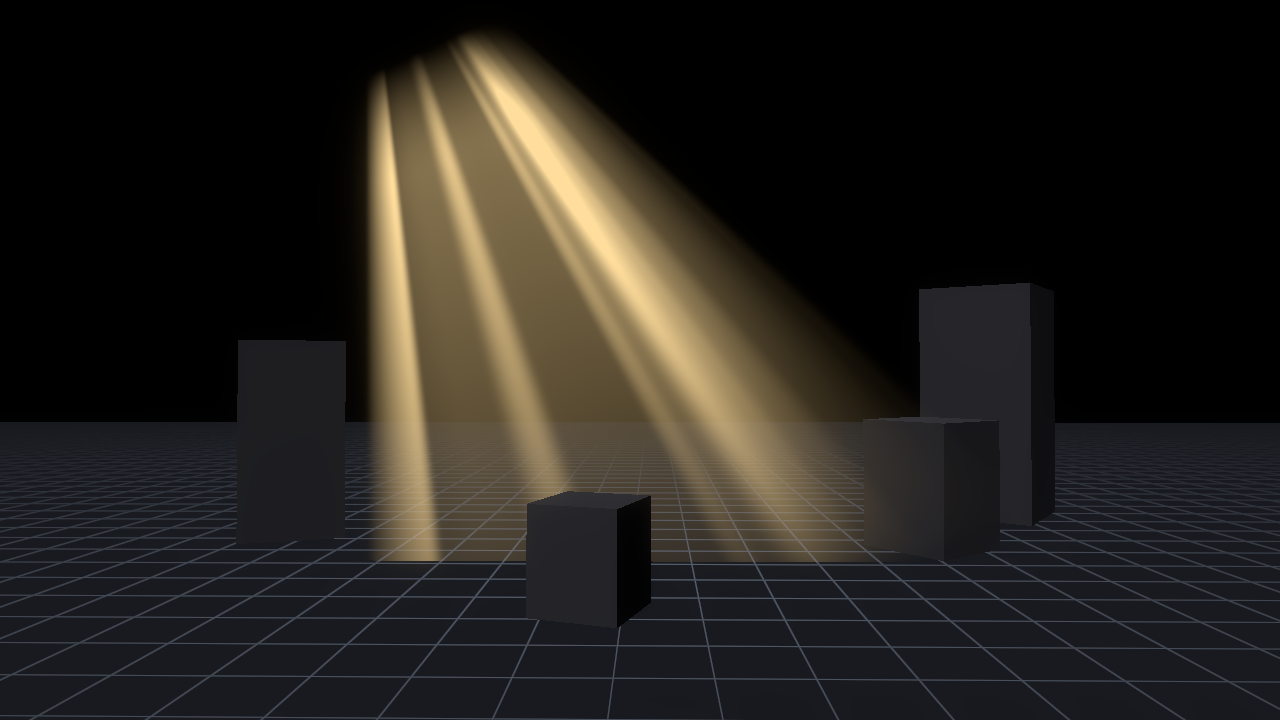
Fake God Rays (Light Shafts, No Volumetric Fog)

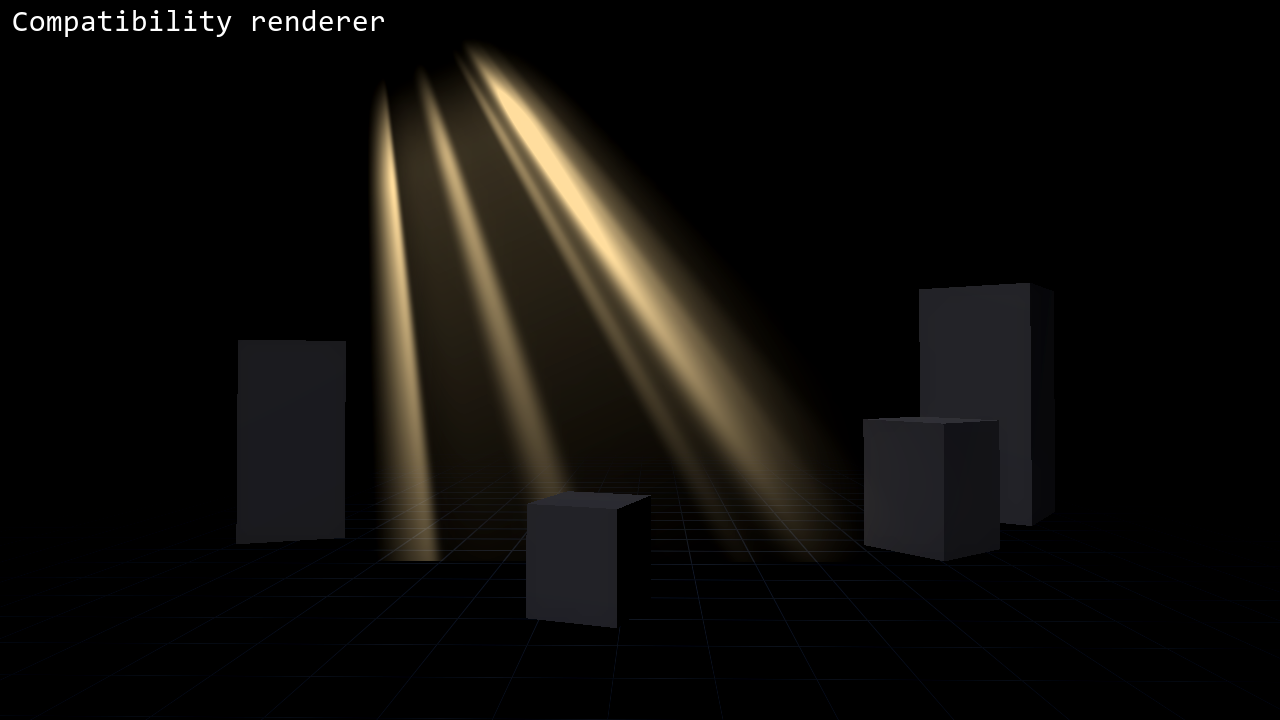
Light shafts drawn on a single plane, so you get the god ray look without volumetric fog. That means it also works in Compatibility and in web exports, where volumetric fog is not available.
Put it on a MeshInstance3D with a QuadMesh as Material Override, and tilt the quad so it runs from the light source down to the floor. The shafts start narrow at the top edge and widen toward the bottom, and every edge fades out so the quad’s outline never shows. My first try looked like a striped box with a hard top edge. Narrowing the top and fading the edges is what made it read as light.
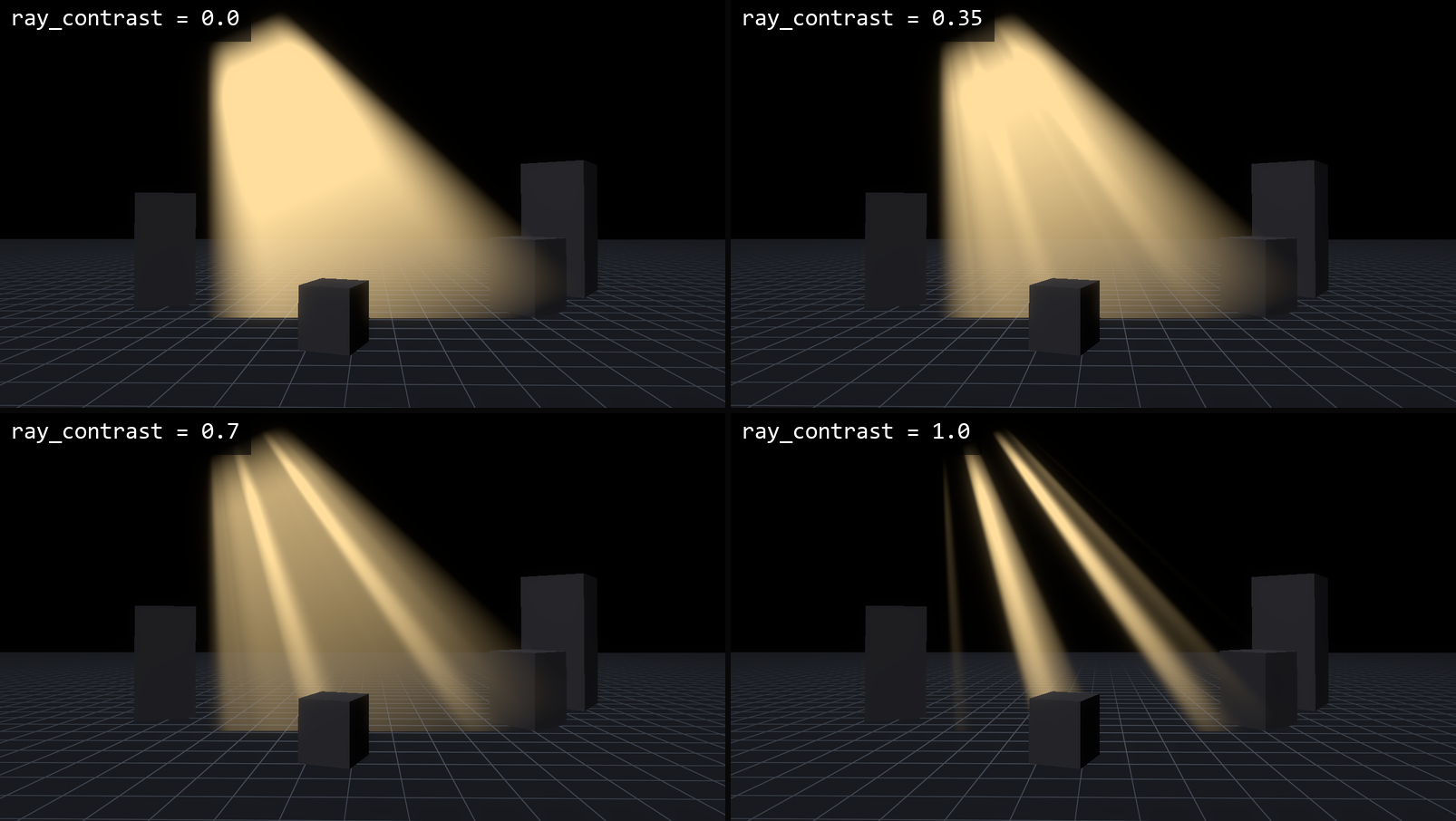
ray_count and ray_contrast set how many shafts you see and how dark the gaps between them are. sway_speed makes the shafts drift slowly. length_falloff fades them along their length. near_fade_start and near_fade_end fade the plane out as the camera gets close, so walking through it doesn’t look like walking through a sheet.
It is drawn additively and reads no depth or screen texture, so it costs very little. No textures are used. I tested it on Godot 4.4 and 4.7 in Forward+, Mobile and Compatibility.
The code was written with the help of an AI coding assistant.
This is a cut-down version of the light shafts in my Light Shafts & Ambient VFX pack for Godot 4, which adds window frames, floor light pools and floating dust. There is also a free fireflies pack on itch if you want to try something first. The free one is the first link and the full pack is the second.
Shader code
// Fake God Rays (Light Shafts) for Godot 4
// MIT License. Copyright (c) 2026 gennai (https://gennai.itch.io)
//
// Light shafts that start at a small opening and spread toward the floor, with no
// volumetric fog. Put this on a MeshInstance3D that uses a QuadMesh or PlaneMesh, stood up
// and tilted so it runs from the opening down to the floor. The shader narrows the quad
// into a fan, so you do not see the quad's rectangle. It draws additively and needs no
// depth or screen texture. Use two quads at different angles to give it depth.
//
// UV.x runs across the shafts and UV.y runs along them: the opening is at UV.y = 0 and the
// light fades out toward UV.y = 1. Turn on flip_length if your mesh is the other way round.
// The shafts sway on their own; raise intensity to taste.
// Works the same in Forward+, Mobile and Compatibility.
shader_type spatial;
render_mode blend_add, depth_draw_never, cull_disabled, unshaded, shadows_disabled, fog_disabled;

group_uniforms shafts;
// Light color.
uniform vec4 ray_color : source_color = vec4(1.0, 0.86, 0.6, 1.0);
// Overall brightness.
uniform float intensity : hint_range(0.0, 4.0) = 1.6;
// Number of shafts across the fan.
uniform float ray_count : hint_range(1.0, 30.0) = 8.0;
// 0 = soft, even light. 1 = a few bright shafts with dark gaps.
uniform float ray_contrast : hint_range(0.0, 1.0) = 0.9;
// How fast the shafts sway and breathe. 0 = still.
uniform float sway_speed : hint_range(0.0, 3.0) = 0.8;
// Changes the pattern so two fans do not match.
uniform float seed : hint_range(0.0, 100.0) = 0.0;

group_uniforms shape;
// Width of the fan at the opening, as a share of the mesh width. 1 = no spreading.
uniform float exit_width : hint_range(0.05, 1.0) = 0.2;
// How quickly the light dies away along the length. 0 = even, higher = short rays.
uniform float length_falloff : hint_range(0.0, 6.0) = 1.2;
// How much of the length at the opening is a soft fade-in, so the opening has no hard edge.
uniform float opening_softness : hint_range(0.01, 0.5) = 0.18;
// Softness of the two side edges (0 = hard, 1 = fades across the whole width).
uniform float edge_softness : hint_range(0.05, 1.0) = 0.5;
// Swap the length direction if UV.y = 0 is the far end on your mesh.
uniform bool flip_length = false;

group_uniforms camera;
// Distance in metres where the shafts have fully faded out near the camera.
uniform float near_fade_start : hint_range(0.0, 10.0) = 0.6;
// Distance in metres where the shafts are fully visible again.
uniform float near_fade_end : hint_range(0.1, 20.0) = 3.0;

// Hash without sin(), so every GPU gives the same pattern.
float gr_hash(vec2 p) {
	vec3 p3 = fract(vec3(p.xyx) * 0.1031);
	p3 += dot(p3, p3.yzx + 33.33);
	return fract((p3.x + p3.y) * p3.z);
}

// Smooth value noise, 0..1.
float gr_noise(vec2 p) {
	vec2 i = floor(p);
	vec2 f = fract(p);
	f = f * f * (3.0 - 2.0 * f);
	return mix(mix(gr_hash(i), gr_hash(i + vec2(1.0, 0.0)), f.x),
			mix(gr_hash(i + vec2(0.0, 1.0)), gr_hash(i + vec2(1.0, 1.0)), f.x), f.y);
}

void fragment() {
	float along = clamp(flip_length ? 1.0 - UV.y : UV.y, 0.0, 1.0);
	// Narrow at the opening, full width at the far end. u is -1..1 across the fan.
	float half_w = mix(exit_width, 1.0, along);
	float u = (UV.x - 0.5) * 2.0 / half_w;
	float side = 1.0 - smoothstep(1.0 - edge_softness, 1.0, abs(u));

	float x = u * 0.5 * ray_count + seed * 3.7;
	float t = TIME * sway_speed;
	// Two layers of noise across the fan; the second one drifts the other way.
	float n = gr_noise(vec2(x, t)) * 0.65 + gr_noise(vec2(x * 1.9 + 31.0 - t * 1.3, t * 0.7 + 5.0)) * 0.35;
	float bright = smoothstep(0.5, 0.78, n);
	float shaft = mix(1.0, bright * bright, ray_contrast);

	float len = pow(1.0 - along, length_falloff) * smoothstep(0.0, opening_softness, along);
	// VERTEX in fragment() is the view-space position, so its length is the camera distance.
	float near = smoothstep(near_fade_start, max(near_fade_end, near_fade_start + 0.01), length(VERTEX));

	ALBEDO = ray_color.rgb;
	ALPHA = clamp(shaft * side * len * near * intensity, 0.0, 1.0);
}
Live Preview

Comments 0
No comments yet.