
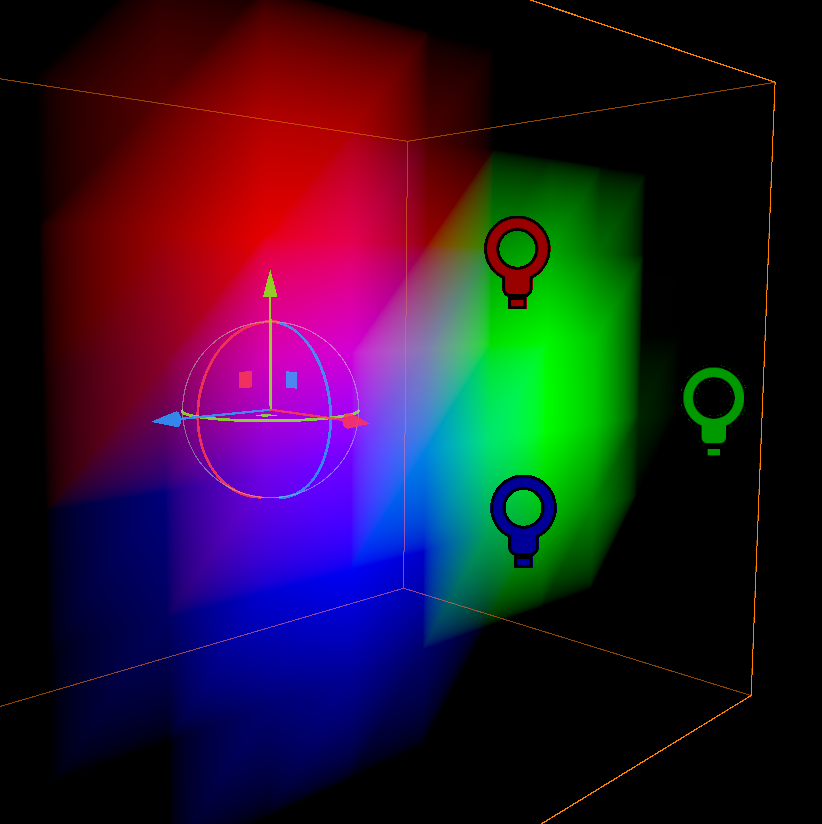
Updated: Faux Vertex Lighting

* NEW *
- Segment size parameter
- Light falloff and range parameters
- Flip axis toggles
Lights need to be set at 1 attenuation for the effect to work properly, and model UVs need to be well-formed
This is a novel attempt at lighting that is identical to the real thing with a couple of added benefits for lazy people like me.
Here are some features:
- Utilizes scene lights
- Simulates subdivided surfaces for more detailed lighting without the need for more vertices
- Subdivisions are not constrained to triangle boundaries, so they aren’t strictly accurate
- Removing this would result in an authentic implementation for better or for worse
Thanks to Momonyaro for testing on their project.
Shader code
shader_type spatial;
render_mode skip_vertex_transform;

varying vec3 sfcPosVS;
varying vec3 sfcPosLS;
varying vec3 sfcNmlLS;
varying vec3 sfcRtLS;
varying vec3 sfcUpLS;

vec3 cvtSpcPos(vec3 v, mat4 m) {
	return (m * vec4(v, 1.)).xyz;
}

vec3 cvtSpcDir(vec3 v, mat4 m) {
	return normalize((m * vec4(v, 0.0)).xyz);
}

float quadraticBezierFalloff(float t, float q, float p, float s) {
	return (q + 1. - t * (p - q)) + t * ((q + t * (s - q)) - q + 1. - t * (p - q));
}

uniform sampler2D albedo;
uniform float range;
uniform float falloff;
uniform float segment_scale;
uniform bool flip_x;
uniform bool flip_y;

void vertex() {
	sfcPosLS = VERTEX;
	sfcNmlLS = NORMAL;
	sfcRtLS = segment_scale * TANGENT * (2. * float(flip_x) - 1.);
	sfcUpLS = segment_scale * cross(TANGENT,NORMAL) * (2. * float(flip_y) - 1.);

	VERTEX = cvtSpcPos(VERTEX,MODELVIEW_MATRIX);
	NORMAL = cvtSpcDir(NORMAL,MODELVIEW_MATRIX);
	sfcPosVS = VERTEX;
}

void fragment() {
	ALBEDO = texture(albedo,UV).rgb;
}

void light() {
	vec3 lgtPosVS = (LIGHT / ATTENUATION) + sfcPosVS;
	vec3 lgtPosWS = cvtSpcPos(lgtPosVS,INV_VIEW_MATRIX);

	vec3 uv3d = vec3(
		dot(sfcPosLS,sfcRtLS),
		dot(sfcPosLS,-sfcUpLS),
		dot(sfcPosLS,sfcNmlLS)
	);

	vec3 uvQtz = vec3(
		floor(dot(sfcPosLS,sfcRtLS)),
		floor(dot(sfcPosLS,-sfcUpLS)),
		dot(sfcPosLS,sfcNmlLS)
	);

	vec3 uvFrc = fract(uv3d);

	vec3 tstPosLS = cvtSpcPos(lgtPosWS,inverse(MODEL_MATRIX));

	vec3 tstPos2D = vec3(
		dot(tstPosLS,sfcRtLS),
		dot(tstPosLS,-sfcUpLS),
		dot(tstPosLS,sfcNmlLS)
	);

	vec3 prjPosUV = tstPos2D;

	float dst00 = clamp(-quadraticBezierFalloff(distance(prjPosUV,uvQtz) * range,falloff,1.,0.),0.,1.);
	float dst01 = clamp(-quadraticBezierFalloff(distance(prjPosUV,uvQtz + vec3(0.,1.,0.)) * range,falloff,1.,0.),0.,1.);
	float dst10 = clamp(-quadraticBezierFalloff(distance(prjPosUV,uvQtz + vec3(1.,0.,0.)) * range,falloff,1.,0.),0.,1.);
	float dst11 = clamp(-quadraticBezierFalloff(distance(prjPosUV,uvQtz + vec3(1.,1.,0.)) * range,falloff,1.,0.),0.,1.);

	float final;

	if (uvFrc.x > uvFrc.y) {
		final =
			(1. - uvFrc.x) * dst00 +
			(uvFrc.x - uvFrc.y) * dst10 +
			uvFrc.y * dst11; }
	else {
		final =
			(1. - uvFrc.y) * dst00 +
			(uvFrc.y - uvFrc.x) * dst01 +
			uvFrc.x * dst11;
	}

	float sfcAngMlt = clamp(dot(LIGHT,NORMAL),0.,1.);
	float atnMod = clamp(ATTENUATION,0.,1.);

	DIFFUSE_LIGHT += atnMod * LIGHT_COLOR * clamp(1. - final,0.,1.) * sfcAngMlt;
}
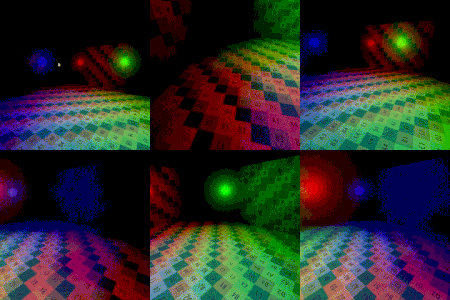
Live Preview

is this 4.3 friendly?
Just tried it; yes.
alright but does it still apply the per-vertex lighting look?
I can’t quite figure out how to apply it? It doesn’t take in any texture so I’m assuming that you use multiple passes or am I missing something?
These are only the stripped-down necessities for the lighting effect. Most of it can be copied straight into another shader aside from the render mode and vertex function, which will have to be merged.
Or if you just want something quick that works, put this line before the vertex function:
uniform sampler2D albedo;
Then replace the fragment function with this:
void fragment() {
ALBEDO = texture(albedo,UV).rgb;
}
I’m on Discord under the same username if you need help implementing it.
Hey, how would one go about mixing this with lambert wrap shading? I’m making a game with retro 3D graphics and I’d like to experiment with mixing vertex lighting with smooth fragment lighting to give my visuals retro vibes without looking too harsh. I got that working with androgyneseraph’s faux vertex lighting, but that shader had the disadvantage of the lighting moving around when you move the camera, kind of like a Nintendo 64 metal material. Any help would be greatly appreciated!
Should this be used with per-pixel lighting in the rendering engine?