
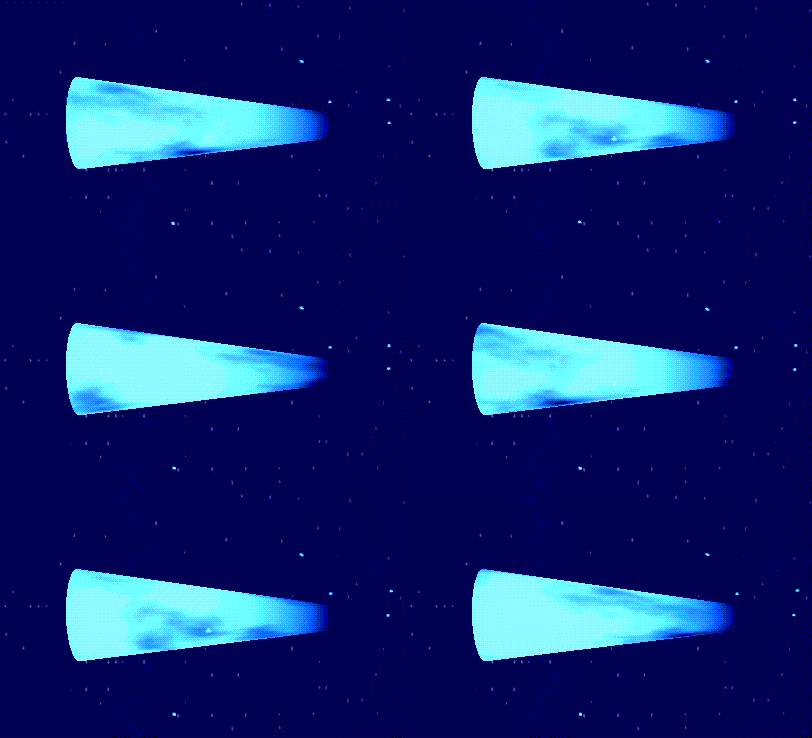
Updated Futuristic Jet Thruster (advanced end & edge fading)

This shader is an updated version of “Futuristic Jet Thruster” and keeps the same core look (scrolling noise driving alpha + emission).
The main focus is on precise end/edge fading.
It allows you to control how the effect fades out at the boundaries of a mesh, making it ideal for thrusters, exhaust tubes, tiles, panels, and other sci-fi energy effects where clean falloff is crucial.
Unlike the original version, this shader computes the fade using the mesh’s local/object-space position instead of UVs.
This makes the end fading reliable and predictable on Godot primitives such as CylinderMesh and BoxMesh, and also on many imported meshes that have uneven, packed, or missing UVs, while keeping the original scrolling noise + emission look intact.
Quick setup
1) Create the mesh
Pick one:
A) Thruster/exhaust tube
-
Use TubeTrailMesh (best for actual thrusters/trails), OR
-
Use CylinderMesh with:
-
cap_top = false,cap_bottom = false(open tube)
-
B) Tile/energy field
-
Use BoxMesh (great for tiles, danger zones, edge glows)
Important: This shader assumes the mesh is centered at its local origin (Godot primitives are). If you use a custom/imported mesh that’s offset, the fade may look shifted.
2) Create material
-
Add a ShaderMaterial
-
Assign the shader to it
-
Set the ShaderMaterial as the mesh’s material (Surface Material Override)
3) Create the noise texture (same idea as original)
In Shader Parameters → noise_texture:
-
Create a NoiseTexture2D
-
Enable Seamless
-
Add a FastNoiseLite (Perlin recommended)
-
Optionally add a ColorRamp / Gradient to shape the streaks
-
Tune noise frequency (lower = larger blobs, higher = finer detail)
This follows the same general workflow as the original thruster shader. Futuristic Jet Thruster Shader
How to use the fade modes
This shader has two fade modes (pick one):
Fade Mode 0: Cylinder (thrusters)
Use when the mesh is a cylinder/tube aligned on local Y.
Set:
-
fade_mode = 0 -
cylinder_half_height = (mesh_height * 0.5) -
Tune:
-
cylinder_fade_bottom(fade depth from the bottom end inward) -
cylinder_fade_top(fade depth from the top end inward) -
fade_softness(how feathered the fade is)
-
Tips:
-
Want a strong nozzle fade? Make one end bigger (e.g. bottom = 0.14, top = 0.04)
-
If the “wrong end” fades, rotate the mesh 180° or swap top/bottom values
Fade Mode 1: Box (tiles/panels)
Use when the mesh is box-like, and you want edge effects.
Set:
-
fade_mode = 1 -
box_half_extents = (BoxMesh.size * 0.5) -
Tune each edge independently:
-
box_fade_x_neg,box_fade_x_pos -
box_fade_z_neg,box_fade_z_pos -
box_fade_y_neg,box_fade_y_pos(optional thickness/top/bottom fade)
-
Tips:
-
For thin tiles, keep Y fades near 0 unless you want it to fade through thickness.
-
Asymmetric edge fades are great for “directional energy” or warning indicators.
Suggested starting values
Thruster tube (example height 0.4)
-
fade_mode = 0 -
cylinder_half_height = 0.2 -
cylinder_fade_bottom = 0.10 .. 0.18 -
cylinder_fade_top = 0.02 .. 0.08 -
fade_softness = 0.01 .. 0.03 -
emission_energy = 20+for strong glow (often much higher for sci-fi looks)
Tile (example box size 1×0.01×1)
-
fade_mode = 1 -
box_half_extents = (0.5, 0.005, 0.5) -
box_fade_x_* = 0.08 .. 0.16 -
box_fade_z_* = 0.08 .. 0.16 -
box_fade_y_* = 0.0(usually) -
fade_softness = 0.01 .. 0.03
Parameter notes (what matters most)
-
main_color.a controls overall opacity (alpha)
-
noise_texture controls breakup/streaks (alpha + emission modulation)
-
scroll_speed controls motion/strength feel
-
fade_emission: usually ON for thrusters, so glow fades out at edges too
-
use_threshold / alpha_threshold: enables a harsher “spark/dissolve” style cutout
Shader code
shader_type spatial;
render_mode depth_draw_always, blend_mix;

uniform vec4 main_color : source_color;
uniform sampler2D noise_texture : source_color;
uniform vec4 emission : source_color = vec4(0.0, 0.0, 0.0, 1.0);
uniform float emission_energy = 1.0;
uniform float scroll_speed = 1.0;

uniform float alpha_threshold = 0.0;
uniform bool use_threshold = false;
uniform bool invert_boost_direction = false;

uniform bool fade_emission = true;

/*
fade_mode:
0 = Cylinder end fade (independent top/bottom)
1 = Box edge fade (independent -X/+X/-Z/+Z)
*/
uniform int fade_mode = 0;

/* Feathering in local units */
uniform float fade_softness : hint_range(0.0001, 1.0) = 0.02;

/* =========================
   CYLINDER (local units)
   =========================
For your cylinder height = 0.4 -> half height = 0.2
*/
uniform float cylinder_half_height : hint_range(0.0, 100.0) = 0.2;

/* Independent end fade depths (how far it fades inward from each end) */
uniform float cylinder_fade_bottom : hint_range(0.0, 10.0) = 0.10; // y = -half_height
uniform float cylinder_fade_top    : hint_range(0.0, 10.0) = 0.05; // y = +half_height

/* =========================
   BOX (local units)
   =========================
For size (1, 0.01, 1) -> half extents (0.5, 0.005, 0.5)
*/
uniform vec3 box_half_extents = vec3(0.5, 0.005, 0.5);

/* Independent side fades */
uniform float box_fade_x_neg : hint_range(0.0, 1.0) = 0.12; // left  (-X)
uniform float box_fade_x_pos : hint_range(0.0, 1.0) = 0.12; // right (+X)
uniform float box_fade_z_neg : hint_range(0.0, 1.0) = 0.12; // back  (-Z)
uniform float box_fade_z_pos : hint_range(0.0, 1.0) = 0.12; // front (+Z)

/* (Optional) if you ever want thickness/top/bottom fades, enable later:
uniform float box_fade_y_neg : hint_range(0.0, 1.0) = 0.0;
uniform float box_fade_y_pos : hint_range(0.0, 1.0) = 0.0;
*/

varying vec3 v_local_pos;

void vertex() {
	v_local_pos = VERTEX; // local/object space
}

float soft_edge(float dist_to_edge, float depth, float softness) {
	if (depth <= 0.0) return 1.0;
	float s = max(softness, 1e-6);
	return smoothstep(0.0, depth + s, dist_to_edge);
}

void fragment() {
	// Noise scroll (UV only for sampling; fade uses local position)
	vec2 moving_uv = UV;
	if (invert_boost_direction) moving_uv.y += TIME * scroll_speed;
	else moving_uv.y -= TIME * scroll_speed;

	vec4 n = texture(noise_texture, moving_uv);
	float noise_value = n.r;

	float fade_mask = 1.0;

	if (fade_mode == 0) {
		// ===== Cylinder independent ends =====
		// dist from bottom end plane (y = -half_height), increasing inward
		float dist_bottom = (v_local_pos.y + cylinder_half_height);
		// dist from top end plane (y = +half_height), increasing inward
		float dist_top = (cylinder_half_height - v_local_pos.y);

		float fb = soft_edge(dist_bottom, cylinder_fade_bottom, fade_softness);
		float ft = soft_edge(dist_top,    cylinder_fade_top,    fade_softness);

		fade_mask = fb * ft;

	} else {
		// ===== Box independent sides (-X/+X/-Z/+Z) =====
		float dist_x_neg = (v_local_pos.x + box_half_extents.x); // from -X side
		float dist_x_pos = (box_half_extents.x - v_local_pos.x); // from +X side
		float dist_z_neg = (v_local_pos.z + box_half_extents.z); // from -Z side
		float dist_z_pos = (box_half_extents.z - v_local_pos.z); // from +Z side

		float fxn = soft_edge(dist_x_neg, box_fade_x_neg, fade_softness);
		float fxp = soft_edge(dist_x_pos, box_fade_x_pos, fade_softness);
		float fzn = soft_edge(dist_z_neg, box_fade_z_neg, fade_softness);
		float fzp = soft_edge(dist_z_pos, box_fade_z_pos, fade_softness);

		fade_mask = fxn * fxp * fzn * fzp;
	}

	ALBEDO = main_color.rgb;

	vec3 emiss = emission.rgb * emission_energy * n.rgb;
	if (fade_emission) emiss *= fade_mask;
	EMISSION = emiss;

	float alpha = main_color.a * noise_value * fade_mask;

	if (use_threshold && alpha < alpha_threshold) discard;
	else ALPHA = alpha;
}
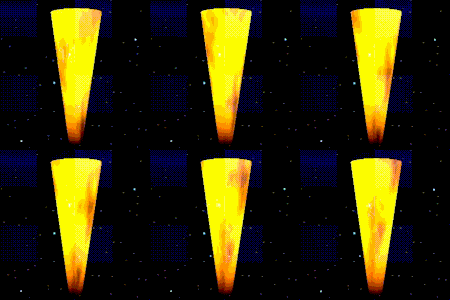
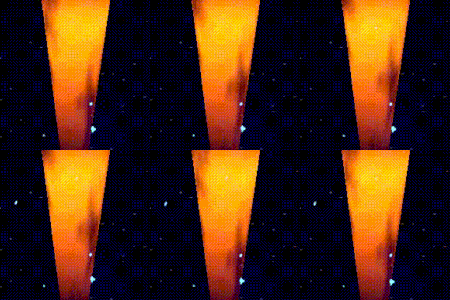
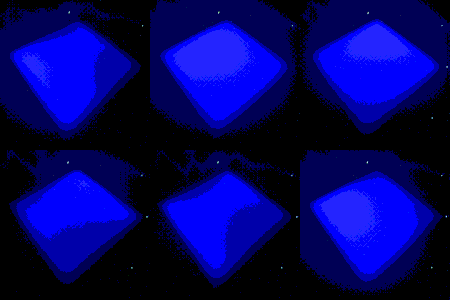
Live Preview

Nice! Great to see you’ve improved it from my original shader 😀
Thanks, I’m glad you liked it! The original idea was great, scrolling noise matches this purpose perfectly. The only thing missing (in my opinion) was fading towards the ends, so I decided to add it. 🙂
Cheers!