

Flipping grid text

Created after a request from Reddit by user matiwierzba
https://www.reddit.com/r/godot/comments/1q6gfb6/is_there_a_more_efficient_way_of_creating_a/
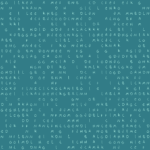
Basic shader which flips over an atlas of symbols. Ensure that the atlas image has transparant background and that the symbols are in solid white color.
PSA: I have attached the example grid I created in one of the screenshots, feel free to just save it and use it if you want to try the shader out!
Shader code
shader_type canvas_item;

uniform sampler2D chars_tex : filter_nearest;
uniform float columns = 24.0;               // Number of letters across
uniform float rows = 14.0;                  // Number of letters down
uniform float speed = 5.0;                  // How fast letters change
uniform vec2 atlas_grid = vec2(4.0, 4.0);   // Layout of your PNG (e.g. 4x4)
uniform vec4 char_color : source_color = vec4(0.0, 1.0, 0.8, 1.0);
uniform vec4 bg_color : source_color = vec4(0.0, 0.0, 0.0, 1.0);

float random(vec2 uv) {
    return fract(sin(dot(uv.xy, vec2(12.9898, 78.233))) * 43758.5453123);
}

void fragment() {
    vec2 grid_count = vec2(columns, rows);
    vec2 ipos = floor(UV * grid_count);
    vec2 fpos = fract(UV * grid_count);

    // 1. Create a unique "seed" for this specific cell
    float cell_seed = random(ipos);

    // 2. Break synchronization:
    // Each cell gets a slightly different speed (between 80% and 120% of base speed)
    // and a massive starting time offset.
    float individual_speed = speed * (0.8 + cell_seed * 0.4);
    float time_offset = cell_seed * 1000.0;

    float total_chars = atlas_grid.x * atlas_grid.y;

    // 3. Calculate index with the unique speed
    float char_index = floor(mod((TIME + time_offset) * individual_speed, total_chars));

    // 4. Atlas Mapping
    vec2 char_coord = vec2(
        mod(char_index, atlas_grid.x),
        floor(char_index / atlas_grid.x)
    );
    vec2 final_uv = (char_coord + fpos) / atlas_grid;

    // 5. Flicker/Blanking logic (also desynchronized)
    float flicker_speed = speed * 0.5 * (0.7 + cell_seed * 0.6);
    float flicker = step(0.3, random(ipos + floor(TIME * flicker_speed)));

    vec4 tex_sample = texture(chars_tex, final_uv);

    // Use the Red channel if your background is black,
    // or Alpha (.a) if transparent.
    float mask = tex_sample.a * flicker;

    vec3 final_rgb = mix(bg_color.rgb, char_color.rgb, mask);
    COLOR = vec4(final_rgb, 1.0);
}
Live Preview


This is a cool shader! Thanks for sharing!