
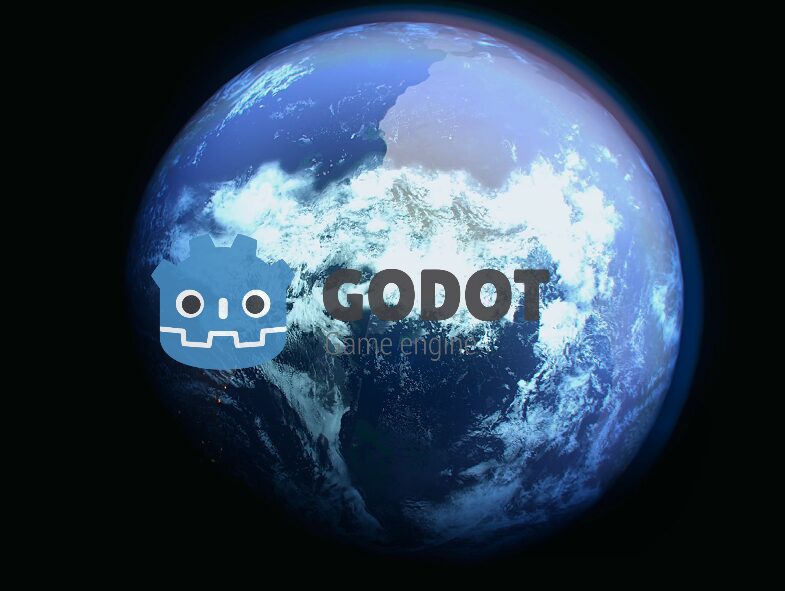
Godot planet shader

Description
This is a feature-rich spatial shader designed for creating complex sci-fi style cityscapes and cloud effects. It combines multiple layers of lighting, dynamic clouds, city lights, and fine normal details to create stunning visual effects.
Core Features
Multi-Layer Lighting System
-
Dual-layer Fresnel rim lights: Independent control over two layers of rim lights with different colors and intensities
-
Adjustable light parameters: Fully controllable light color, intensity, and falloff curves
-
Intelligent light blending: Dynamic lighting calculations based on view and normal directions
Dynamic Cloud System
-
Moving clouds: Supports cloud animation with adjustable movement speed
-
Cloud color control: Independent cloud color and intensity adjustment
-
Texture blending: Intelligent overlay of clouds with base texture
City Effects
-
City light mapping: Controls city area light distribution using textures
-
Brightness adjustment: Independent dark and bright area controls
-
Multi-layer blending: Synergistic work between city lights and base lighting system
Normal Details
-
Dual normal maps: Independent normal maps for clouds and base surface
-
Intensity control: Individual intensity adjustment for each normal layer
-
Smart blending: Smooth fusion of two normal layers while preserving details
Surface Texture
-
Dynamic roughness: Controls surface roughness using two texture blends
-
Adjustable range: Adjustable base roughness and maximum roughness
-
Precise control: Accurate roughness distribution control through texture R channel
Applicable Scenes
-
Sci-fi cityscapes
-
Cyberpunk style environments
-
Cloud-covered sky cities
-
Environments with dynamic weather effects
-
Effect objects requiring complex rim lighting
Parameter Description
Basic Parameters
| Parameter | Range | Description |
|---|---|---|
light |
RGBA | Main light color and intensity |
light_power |
0-10 | Light attenuation curve control |
light_str |
0-5 | Base light intensity |
Rim Light Parameters
| Parameter | Range | Description |
|---|---|---|
fresnel_str |
0-5 | Rim light intensity |
rim_pow |
0-10 | Rim light sharpness |
rim_color |
RGB | First layer rim light color |
rim_color2 |
RGB | Second layer rim light color |
Cloud Parameters
| Parameter | Range | Description |
|---|---|---|
Cloud_speed |
0-2 | Cloud movement speed |
Cloud |
0-2 | Cloud intensity |
Cloud_color |
RGB | Cloud color |
City Effects
| Parameter | Range | Description |
|---|---|---|
city_dark |
0-1 | Dark area base brightness |
city_light |
0-5 | City light intensity |
Texture Requirements
| Texture | Channel | Purpose |
|---|---|---|
tex_frg_2 |
R | Roughness control 1 |
tex_frg_4 |
R | Roughness control 2 |
tex_frg_3 |
RGB | Base texture |
tex_frg_51 |
RGB | Cloud texture |
tex_frg_72 |
RGB | City light distribution |
tex_frg_10 |
RGB | Cloud normal map |
tex_frg_11 |
RGB | Plane normal map |
Usage Tips
-
City scenes: Use
tex_frg_72to create city light distribution maps, bright areas represent light zones -
Cloud animation: Adjust
Cloud_speedto control cloud drift speed -
Rim light effects: Use two rim light layers to create rich contour effects
-
Performance optimization: Disable unnecessary normal map layers as needed
Shader code
shader_type spatial;
render_mode blend_mix, depth_draw_opaque, depth_test_default, cull_back, diffuse_lambert, specular_schlick_ggx;

// ==================== 基础光照参数 ====================
uniform vec4 light : source_color;              // 主光源颜色和强度 (RGBA)
uniform float light_power;                       // 光照强度幂次,控制光照衰减曲线
uniform float light_str;                          // 基础光照强度倍数

// ==================== 菲涅尔/边缘光参数(第一层) ====================
uniform float fresnel_str;                        // 菲涅尔效果强度,控制边缘光的范围
uniform float rim_pow;                            // 边缘光幂次,控制边缘光的锐利度
uniform vec4 rim_color : source_color;            // 第一层边缘光颜色
uniform float rim_color_str;                       // 第一层边缘光强度
uniform float rim_ems_str;                         // 第一层边缘光自发光强度
uniform float rim_ems_pow;                         // 第一层边缘光自发光幂次

// ==================== 菲涅尔/边缘光参数(第二层) ====================
uniform float rim_ems_str2;                        // 第二层边缘光自发光强度
uniform float rim_ems_pow2;                        // 第二层边缘光自发光幂次
uniform vec4 rim_color2 : source_color;            // 第二层边缘光颜色
uniform float rim_color_str2;                       // 第二层边缘光强度

// ==================== 粗糙度控制参数 ====================
uniform float mix_rou;                             // 基础粗糙度值
uniform float max_rou;                              // 最大粗糙度值(与纹理混合时的上限)
uniform sampler2D tex_frg_2;                        // 粗糙度控制纹理1(R通道)
uniform sampler2D tex_frg_4;                        // 粗糙度控制纹理2(R通道)

// ==================== 城市灯光参数 ====================
uniform float city_dark;                            // 城市基础暗部亮度
uniform float city_light;                           // 城市灯光强度倍数
uniform sampler2D tex_frg_72;                       // 城市灯光分布纹理(RGB)

// ==================== 云层系统参数 ====================
uniform float Cloud;                                 // 云层整体强度
uniform float Cloud_speed;                           // 云层移动速度
uniform vec4 Cloud_color : source_color;             // 云层颜色
uniform sampler2D tex_frg_51;                        // 云层纹理(RGB)
uniform sampler2D tex_frg_3;                         // 基础纹理,与云层混合

// ==================== 法线贴图参数 ====================
uniform sampler2D tex_frg_10 : hint_normal;          // 云层法线贴图
uniform float CloudNormal_scale;                      // 云层法线强度缩放
uniform sampler2D tex_frg_11 : hint_normal;          // 平面法线贴图
uniform float plane_Normal_Scale;                     // 平面法线强度缩放

// ==================== 自发光参数 ====================
uniform float ems_str;                                // 基础自发光强度
void fragment() {
// ColorParameter:40
	vec4 n_out40p0 = light;


// Input:28
	vec3 n_out28p0 = NORMAL;


// DotProduct:29
	float n_out29p0 = dot(vec3(n_out40p0.xyz), n_out28p0);


// FloatParameter:31
	float n_out31p0 = light_power;


// VectorOp:93
	vec3 n_out93p0 = pow(vec3(n_out29p0), vec3(n_out31p0));


// FloatParameter:33
	float n_out33p0 = light_str;


// VectorOp:94
	vec3 n_out94p0 = n_out93p0 * vec3(n_out33p0);


// Clamp:95
	vec3 n_in95p1 = vec3(0.00000, 0.00000, 0.00000);
	vec3 n_in95p2 = vec3(1.00000, 1.00000, 1.00000);
	vec3 n_out95p0 = clamp(n_out94p0, n_in95p1, n_in95p2);


// FloatParameter:36
	float n_out36p0 = fresnel_str;


// Fresnel:35
	float n_out35p0 = pow(clamp(dot(NORMAL, VIEW), 0.0, 1.0), n_out36p0);


// FloatParameter:38
	float n_out38p0 = rim_pow;


// FloatOp:37
	float n_out37p0 = pow(n_out35p0, n_out38p0);


// VectorOp:97
	vec3 n_out97p0 = n_out95p0 * vec3(n_out37p0);


// FloatParameter:8
	float n_out8p0 = mix_rou;


// FloatParameter:9
	float n_out9p0 = max_rou;


// Texture2D:2
	vec4 n_out2p0 = texture(tex_frg_2, UV);
	float n_out2p1 = n_out2p0.r;


// Texture2D:4
	vec4 n_out4p0 = texture(tex_frg_4, UV);
	float n_out4p1 = n_out4p0.r;


// FloatOp:5
	float n_out5p0 = n_out2p1 + n_out4p1;


// Clamp:6
	float n_in6p1 = 0.00000;
	float n_in6p2 = 1.00000;
	float n_out6p0 = clamp(n_out5p0, n_in6p1, n_in6p2);


// Mix:7
	float n_out7p0 = mix(n_out8p0, n_out9p0, n_out6p0);


// FloatParameter:98
	float n_out98p0 = city_dark;


// Texture2D:72
	vec4 n_out72p0 = texture(tex_frg_72, UV);


// FloatParameter:74
	float n_out74p0 = city_light;


// VectorOp:89
	vec3 n_out89p0 = vec3(n_out72p0.xyz) * vec3(n_out74p0);


// VectorFunc:96
	vec3 n_out96p0 = vec3(1.0) - n_out95p0;


// VectorOp:90
	vec3 n_out90p0 = n_out89p0 * n_out96p0;


// FloatParameter:42
	float n_out42p0 = rim_ems_str;


// Fresnel:41
	float n_out41p0 = pow(1.0 - clamp(dot(NORMAL, VIEW), 0.0, 1.0), n_out42p0);


// FloatParameter:44
	float n_out44p0 = rim_ems_pow;


// FloatOp:43
	float n_out43p0 = pow(n_out41p0, n_out44p0);


// ColorParameter:45
	vec4 n_out45p0 = rim_color;


// FloatParameter:46
	float n_out46p0 = rim_color_str;


// VectorOp:79
	vec3 n_out79p0 = vec3(n_out45p0.xyz) * vec3(n_out46p0);


// VectorOp:80
	vec3 n_out80p0 = vec3(n_out43p0) * n_out79p0;


// VectorOp:81
	vec3 n_out81p0 = n_out80p0 * vec3(n_out29p0);


// Clamp:50
	vec3 n_in50p1 = vec3(0.00000, 0.00000, 0.00000);
	vec3 n_in50p2 = vec3(1.00000, 1.00000, 1.00000);
	vec3 n_out50p0 = clamp(n_out81p0, n_in50p1, n_in50p2);


// Texture2D:3
	vec4 n_out3p0 = texture(tex_frg_3, UV);


// Input:13
	float n_out13p0 = TIME;


// FloatParameter:15
	float n_out15p0 = Cloud_speed;


// FloatOp:14
	float n_out14p0 = n_out13p0 * n_out15p0;


// VectorDecompose:102
	float n_out102p0 = vec2(n_out14p0).x;
	float n_out102p1 = vec2(n_out14p0).y;


// VectorCompose:103
	float n_in103p1 = 0.00000;
	vec2 n_out103p0 = vec2(n_out102p0, n_in103p1);


// UVFunc:12
	vec2 n_in12p1 = vec2(1.00000, 1.00000);
	vec2 n_out12p0 = n_out103p0 * n_in12p1 + UV;


// Texture2D:51
	vec4 n_out51p0 = texture(tex_frg_51, n_out12p0);


// ColorParameter:53
	vec4 n_out53p0 = Cloud_color;


// VectorOp:52
	vec3 n_out52p0 = vec3(n_out51p0.xyz) * vec3(n_out53p0.xyz);


// FloatParameter:101
	float n_out101p0 = Cloud;


// VectorOp:54
	vec3 n_out54p0 = n_out52p0 * vec3(n_out101p0);


// VectorOp:56
	vec3 n_out56p0 = vec3(n_out3p0.xyz) + n_out54p0;


// FloatParameter:58
	float n_out58p0 = ems_str;


// VectorOp:82
	vec3 n_out82p0 = n_out56p0 * vec3(n_out58p0);


// FloatParameter:60
	float n_out60p0 = rim_ems_str2;


// Fresnel:61
	float n_out61p0 = pow(1.0 - clamp(dot(NORMAL, VIEW), 0.0, 1.0), n_out60p0);


// FloatParameter:59
	float n_out59p0 = rim_ems_pow2;


// FloatOp:63
	float n_out63p0 = pow(n_out61p0, n_out59p0);


// ColorParameter:66
	vec4 n_out66p0 = rim_color2;


// FloatParameter:62
	float n_out62p0 = rim_color_str2;


// VectorOp:83
	vec3 n_out83p0 = vec3(n_out66p0.xyz) * vec3(n_out62p0);


// VectorOp:84
	vec3 n_out84p0 = vec3(n_out63p0) * n_out83p0;


// Clamp:67
	vec3 n_in67p1 = vec3(0.00000, 0.00000, 0.00000);
	vec3 n_in67p2 = vec3(1.00000, 1.00000, 1.00000);
	vec3 n_out67p0 = clamp(vec3(n_out29p0), n_in67p1, n_in67p2);


// VectorOp:85
	vec3 n_out85p0 = n_out84p0 * n_out67p0;


// VectorOp:88
	vec3 n_out88p0 = n_out85p0 + n_out67p0;


// VectorOp:86
	vec3 n_out86p0 = n_out82p0 * n_out88p0;


// VectorOp:87
	vec3 n_out87p0 = n_out50p0 + n_out86p0;


// VectorOp:91
	vec3 n_out91p0 = n_out90p0 + n_out87p0;


// Mix:92
	vec3 n_out92p0 = mix(vec3(n_out98p0), n_out91p0, n_out88p0);


// Texture2D:10
	vec4 n_out10p0 = texture(tex_frg_10, n_out12p0);


// FloatParameter:99
	float n_out99p0 = CloudNormal_scale;


// VectorOp:16
	vec3 n_out16p0 = vec3(n_out10p0.xyz) * vec3(n_out99p0);


// VectorDecompose:21
	float n_out21p0 = n_out16p0.x;
	float n_out21p1 = n_out16p0.y;
	float n_out21p2 = n_out16p0.z;


// Texture2D:11
	vec4 n_out11p0 = texture(tex_frg_11, UV);


// FloatParameter:100
	float n_out100p0 = plane_Normal_Scale;


// VectorOp:18
	vec3 n_out18p0 = vec3(n_out11p0.xyz) * vec3(n_out100p0);


// VectorDecompose:20
	float n_out20p0 = n_out18p0.x;
	float n_out20p1 = n_out18p0.y;
	float n_out20p2 = n_out18p0.z;


// FloatOp:22
	float n_out22p0 = n_out21p0 + n_out20p0;


// FloatOp:23
	float n_out23p0 = n_out21p1 + n_out20p1;


// FloatOp:24
	float n_out24p0 = n_out21p2 * n_out20p2;


// VectorCompose:25
	vec3 n_out25p0 = vec3(n_out22p0, n_out23p0, n_out24p0);


// VectorFunc:26
	vec3 n_out26p0 = normalize(n_out25p0);


// Output:0
	ALPHA = n_out97p0.x;
	ROUGHNESS = n_out7p0;
	EMISSION = n_out92p0;
	NORMAL_MAP = n_out26p0;


}
Live Preview

This is the video demonstration effect. The link below is to the Bilibili video website in China.
https://www.bilibili.com/video/BV1FJcvznE51/?share_source=copy_web&vd_source=5cb69c93da5a6aa6148ab92f24f92ec4