
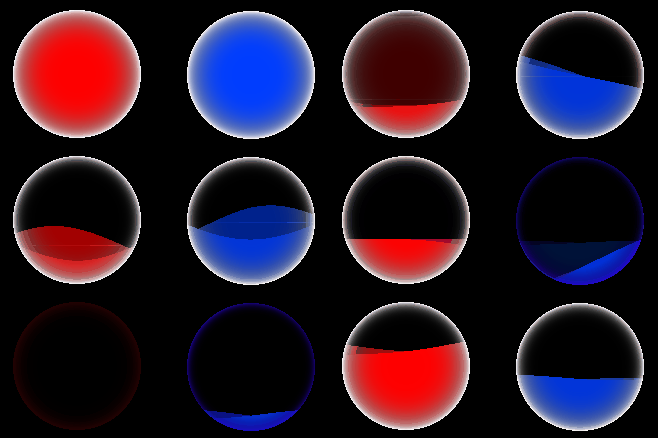
[Auto control] Health(Mana) bar in ball container (sphere) (ver 2.3.2)

。Opening
This shader works in conjunction with the OrbUIController Class GDScript, enhancing the shader’s effectiveness.
此著色器與GDScript OrbUIController 類搭配增添更多效果。
。Change Log
-ver 2.3 add
Add the refraction effect as in the Screenshot of number 3.
There is the OrbUIController Class GDScript version 1.3 as below.
##ver1.3
##This class will automatically control the "Health(Mana) bar in the ball container (ver 2.+)" shader.
##[br][br]此類別會自動控制"Health(Mana) bar in the ball container (ver 2.+)"著色器(shader)。
##
##The parameters for shader will be getting controlled by this class and show parameters on bellow:[br][br]
##	[code]1.light_effect[/code][br]
##	[code]2.vibration_effect[/code][br]
##	[code]3.ball_color[/code][br]
##	[code]4.vibration_effect_timelength[/code][br]
##	[code]5.vibration_time[/code][br]
##	[code]6.height[/code][br]
##	[code]7.oheight[/code][br]
##	[code]8.plane_inclined_effect[/code][br]
##	[code]9.plane_inclined_ratio[/code][br]
##[br]
##So, if you set the value on this shader and use this class to control, you can't get the setting you want.
##Because those parameters would be controlled by this class.[br]
##Set the attribution or use the method from this class to get the effect you want when you set those parameters.
##[br][br]這個類別控制這些著色器的參數,如下:[br][br]
##	[code]1.light_effect[/code][br]
##	[code]2.vibration_effect[/code][br]
##	[code]3.ball_color[/code][br]
##	[code]4.vibration_effect_timelength[/code][br]
##	[code]5.vibration_time[/code][br]
##	[code]6.height[/code][br]
##	[code]7.oheight[/code][br]
##	[code]8.plane_inclined_effect[/code][br]
##	[code]9.plane_inclined_ratio[/code][br]
##[br]
##所以如果你在這個著色器上設定這些參數,然後用這個類來控制,就無法得到你想要的效果。[br]
##因為那些參數會被這個類改變。如遇到上述參數,請在這個類操作。
extends Node

class_name OrbUIController

##[color=red](Don't change, if you know what I do.)[/color] Those Tween used for UI will bind for this node.[br]
##[color=red](不要改,除非你知道我在做什麼。)[/color] 用於 UI 的 Tween 物件將會綁定這個節點(node)。
var p_node : Node
## Control water height level (0(dry) to 1(full)).[br]
## 控制水位高度 (0(乾) 至 1(滿))。
var H : float = 1.
## Control water original height level (0(dry) to 1(full)). Used for consumption effect.[br]
## 控制原水位高度 (0(乾) 至 1(滿))。用於消耗效果。
var oH : float = 1.
#--------------------------------------------
## When you don't want to get a vibration effect for the shader when you get hit (used [code]GetHit[/code] method), set it to [code]false[/code].[br]
##如果不想在受到傷害時(使用[code]GetHit[/code]方法時)使用著色器的震動效果,請將它設定為[code]false[/code]。
var vibration_effect = true
## When you don't want to get a plane inclined effect for the shader when you are running or stop (used [code]GetHit[/code] method), set it to [code]false[/code].[br]
##如果不想在角色移動時(使用[code]GetHit[/code]方法時)使用著色器的搖動效果,請將它設定為[code]false[/code]。
var plane_inclined_effect = true
## When you don't want to get a alert effect for the shader when you get hit, set it to [code]false[/code].[br]
##如果不想在受到傷害時(使用[code]GetHit[/code]方法時)使用著色器的警報效果,請將它設定為[code]false[/code]。
var alert_effect = true
#--------------------------------------------
## Vibration time length, this effect will work when you get hit.[br]
## 震動時間長度,在被受到傷害時生效。
var vibration_effect_timelength = 5.
## Vibration transition type used for Tween object. [Tween] Reference.[br]
## 使用震動效果時 Tween 物件時間流逝的方式(線性或曲線等時間流逝)。詳情:[Tween]
var vibration_trans_type = Tween.TRANS_LINEAR
## Vibration ease type for Tween object. [Tween] Reference.[br]
## 使用震動效果時 Tween 物件時間前後流逝的方式。詳情:[Tween]
var vibration_ease_type = Tween.EASE_IN_OUT
#--------------------------------------------
## Delay time (means not working at a period) for consumption effect.[br]
## 消耗效果的延遲時間(指停一段時間)。
var consume_delay = 1.
## Effect time length for consumption effect, when Delay finished.[br]
## 延遲(Delay)結束時,消耗效果的作用時長。
var consume_timelength = 4.
## Effect time length for consumption effect, not wait for delay, and for water height equal 0.[br]
## 當水位高度等於0時,消耗效果的時長,不會有延遲。
var consume_timelength_fordeath = 1.
## Consume effect transition type for Tween object. [Tween] Reference.[br]
## 使用消耗效果時 Tween 物件時間流逝的方式(線性或曲線等時間流逝)。詳情:[Tween]
var consume_trans_type = Tween.TRANS_SPRING
## Consume effect ease type for Tween object. [Tween] Reference.[br]
## 使用消耗效果時 Tween 物件時間前後流逝的方式。詳情:[Tween]
var consume_ease_type = Tween.EASE_IN_OUT
#--------------------------------------------
## The value of the shader's parameter [code]plane_inclined_ratio[/code] would be this setting value when "SpeedDown" is finished.[br]
## 當「SpeedDown」完成時,著色器的參數[code]plane_inclined_ratio[/code]的值將是此設定值。
var plane_inclined_ratio_from = 0.
## The value of the shader's parameter [code]plane_inclined_ratio[/code] would be this setting value when "SpeedUp" is finished.[br]
## 當「SpeedUp」完成時,著色器的參數[code]plane_inclined_ratio[/code]的值將是此設定值。
var plane_inclined_ratio_to = 0.2
## This plane's inclined effect to gradual change uses the Tween object, and this value is set for the Tween's working time length.[br]
## 平面水面搖晃效果藉由Tween實現,此值用來設定Tween的工作時長。
var tween_raise_and_release_time = 2.
##[color=red](Don't change, if you know what I do.)[/color] A passing time for Tween is used for the plane's inclined effect.[br]
##[color=red](不要改,除非你知道我在做什麼。)[/color]用於水面搖晃效果的Tween計時變數。
var inclined_t = 0.
## The plane's inclined effect transition type for Tween object. [Tween] Reference.[br]
## 使用水面搖晃效果時 Tween 物件時間流逝的方式(線性或曲線等時間流逝)。詳情:[Tween]
var plane_inclined_transition_type = Tween.TRANS_QUAD
## The plane's inclined effect ease type for Tween object. [Tween] Reference.[br]
## 使用水面搖晃效果時 Tween 物件時間前後流逝的方式。詳情:[Tween]
var plane_inclined_ease_type = Tween.EASE_IN
#--------------------------------------------
## When water height equals this value, will open the shader's [code]light_effect[/code].[br]
## (警報線)水位高度等於該值時,將開啟著色器的[code]light_effect[/code]。
var alert_height = 0.15
## Ball container (Border) color.[br]
## 球缸的邊界顏色。
var ball_color = Color(1.,1.,1.,1.)
## Ball container (Border) color is used when alerting a situation.[br]
## 球缸的邊界顏色,當水位高低於警報線時,使用此邊界顏色。
var alert_ball_color = Color(1.,0.3,0.1,1.)
## Ball container (Border) color when death situation.[br]
## 死亡情況下(水位等於0)球缸邊界顏色。
var death_ball_color = Color(0.1,0.1,0.1,0.5)
##[color=red](Don't change, if you know what I do.)[/color] A Tween object for vibration time.[br]
##[color=red](不要改,除非你知道我在做什麼。)[/color]用於振動時的 Tween 物件。
var vibration_tween : Tween
##[color=red](Don't change, if you know what I do.)[/color] A Tween object for consuming UI time.[br]
##[color=red](不要改,除非你知道我在做什麼。)[/color]用於消耗效果時的 Tween 物件。
var consume_tween : Tween
##[color=red](Don't change, if you know what I do.)[/color] A Tween object changes [code]plane_inclined_ratio[/code] shader's parameter.[br]
##[color=red](不要改,除非你知道我在做什麼。)[/color]用於改變[code]plane_inclined_ratio[/code]shader參數的 Tween 物件。
var inclined_tween : Tween

##This class will control the shader from this material.[br]
##該類所控制該材質(要控制材質裡的著色器)。
var target_material : Material = null

##The water height level reset to 1 value, vibration effect, and light effect are closed.[br][br]
##使用時,水位高度重設為1,振動效果和燈光效果關閉
func Reset():

	H = 1.
	oH = 1.
	#vibration_tween = null
	#consume_tween = null
	target_material.set_shader_parameter('height', H)
	target_material.set_shader_parameter('oheight', H)
	target_material.set_shader_parameter("vibration_effect",false)
	target_material.set_shader_parameter('light_effect', false)
	target_material.set_shader_parameter('ball_color', ball_color)
##Directly change water level by health (or mana) input value, this method will calculate and set the shader's height value.[br][br]
##Attribution introduce:[br]
##	• [code]P[/code] : This value should represent the health (or mana) value.[br]
##	• [code]MAXP[/code] : This value should represent the maximum health (or maximum mana) value.[br][br]
##輸入生命值(或魔力)直接改變水位,該方法將依輸入值進行計算並設定著色器的高度值。[br][br]
##參數介紹:[br]
##	• [code]P[/code] :此值應輸入生命(或魔力)值。[br]
##	• [code]MAXP[/code] :此值應輸入最大生命值(或最大魔力值)。[br]
func SetH(P: float, MAXP: float):

	H = P/MAXP
	oH = H
	target_material.set_shader_parameter('height', H)
	target_material.set_shader_parameter('oheight', H)
	target_material.set_shader_parameter('light_effect', false)
	target_material.set_shader_parameter('ball_color', ball_color)

	if H >= alert_height and alert_effect:

		target_material.set_shader_parameter('light_effect', false)
		target_material.set_shader_parameter('ball_color', ball_color)
##To set [code]p_node[/code] attribution. Tween used for UI will bind for this node[br][br]
##Attribution introduce:[br]
##	• [code]node[/code] : This node will used to bind the Tween.[br][br]
##設定[code]p_node[/code]。用於 UI 的 Tween 物件將綁定到該節點[br][br]
##參數介紹:[br]
##	• [code]node[/code] :該節點將用於綁定 Tween。[br]
func SetOwner(node: Node):

	p_node = node
##To set [code]target_material[/code] attribution. This class is used to control shader from this material.[br][br]
##Attribution introduce:[br]
##	• [code]mat[/code] : The shader in this material is controlled for this class.[br]
##設定[code]target_material[/code]。本類別需要控制著色器,而著色器在該材質中。 [br][br]
##參數介紹:[br]
##	• [code]mat[/code] :此材質中的著色器由此類控制。 [br]
func SetShader(mat: Material):

	target_material = mat
##Change the water level when you get hit (or consume some mana) by health (or mana) input value,[br]
## this method will calculate and make the fx effect to the shader.[br][br]
##Attribution introduce:[br]
##	• [code]P[/code] : This value should represent the health (or mana) value.[br]
##	• [code]oP[/code] : This value should represent the health (or mana) value from the last time you were not hit or did not consume any mana.[br]
##	• [code]MAXP[/code] : This value should represent the maximum health (or maximum mana) value.[br]
##當你受到傷害時,改變水位,此方法將依輸入的生命值(或魔力)進行計算並操作著色器做出效果。 [br][br]
##屬性介紹:[br]
##	• [code]P[/code] :此值應輸入生命(或魔力)值。[br]
##	• [code]oP[/code] :此值應輸入擊中前的生命(或魔力)值。[br]
##	• [code]MAXP[/code] :此值應輸入最大生命值(或最大魔力值)。[br]
func GetHit(P: float, oP: float, MAXP: float):

	H = max(P*1./MAXP*1.,0.)
	#oH = max(oP*1./MAXP*1.,0.)

	if P - oP > 0:

		oH = max(oP*1./MAXP*1.,0.)
		target_material.set_shader_parameter('oheight', oH)

	if H <= 0:

		target_material.set_shader_parameter('light_effect', false)
		target_material.set_shader_parameter('ball_color', death_ball_color)
	elif alert_effect:

		if H <= alert_height:

			target_material.set_shader_parameter('light_effect', true)
			target_material.set_shader_parameter('ball_color', alert_ball_color)
		else:

			target_material.set_shader_parameter('light_effect', false)
			target_material.set_shader_parameter('ball_color', ball_color)

	target_material.set_shader_parameter('height', H)
	target_material.set_shader_parameter('vibration_effect', vibration_effect)
	target_material.set_shader_parameter('vibration_effect_timelength', vibration_effect_timelength)

	if vibration_tween:

		vibration_tween.kill()
		vibration_tween = newtween()
		vibration_tween.tween_method(get_hit_vbm, 0.0, vibration_effect_timelength, vibration_effect_timelength).set_trans(vibration_trans_type).set_ease(vibration_ease_type)
	else:

		vibration_tween = newtween()
		vibration_tween.tween_method(get_hit_vbm, 0.0, vibration_effect_timelength, vibration_effect_timelength).set_trans(vibration_trans_type).set_ease(vibration_ease_type)

	if H <= 0:

		if consume_tween:

			consume_tween.kill()
			consume_tween = newtween()
			consume_tween.tween_method(get_hit_oHconsume, oH, H, 1).set_trans(consume_trans_type)
		else:

			consume_tween = newtween()
			consume_tween.tween_method(get_hit_oHconsume, oH, H, 1).set_trans(consume_trans_type)
	else:

		if consume_tween:

			consume_tween.kill()
			consume_tween = newtween()
			consume_tween.tween_method(get_hit_oHconsume, oH + consume_delay, H, consume_timelength + consume_delay).set_trans(consume_trans_type).set_ease(consume_ease_type)
		else:

			consume_tween = newtween()
			consume_tween.tween_method(get_hit_oHconsume, oH + consume_delay, H, consume_timelength + consume_delay).set_trans(consume_trans_type).set_ease(consume_ease_type)
##Used for the plane's inclined effect, this will gradually change the [code]plane_inclined_ratio[/code] parameter value to [code]plane_inclined_ratio_to[/code].[br]
##用於水面搖晃效果,逐漸將[code]plane_inclined_ratio[/code]參數值變更為[code]plane_inclined_ratio_to[/code]值。[br]
func SpeedUp() -> void:

	target_material.set_shader_parameter('plane_inclined_effect', plane_inclined_effect)

	if plane_inclined_effect:

		if inclined_tween:

			inclined_t = max(inclined_t - inclined_tween.get_total_elapsed_time(),0)
		else:

			inclined_t = 0

		var t = tween_raise_and_release_time - inclined_t

		var ci_11 = plane_inclined_ratio_from
		var ci_12 = plane_inclined_ratio_to

		var rao = (inclined_t/tween_raise_and_release_time)

		ci_11 = (ci_12 - ci_11)*rao + ci_11

		Transition(ci_11, ci_12, t, plane_inclined_transition_type, plane_inclined_ease_type)
##Used for the plane's inclined effect, this will gradually change the [code]plane_inclined_ratio[/code] parameter value to [code]plane_inclined_ratio_from[/code].[br]
##用於水面搖晃效果,逐漸將[code]plane_inclined_ratio[/code]參數值變更為[code]plane_inclined_ratio_from[/code]值。[br]
func SpeedDown():

	target_material.set_shader_parameter('plane_inclined_effect', plane_inclined_effect)

	if plane_inclined_effect:

		if inclined_tween:

			inclined_t = min(inclined_t + inclined_tween.get_total_elapsed_time(),tween_raise_and_release_time)
		else:

			inclined_t = 0

		var t = inclined_t

		var ci_11 = plane_inclined_ratio_from
		var ci_12 = plane_inclined_ratio_to

		var rao = 1 - (inclined_t/tween_raise_and_release_time)

		ci_12 = ci_12 - (ci_12 - ci_11)*rao

		Transition(ci_12, ci_11, t, plane_inclined_transition_type, plane_inclined_ease_type)
##[color=red](Don't used it by you self, if you know what I do.)[/color][br]
##[color=red](不要改,除非你知道我在做什麼。)[/color]
func Transition(from: float, to: float, time_length: float, trans_type : Tween.TransitionType, ease_type : Tween.EaseType):

	if inclined_tween:

		inclined_tween.kill()

	inclined_tween = newtween()

	if from - to != 0:

		inclined_tween.tween_method(tween_inclined_ratio, from, to, time_length).set_trans(trans_type).set_ease(ease_type)

##[color=red](Don't used it by you self, if you know what I do.)[/color][br]
##[color=red](不要改,除非你知道我在做什麼。)[/color]
func newtween():
	return p_node.create_tween()

##[color=red](Don't used it by you self, if you know what I do.)[/color][br]
##[color=red](不要改,除非你知道我在做什麼。)[/color]
func get_hit_vbm(i: float):

	target_material.set_shader_parameter('vibration_time', i)

	if i >= vibration_effect_timelength - 0.0001: target_material.set_shader_parameter('vibration_effect', false)
##[color=red](Don't used it by you self, if you know what I do.)[/color][br]
##[color=red](不要改,除非你知道我在做什麼。)[/color]
func get_hit_oHconsume(i: float):

	if i < oH:

		target_material.set_shader_parameter('oheight', i)
		oH = i

	if i <= H - 0.0001: oH = H
##[color=red](Don't used it by you self, if you know what I do.)[/color][br]
##[color=red](不要改,除非你知道我在做什麼。)[/color]
func tween_inclined_ratio(i: float):

	target_material.set_shader_parameter('plane_inclined_ratio', float("%10.2f" % i))
Shader code
shader_type canvas_item;
render_mode blend_mix;

uniform sampler2D screen_texture : hint_screen_texture, repeat_disable, filter_nearest;

uniform bool light_effect = false;
uniform bool border_exclusion_effect = false;
uniform bool wave_fix_on_border = false;

uniform vec4 water_color: source_color = vec4(1, 0, 0, 1);
uniform float water_wave_speed : hint_range(-100, 100, 0.01) = 2;
uniform float water_wave_ci: hint_range(0, 2, 0.01) = 0.05;
uniform float water_back_lightness: hint_range(0, 1, 0.01) = 0.8;
uniform vec4 ball_color: source_color = vec4(vec3(1), 1);
uniform float ball_border_ci : hint_range(0, 50, 1) = 5;
uniform float ball_light_speed : hint_range(-100, 100, 0.01) = 2;
uniform float wave_num : hint_range(0, 8, 1) = 2;

uniform bool plane_inclined_effect = false;
uniform float plane_inclined_ratio : hint_range(0., 0.5, 0.01) = 0.05;

uniform float iniTime = 0.;

uniform float height : hint_range(0, 1, 0.01) = 0.5;
uniform float oheight : hint_range(0, 1, 0.01) = 0.5;

uniform bool vibration_effect = false;
uniform float vibration_time = 0;
uniform float vibration_effect_timelength: hint_range(0, 10, 0.01) = 4;
uniform float vibration_speed : hint_range(-100, 100, 0.01) = 8;
uniform float vibration_magnitude : hint_range(0, 10, 0.01) = 0.25;
uniform float vibration_wave_ci: hint_range(0, 2, 0.01) = 0.3;

uniform float refraction_ratio_glass: hint_range(0, 10, 0.01) = 0.2;
uniform float refraction_ratio_water: hint_range(0, 10, 0.01) = 0.6;

vec4 ontop(vec4 base, vec4 blend){
	return mix(base,blend,blend.a);
}

vec4 reverse(vec4 base){
	return vec4(mod(base.rgb + 1. , 2.), base.a);
}

vec4 exclusion(vec4 base, vec4 blend){
	return base + blend - 2.0 * base * blend * base;
}

float easeOutExpo(float x){
	return x == 1. ? 1. : 1. - pow(2., -10. * x);
}//from https://easings.net/zh-cn#easeOutBounce
vec2 shiftuv(vec2 uv, float shiftratio) {

	vec2 suv = (uv - 0.5)*2.;

	return (suv + sign(suv)*suv*suv*-1.*shiftratio)*0.5 + 0.5;
}

vec2 UVtoSreenUV(vec2 uv, bool is_camera_center, vec2 texture_pixel_size, vec2 screen_pixel_size, vec4 fragcoord) {

	vec2 suv = (uv - 0.5)*2.;

	if (is_camera_center) {

		return (fragcoord.xy + suv/texture_pixel_size)*screen_pixel_size*0.5;
	} else {

		return (fragcoord.xy + suv/texture_pixel_size)*screen_pixel_size;
	}
}

void fragment() {

	float NTIME = vibration_effect ? TIME + vibration_time : TIME + vibration_effect_timelength;

	vec2 uv = (UV - 0.5)*0.5;
	vec2 suv = UV*0.5 - 0.5;

	float a = wave_fix_on_border ? 2. : 1.;
	float b = wave_fix_on_border ? 1. : 0.5;
	vec4 Cw = textureLod(screen_texture, UVtoSreenUV(shiftuv(UV, refraction_ratio_water), false, TEXTURE_PIXEL_SIZE, SCREEN_PIXEL_SIZE, FRAGCOORD), 0.0);//vec4(0.);
	vec4 Cg = textureLod(screen_texture, UVtoSreenUV(shiftuv(UV, refraction_ratio_glass), false, TEXTURE_PIXEL_SIZE, SCREEN_PIXEL_SIZE, FRAGCOORD), 0.0);//vec4(0.);

	if (distance(UV, vec2(0.5,0.5)) > 1.0/2.0) {

		COLOR = vec4(0.);
	} else {

		if (height == 1. || height == 0.) {

			COLOR = vec4(water_color.rgb,height);

			if (height == 0.) {

				float oH = oheight;

				if ((1. - oH) < UV.y) {

					COLOR = vec4(water_color)*0.5;
					COLOR.rgb += Cw.rgb;
				} else if ((1. - oH) < UV.y) {

					COLOR = vec4(water_color*water_back_lightness)*0.5;
					COLOR.rgb += Cw.rgb;
				} else {

					COLOR = vec4(water_color.rgb,height);
					COLOR.rgb += Cg.rgb;
				}
			} else {

				COLOR.rgb += Cw.rgb;
			}
		} else {

			float t = (NTIME - TIME)/vibration_effect_timelength;//(cos(NTIME - TIME)+1.)*0.5;//easeOutExpo(min(mod(NTIME, vibration_effect_timelength), vibration_effect_timelength)/vibration_effect_timelength);
			float dH = plane_inclined_effect ? sin(mod((UV.x + TIME*water_wave_speed)*PI, TAU))*plane_inclined_ratio : 0.;//sin(UV.x + TIME*water_wave_speed)*plane_inclined_ratio;
			float dHo = plane_inclined_effect ? sin(mod((UV.x + -TIME*water_wave_speed)*PI + PI, TAU))*plane_inclined_ratio : 0.;//-sin(UV.x + TIME*water_wave_speed)*plane_inclined_ratio;
			float H = vibration_effect ? mix(height - uv.x*sin(t*PI*vibration_speed), height, t) : height;//*vibration_magnitude
			float oH = vibration_effect ? oheight : oheight;//mix(oheight - uv.x*sin(t*PI*vibration_speed), oheight, t)
			float CI = vibration_effect ? mix((water_wave_ci + vibration_wave_ci)*vibration_magnitude, water_wave_ci, t) : water_wave_ci;

			if (sin((cos(suv.x*PI*a) + NTIME*water_wave_speed)*wave_num)*CI + (1. - H) < UV.y + dHo) {

				COLOR = vec4(water_color*water_back_lightness);
			} else {

				if (height - oheight != 0.) {

					if (sin((cos(suv.x*PI*a + PI*b) + NTIME*water_wave_speed)*wave_num)*CI + (1. - oH) < UV.y + dH) {

						COLOR = vec4(water_color)*0.5;
						COLOR.rgb += Cw.rgb;
					} else if (sin((cos(suv.x*PI*a) + NTIME*water_wave_speed)*wave_num)*CI + (1. - oH) < UV.y + dHo) {

						COLOR = vec4(water_color*water_back_lightness)*0.5;
						COLOR.rgb += Cw.rgb;
					} else {

						COLOR = vec4(0.);
						COLOR.rgb += Cg.rgb;
					}
				} else {

					COLOR = vec4(0.);
					COLOR.rgb += Cg.rgb;
				}
			}

			if (sin((cos(suv.x*PI*a + PI*b) + NTIME*water_wave_speed)*wave_num)*CI + (1. - H) < UV.y + dH) {

				COLOR = vec4(water_color);
				COLOR.rgb += Cw.rgb;
			}

			if (plane_inclined_effect && plane_inclined_ratio != 0. && UV.y <= 1. - height + 0.005 && UV.y >= 1. - height - 0.005) {

				COLOR = COLOR + (sin(UV.x + TIME) + 1.)*0.08;
				COLOR.rgb += Cw.rgb;
			}
		}

		float L = 0.;

		if (light_effect) {L = cos(distance(UV, sin(suv*suv) + NTIME*ball_light_speed))*0.25;}

		COLOR = border_exclusion_effect ? exclusion(COLOR, vec4(vec3(1.),pow(distance(UV, vec2(0.5,0.5))*2.,ball_border_ci) + L)*ball_color) : ontop(COLOR, vec4(vec3(1.),pow(distance(UV, vec2(0.5,0.5))*2.,ball_border_ci) + L)*ball_color);
	}
}
Live Preview
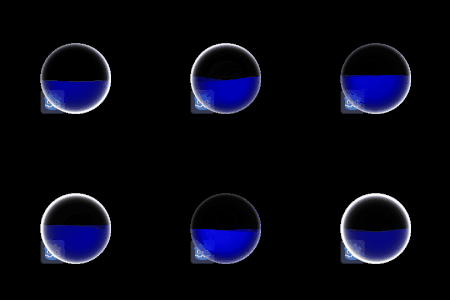
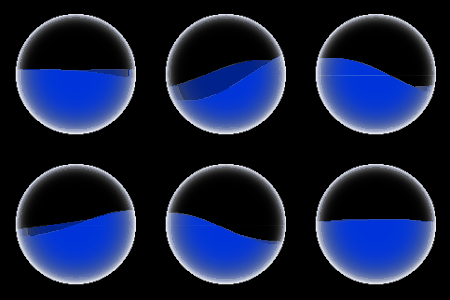
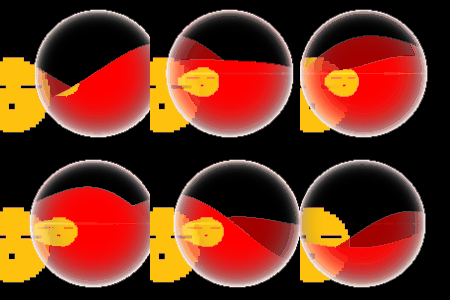

🐂🍺