
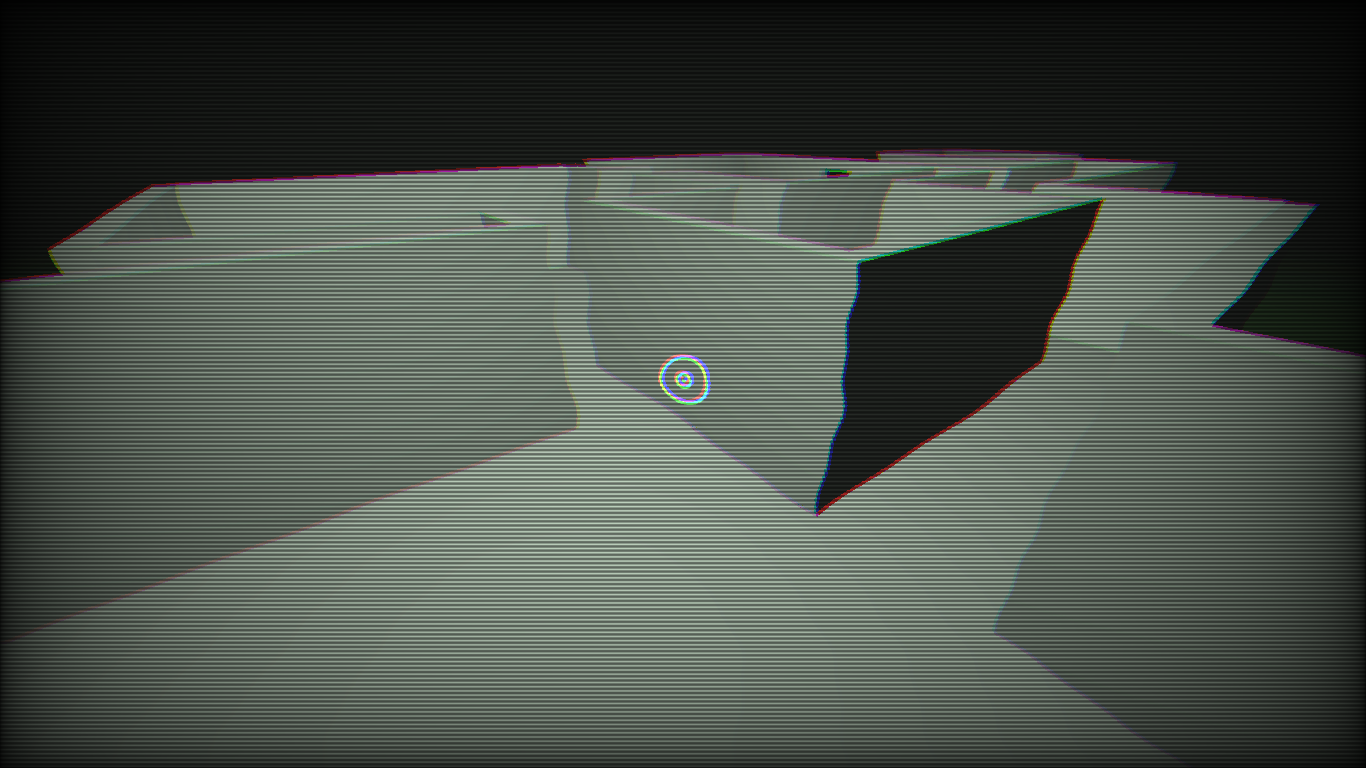
horror game post processing(crt)

very simple generic post processing for a horror game (i suck at math mb)
add black volumetric fog and that then boom you have a standard horror game atmosphere
you can tweak
– the wobbliness (drunk/amnesia) effect
– chromatic aberration/glitch effect offest
– the brightness
from the shader params
Shader code
shader_type canvas_item;
uniform sampler2D screen_texture : hint_screen_texture, repeat_disable, filter_nearest;
uniform float brightnessMult:hint_range(0.0, 10.0, 0.1)=4.0;
uniform float wiggleMult:hint_range(0.0, 0.01, 0.0001)=0.005;
uniform float chromaticAberrationOffset:hint_range(0.0, 0.01, 0.00001)=0.001;

void fragment( ){
//	set up
	vec2 iResolution = 1.0 / SCREEN_PIXEL_SIZE;
    vec2 uv = FRAGCOORD.xy / iResolution.xy;
    vec3 color;
//	wiggle
	float x=  sin(0.3*TIME+uv.y*21.0)*sin(0.7*TIME+uv.y*29.0)*sin(0.3+0.33*TIME+uv.y*31.0)*wiggleMult;
//draw the actual game lol
	//the color adjustments is a simpler chromatic aberration
    color.r = texture(screen_texture,vec2(x+uv.x+chromaticAberrationOffset,uv.y+chromaticAberrationOffset)).x+0.045;
    color.g = texture(screen_texture,vec2(x+uv.x,uv.y-chromaticAberrationOffset)).y+0.05;
    color.b = texture(screen_texture,vec2(x+uv.x-chromaticAberrationOffset,uv.y)).z+0.055;

	//simple vignette
    float vignette = (0.0 + 1.0*16.0*uv.x*uv.y*(1.0-uv.x)*(1.0-uv.y));
	color *= vec3(pow(vignette,0.3));

	//adjust brightness
    color *= vec3(0.95,1.05,0.95);
	color *= brightnessMult;

	//add scanlines
	float scans = clamp( 0.35+0.35*sin(3.5*TIME+uv.y*iResolution.y*1.5), 0.0, 1.0);
	float s = pow(scans,1.7);
	color = color*vec3( 0.4+0.7*s) ;

    COLOR = vec4(color,1.0);
}
Live Preview

cool
very nice bro