Motion Based Pixelation Censor

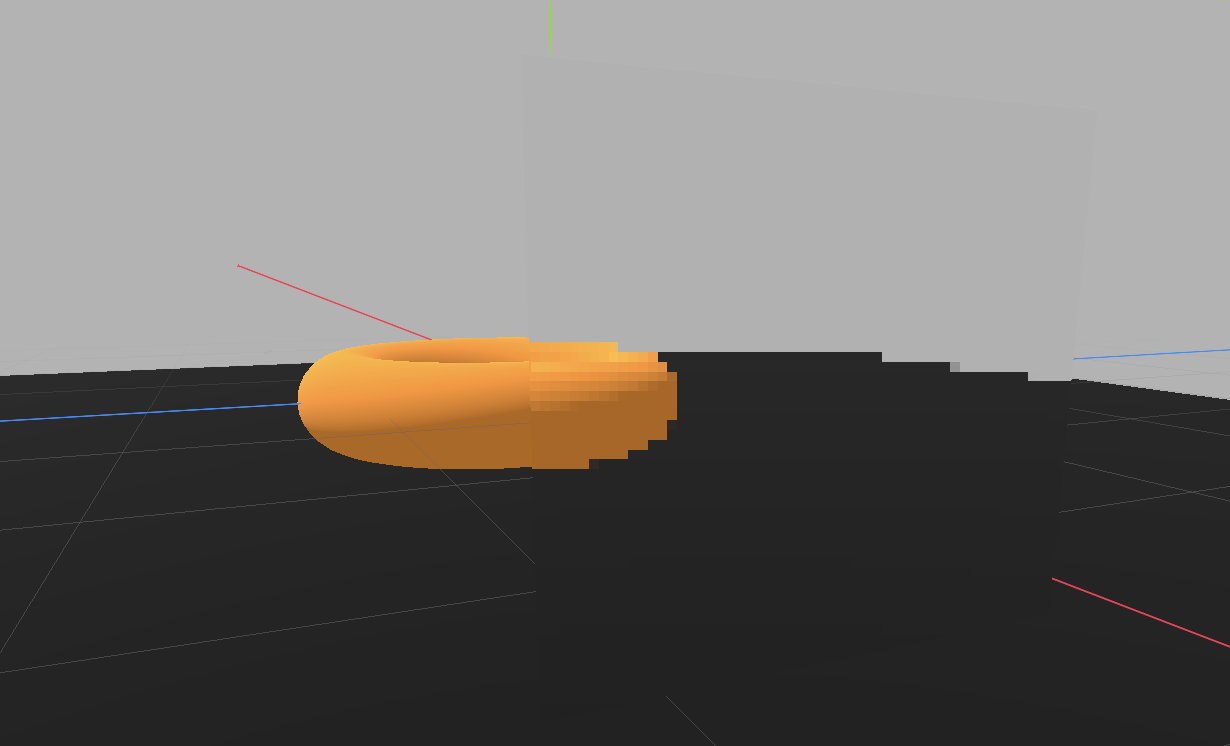
A Godot 4 spatial shader that applies motion- eactive pixelation effects to 3D models. The pixelation intensity increases with movement and decreases when static, creating a dynamic censoring effect.
You can get a demo project on github.
Installation
- Copy
cencored.gdshaderto your Godot project - Create a new ShaderMaterial
- Assign the shader to the material
- Apply the material to your 3D model
Define a rectangular area using UV coordinates:
# In the shader material parameters
censor_uv_min = Vector2(0.3, 0.2)  # Top-left corner
censor_uv_max = Vector2(0.7, 0.6)  # Bottom-right corner
use_vertex_color_mask = false
For precise control over complex shapes:
- In your 3D modeling software, add a vertex color layer
- Paint areas to censor using RED channel (R=1.0)
- Export and import to Godot
- Enable vertex color masking:
use_vertex_color_mask = true
censor_threshold = 0.5  # Adjust sensitivity
Key Parameters
Pixelation Settings
pixel_size(1.0 – 100.0): Size of censored pixels. Higher values create larger blocks.blur_strength(0.0 – 1.0): Maximum pixelation intensity when moving.static_pixelation(0.0 – 1.0): Pixelation amount when stationary.
Motion Control
motion_scale(0.0 – 50.0): Sensitivity to movement. Higher values react more to motion.motion_min(0.0 – 0.1): Minimum motion required to trigger effect.
Visual Adjustments
censor_tint: RGB color tint applied to censored areas.censor_brightness(0.5 – 2.0): Brightness multiplier.show_motion_debug: Visualize motion intensity (red = moving, blue = static).
Recommended Settings
For general use:
pixel_size = 30.0
blur_strength = 0.85
static_pixelation = 0.3
motion_scale = 10.0
For high sensitivity:
pixel_size = 40.0
motion_scale = 15.0
blur_strength = 1.0
Shader code
shader_type spatial;
render_mode unshaded;

// Screen texture for pixelation effect
uniform sampler2D SCREEN_TEXTURE : hint_screen_texture, filter_linear_mipmap;

// Main texture
uniform sampler2D albedo_texture : source_color;

// Censoring control
uniform vec2 censor_uv_min = vec2(0.0, 0.0);
uniform vec2 censor_uv_max = vec2(1.0, 1.0);
uniform bool use_vertex_color_mask = false;
uniform float censor_threshold : hint_range(0.0, 1.0) = 0.5; // Threshold for vertex color mask

// Pixelation settings
uniform float pixel_size : hint_range(1.0, 100.0) = 30.0; // Size of pixels (higher = bigger pixels)
uniform float blur_strength : hint_range(0.0, 1.0) = 0.9; // How much pixelation

// Motion-based effect (Enhanced version)
uniform float motion_scale : hint_range(0.0, 50.0) = 10.0; // Overall motion sensitivity
uniform float motion_min : hint_range(0.0, 0.1) = 0.01; // Minimum motion to show effect
uniform float static_pixelation : hint_range(0.0, 1.0) = 0.3; // Pixelation when not moving

// Visual settings
uniform vec3 censor_tint : source_color = vec3(1.0, 1.0, 1.0);
uniform float censor_brightness : hint_range(0.5, 2.0) = 1.0;
uniform bool show_motion_debug = false; // Visualize motion intensity

// Velocity calculation
varying vec3 vertex_world_pos;
varying vec3 vertex_world_normal;
varying float vertex_speed;

void vertex() {
    // Get world position
    vertex_world_pos = (MODEL_MATRIX * vec4(VERTEX, 1.0)).xyz;
    vertex_world_normal = normalize((MODEL_MATRIX * vec4(NORMAL, 0.0)).xyz);

    // Calculate approximate velocity based on view direction change
    // This creates a motion effect when the camera or object moves
    vec3 view_dir = normalize(vertex_world_pos - (INV_VIEW_MATRIX[3]).xyz);

    // Use the dot product with normal to create parallax-based motion
    // Surfaces facing the view direction will show more motion
    float surface_motion = abs(dot(vertex_world_normal, view_dir));

    // Store speed (you can enhance this with actual object velocity if needed)
    vertex_speed = surface_motion;
}

void fragment() {
    // Get base texture color
    vec4 base_color = texture(albedo_texture, UV);

    // ===== DETERMINE CENSOR MASK =====
    float censor_mask = 0.0;

    if (use_vertex_color_mask) {
        // Use RED channel of vertex color as mask
        censor_mask = step(censor_threshold, COLOR.r);
    } else {
        // Use UV rectangle bounds
        vec2 uv_check = UV;
        bool in_bounds = uv_check.x >= censor_uv_min.x && uv_check.x <= censor_uv_max.x &&
                        uv_check.y >= censor_uv_min.y && uv_check.y <= censor_uv_max.y;
        censor_mask = float(in_bounds);
    }

    vec3 final_color = base_color.rgb;

    // Only do the censor effect if we're in the censor area
    if (censor_mask > 0.01) {
        // ===== CALCULATE MOTION INTENSITY =====
        // Get screen-space velocity approximation
        vec2 screen_pos = SCREEN_UV;
        vec2 viewport_size = VIEWPORT_SIZE;

        // Sample nearby pixels to create motion estimation
        vec2 velocity = vec2(0.0);
        vec3 center_color = textureLod(SCREEN_TEXTURE, screen_pos, 0.0).rgb;

        // Simple motion detection by comparing with offset samples
        for(float x = -1.0; x <= 1.0; x += 2.0) {
            for(float y = -1.0; y <= 1.0; y += 2.0) {
                vec2 offset = vec2(x, y) * (2.0 / viewport_size);
                vec3 sample_color = textureLod(SCREEN_TEXTURE, screen_pos + offset, 0.0).rgb;
                velocity += (sample_color - center_color).rg;
            }
        }

        float motion_magnitude = length(velocity) * motion_scale * vertex_speed;
        float motion_intensity = smoothstep(motion_min, motion_min + 0.05, motion_magnitude);
        motion_intensity = clamp(motion_intensity, 0.0, 1.0);

        // ===== CREATE PIXELATION EFFECT =====
        // Calculate grid position
        vec2 grid_uv = floor(screen_pos * viewport_size / pixel_size) * pixel_size;
        grid_uv = grid_uv / viewport_size;

        // Sample the pixelated/censored version
        vec4 pixelated_color = textureLod(SCREEN_TEXTURE, grid_uv, 0.0);

        // ===== MIX BASED ON MOTION =====
        // More motion = more pixelation (like your original effect!)
        float final_blur = mix(static_pixelation, blur_strength, motion_intensity);
        final_color = mix(base_color.rgb, pixelated_color.rgb, final_blur * censor_mask);

        // Apply visual tweaks
        final_color *= censor_tint * censor_brightness;

        // Optional: Debug visualization
        if (show_motion_debug) {
            final_color = mix(final_color, vec3(motion_intensity, 0.0, 1.0 - motion_intensity), 0.5);
        }
    }

    // ===== OUTPUT =====
    ALBEDO = final_color;
    ALPHA = base_color.a;
}
Live Preview