

Palette Swap Shader – sampler2D

Changes the colors of a target image to match that of palette_image, according to palette_index
Source colors stay at the first row, then the target ones are on the next rows, with palette_index controlling which is chosen
palette_image supports every derivative of Texture2D EXCEPT AtlasTexture because of Godot
If a color is missing in palette_image, the default one is drawn
maximum_similarity controls the similarity of source and target colors, changes probably unneeded
Shader code
shader_type canvas_item;

uniform sampler2D palette_image;
uniform int palette_index = 1;
uniform float maximum_similarity = 0.01;

varying vec4 modulate;

void vertex() {
	modulate = COLOR;
}

void fragment() {
	ivec2 palsize = textureSize(palette_image, 0);
	for (int i = 0; i < palsize.x; i++) {
		if (distance(texture(palette_image, vec2(float(i) + 0.5, 0.5) / vec2(palsize)), texture(TEXTURE, UV)) < maximum_similarity)
			COLOR = texture(palette_image, vec2(float(i) + 0.5, float(palette_index) + 0.5) / vec2(palsize)) * modulate;
	}
}
Live Preview
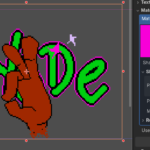
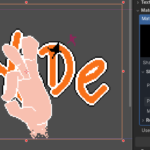
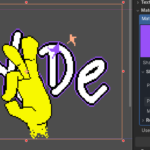

Dude tysm
np