
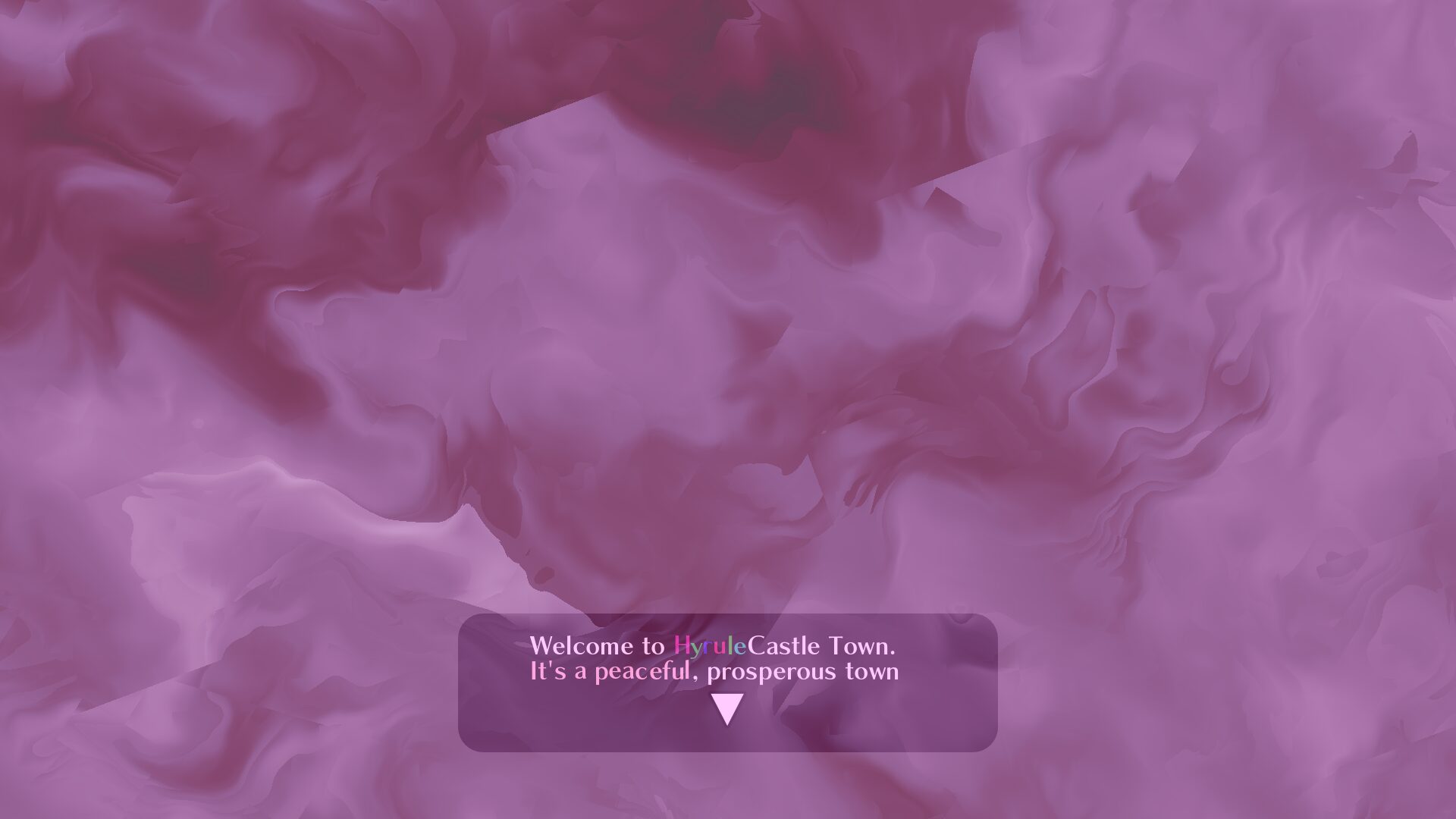
Pink warp

port of this shader by trinketMage on ShaderToy https://www.shadertoy.com/view/tdG3Rd to Godot 4+.
I added some random uniform parameters so that you can more easily play around with it. You can make some really crazy effects here with a wide range of variation.
Just add a color rect to some kind of control node or canvas layer > set it to “Full Rect” > New Material > New Shader Material > and then create and assign a new shader with the provided shader code. Leave a comment if you need a little help.
Shader code
shader_type canvas_item;
// from: https://www.shadertoy.com/view/tdG3Rd
//uniform float iResolution = (1.0 / SCREEN_PIXEL_SIZE);

/* Effects for mat2 */
uniform float stretch : hint_range(0.0, 100.0, 0.1) = 0.8;
uniform float thing1 : hint_range(0.0, 100.0, 0.1) = 0.6;
uniform float thing2 : hint_range(0.0, 100.0, 0.1) = 0.6;
uniform float thing3 : hint_range(0.0, 100.0, 0.1) = 0.8;
/* Effects for scale and speed */
uniform float scale : hint_range(0.000, 100.0, 0.001) = 1.0;


float colormap_red(float x) {
    if (x < 0.0) {
        return 54.0 / 255.0;
    } else if (x < 20049.0 / 82979.0) {
        return (829.79 * x + 54.51) / 255.0;
    } else {
        return 1.0;
    }
}

float colormap_green(float x) {
    if (x < 20049.0 / 82979.0) {
        return 0.0;
    } else if (x < 327013.0 / 810990.0) {
        return (8546482679670.0 / 10875673217.0 * x - 2064961390770.0 / 10875673217.0) / 255.0;
    } else if (x <= 1.0) {
        return (103806720.0 / 483977.0 * x + 19607415.0 / 483977.0) / 255.0;
    } else {
        return 1.0;
    }
}

float colormap_blue(float x) {
    if (x < 0.0) {
        return 54.0 / 255.0;
    } else if (x < 7249.0 / 82979.0) {
        return (829.79 * x + 54.51) / 255.0;
    } else if (x < 20049.0 / 82979.0) {
        return 127.0 / 255.0;
    } else if (x < 327013.0 / 810990.0) {
        return (792.02249341361393720147485376583 * x - 64.364790735602331034989206222672) / 255.0;
    } else {
        return 1.0;
    }
}

vec4 colormap(float x) {
    return vec4(colormap_red(x), colormap_green(x), colormap_blue(x), 1.0);
}

// https://iquilezles.org/articles/warp
/*float noise( in vec2 x )
{
    vec2 p = floor(x);
    vec2 f = fract(x);
    f = f*f*(3.0-2.0*f);
    float a = textureLod(iChannel0,(p+vec2(0.5,0.5))/256.0,0.0).x;
	float b = textureLod(iChannel0,(p+vec2(1.5,0.5))/256.0,0.0).x;
	float c = textureLod(iChannel0,(p+vec2(0.5,1.5))/256.0,0.0).x;
	float d = textureLod(iChannel0,(p+vec2(1.5,1.5))/256.0,0.0).x;
    return mix(mix( a, b,f.x), mix( c, d,f.x),f.y);
}*/


float rand(vec2 n) {
    return fract(sin(dot(n, vec2(12.9898, 4.1414))) * 43758.5453);
}

float noise(vec2 p){
    vec2 ip = floor(p);
    vec2 u = fract(p);
    u = u*u*(3.0-2.0*u);

    float res = mix(
        mix(rand(ip),rand(ip+vec2(1.0,0.0)),u.x),
        mix(rand(ip+vec2(0.0,1.0)),rand(ip+vec2(1.0,1.0)),u.x),u.y);
    return res*res;
}

// OG stuff here:
// const mat2 mtx = mat2( vec2(0.80,  0.60), vec2(-0.60,  0.80) );

float fbm( vec2 p )
{
    float f = 0.0;
    mat2 mtx = mat2( vec2(stretch,  thing1), vec2(-thing2,  thing3) );
    f += 0.500000*noise( p + TIME  ); p = mtx*p*2.02;
    f += 0.031250*noise( p ); p = mtx*p*2.01;
    f += 0.250000*noise( p ); p = mtx*p*2.03;
    f += 0.125000*noise( p ); p = mtx*p*2.01;
    f += 0.062500*noise( p ); p = mtx*p*2.04;
    f += 0.015625*noise( p + sin(TIME) );

    return f/0.96875;
}

float pattern( in vec2 p )
{
	return fbm( p + fbm( p + fbm( p ) ) );
}

void fragment()
{
    //vec2 uv = FRAGCOORD.xy / (0.01 / SCREEN_PIXEL_SIZE).x;
    vec2 uv = FRAGCOORD.xy / (scale / SCREEN_PIXEL_SIZE).y;
	float shade = pattern(uv);
    COLOR = vec4(colormap(shade).rgb, shade);
}

I LOVE this shader its so pretty, I have a subviewport for items in the players hand and noticed it doesn’t do transparency for anything in main viewport, is there any work around or way to fix this? thanks 🙂
Thank you. It looks great.