
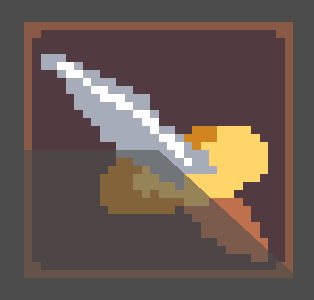
Radial / Cooldown shader

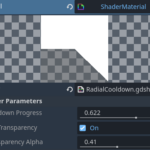
Pretty simple radial image shader, theres a cooldown progress float that controls the progress of the effect, theres a use transparency toggle so you can choose whether or not to use the transparency alpha slider that changes the see-through-ness of the effected part of the image.
Shader code
shader_type canvas_item;

// Uniform for the cooldown progress, ranges from 0.0 (full cooldown) to 1.0 (no cooldown)
uniform float cooldown_progress : hint_range(0.0, 1.0);

// Uniform to toggle between disappearing or transparent unseen area
uniform bool use_transparency : hint_tooltip("Toggle to make unseen area transparent");

// Uniform to control the alpha value of the transparent unseen area
uniform float transparency_alpha : hint_range(0.0, 1.0);

// Function to check if a point is inside the cooldown arc
bool in_cooldown(vec2 uv, float progress) {
    // Convert UV coordinates to centered coordinates (-0.5 to 0.5)
    vec2 centered_uv = uv - vec2(0.5);

    // Calculate the angle of the UV coordinate
    float angle = atan(centered_uv.y, centered_uv.x) / (2.0 * 3.14159265359) + 0.5;

    // Check if the point is within the cooldown arc
    return (angle <= progress);
}

void fragment() {
    // Sample the texture at the given UV coordinates
    vec4 tex_color = texture(TEXTURE, UV);

    // Check if the current fragment is within the cooldown arc
    if (in_cooldown(UV, cooldown_progress)) {
        // If within the cooldown, set the color to the texture color
        COLOR = tex_color;
    } else {
        // If not within the cooldown, check the transparency toggle
        if (use_transparency) {
            // Set the color to the texture color with adjusted alpha
            COLOR = vec4(tex_color.rgb, transparency_alpha);
        } else {
            // Set the color to transparent
            COLOR = vec4(0.0, 0.0, 0.0, 0.0);
        }
    }
}
Live Preview
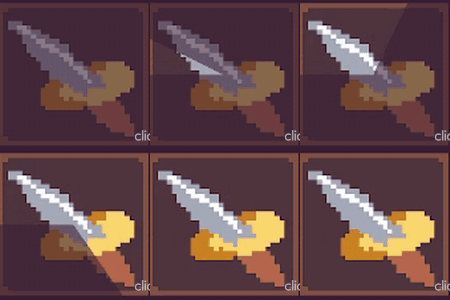

Nice shader! I made a little modification for me. I put an extra if, “if (tex_color.a > 0.00){}” at line 28, and put inside the code from line 29 up to 40. Because i just want to modify all visible pixels. Thanks!
Sadly it does not work for Sprite2D (or in my case, TouchScreenButton) that uses AtlasTexture with a specified region.
Thank you for the extra effort you’ve put in to make this accessible! 💖
Really cool shader! I added the following line to the in_cooldown() function to rotate the cooldown 90 degrees clockwise, making it look like a World of Warcraft–style cooldown
angle = fract(angle – 0.25);
Sadly does not work on TextureRect node. Would appreciate an update on this.