
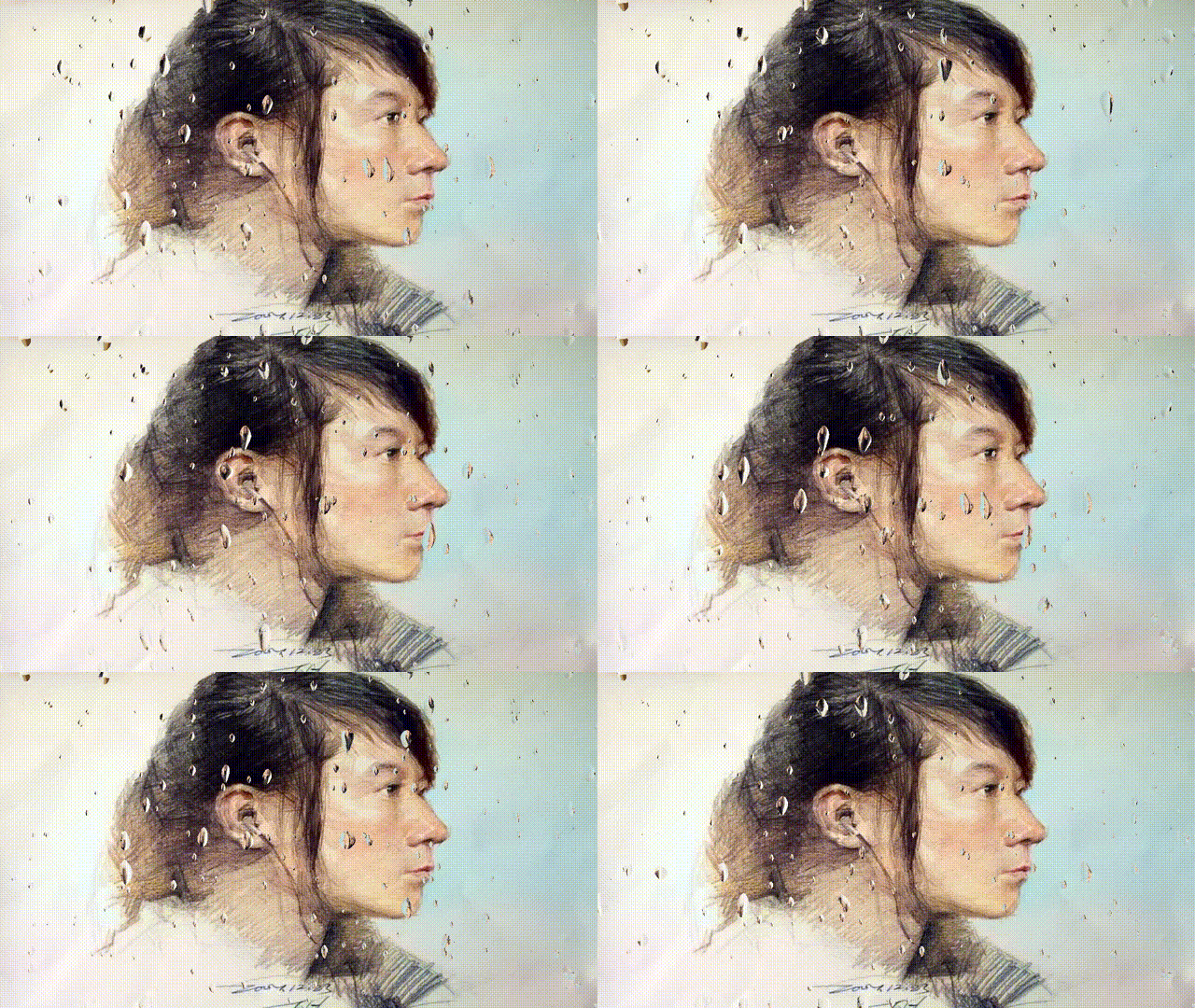
Rain drops on screen – notexture

https://www.shadertoy.com/view/MlfBWr
Shader code
shader_type canvas_item;

#define iResolution 1.0/SCREEN_PIXEL_SIZE
#define iTime TIME
#define fragColor COLOR

uniform sampler2D iChannel0;
uniform float frequency : hint_range(-10.0, 4.0, 0.1) = 0.0;
uniform float size : hint_range(0.001, 0.05, 0.001) = 0.015;

// Author: Élie Michel
// License: CC BY 3.0
// July 2017

vec2 rand(vec2 c){
    mat2 m = mat2(vec2(12.9898,.16180),vec2(78.233,.31415));
	return fract(sin(m * c) * vec2(43758.5453, 14142.1));
}

vec2 noise(vec2 p){
	vec2 co = floor(p);
	vec2 mu = fract(p);
	mu = 3.*mu*mu-2.*mu*mu*mu;
	vec2 a = rand((co+vec2(0.,0.)));
	vec2 b = rand((co+vec2(1.,0.)));
	vec2 c = rand((co+vec2(0.,1.)));
	vec2 d = rand((co+vec2(1.,1.)));
	return mix(mix(a, b, mu.x), mix(c, d, mu.x), mu.y);
}

void fragment()
{
	vec2 u = UV,
         v = UV * 0.1,
         n = noise(v*200.); // Displacement

    fragColor = textureLod(iChannel0, u, 2.5);

    // Loop through the different inverse sizes of drops
    for (float r = 4. ; r > frequency ; r--) {
        vec2 x = iResolution.xy * r * size,  // Number of potential drops (in a grid)
             p = 6.28 * u * x + (n - .5) * 2.,
             s = sin(p);

        // Current drop properties. Coordinates are rounded to ensure a
        // consistent value among the fragment of a given drop.
        //vec4 d = texture(iChannel1, round(u * x - 0.25) / x);
        vec2 v = round(u * x - 0.25) / x;
        vec4 d = vec4(noise(v*200.), noise(v));

        // Drop shape and fading
        float t = (s.x+s.y) * max(0., 1. - fract(iTime * (d.b + .1) + d.g) * 2.);;

        // d.r -> only x% of drops are kept on, with x depending on the size of drops
        if (d.r < (5.-r)*.08 && t > .5) {
            // Drop normal
            vec3 v = normalize(-vec3(cos(p), mix(.2, 2., t-.5)));
             //fragColor = vec4(v * 0.5 + 0.5, 1.0);  // show normals

            // Poor man's refraction (no visual need to do more)
            fragColor = texture(iChannel0, u - v.xy * .3);
        }
    }

    // Debug noise function
    //f = vec4(n, 0.0, 1.0);
}
how can we make the drops fall and leave a trace?
this is For those who want to use Screen version (for 3D games)
add a Color Rect and scale it as big as possible then add this shader to it
what i changed is make the Ichannel to be a screen texture getter and made the UV work as Screen_UV
by this way it works for 3D games as well without an extra viewport setup.
swift
shader_type canvas_item;
#define iResolution 1.0/SCREEN_PIXEL_SIZE
#define iTime TIME * 0.3
#define fragColor COLOR
uniform sampler2D iChannel0 : hint_screen_texture;
uniform float frequency : hint_range(-10.0, 4.0, 0.1) = 0.0;
uniform float size : hint_range(0.001, 0.05, 0.001) = 0.015;
// Author: Élie Michel
<h2>// Ported by <a href="https://godotshaders.com/author/rayl019/" style="color: inherit;">RayL019</a></h2>// Modified By Sina Qadri
// License: CC BY 3.0
// July 2017
vec2 rand(vec2 c){
mat2 m = mat2(vec2(12.9898,.16180),vec2(78.233,.31415));
return fract(sin(m * c) * vec2(43758.5453, 14142.1));
}
vec2 noise(vec2 p){
vec2 co = floor(p);
vec2 mu = fract(p);
mu = 3.*mu*mu-2.*mu*mu*mu;
vec2 a = rand((co+vec2(0.,0.)));
vec2 b = rand((co+vec2(1.,0.)));
vec2 c = rand((co+vec2(0.,1.)));
vec2 d = rand((co+vec2(1.,1.)));
return mix(mix(a, b, mu.x), mix(c, d, mu.x), mu.y);
}
void fragment()
{
vec2 u = SCREEN_UV,
v = SCREEN_UV * 0.1,
n = noise(v*200.); // Displacement
fragColor = textureLod(iChannel0, u, 2.5);
// Loop through the different inverse sizes of drops
for (float r = 4. ; r > frequency ; r--) {
vec2 x = iResolution.xy * r * size, // Number of potential drops (in a grid)
p = 6.28 * u * x + (n - .5) * 2.,
s = sin(p);
// Current drop properties. Coordinates are rounded to ensure a
// consistent value among the fragment of a given drop.
//vec4 d = texture(iChannel1, round(u * x - 0.25) / x);
vec2 v = round(u * x - 0.25) / x;
vec4 d = vec4(noise(v*200.), noise(v));
// Drop shape and fading
float t = (s.x+s.y) * max(0., 1. - fract(iTime * (d.b + .1) + d.g) * 2.);;
// d.r -> only x% of drops are kept on, with x depending on the size of drops
if (d.r < (5.-r)*.08 && t > .5) {
// Drop normal
vec3 v = normalize(-vec3(cos(p), mix(.2, 2., t-.5)));
//fragColor = vec4(v * 0.5 + 0.5, 1.0); // show normals
// Poor man's refraction (no visual need to do more)
fragColor = texture(iChannel0, u - v.xy * .3);
}
}
// Debug noise function
//f = vec4(n, 0.0, 1.0);
}
add this line:
uniform float blur_size : hint_range(0.0,5.0,0.001) = 2.5;
and edit this:
fragColor = textureLod(iChannel0, u, blur_size);
to control blur size
If you just want to throw this on your UI have have it be transparent with the drops only, a quick thing you can do at the end is add
} else {
fragColor.a = 0.0;
}
at line 62
it won’t be as ideal as sampling the player screen but its a 30 second solution!
disregard this; Sina Qadri updated one above does this way better!
actually if you combine this last bit with Sina Qadri’s, it removes the blur if that’s something you don’t want
Ok Denys answer above is actually a better control for the blur lol
Idunno how to delete messages