
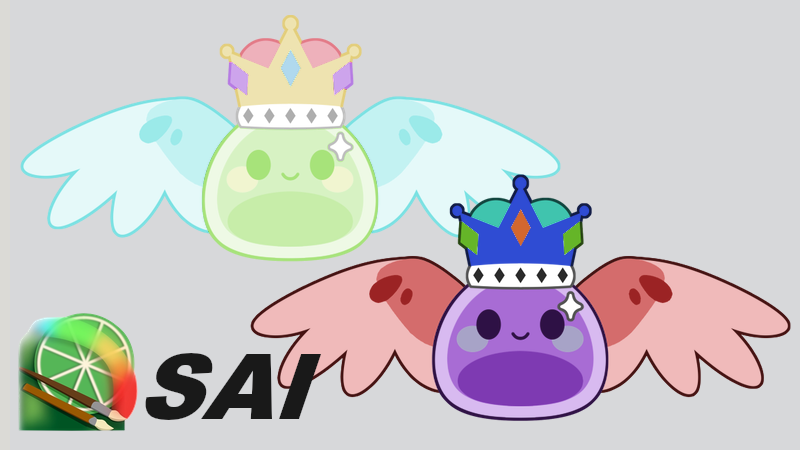
SAI-like Color Adjustments
I did my best to copy the color adjustments from the drawaing program that I use, Paint Tool SAI 2. I also included invert and some tint modes.
Shader code
shader_type canvas_item;

group_uniforms Color_Adjustments;
uniform bool invert = false;

group_uniforms Color_Adjustments.Hue_Saturation;
uniform float hue : hint_range(-1.0, 1.0, 0.1) = 0.0;
uniform float saturation : hint_range(-1.0, 1.0, 0.1) = 0.0;
uniform float luminance : hint_range(-1.0, 1.0, 0.1) = 0.0;
uniform bool colorize = false;

group_uniforms Color_Adjustments.Brightness_Contrast;
uniform float brightness : hint_range(-1.0, 1.0, 0.1) = 0.0;
uniform float contrast : hint_range(-1.0, 1.0, 0.1) = 0.0;
uniform float depth : hint_range(-1.0, 1.0, 0.1) = 0.0;

group_uniforms Tint;
uniform vec3 tint : source_color;
uniform float tint_strength : hint_range(0.0, 1.0, 0.1) = 0.0;
uniform int tint_mode : hint_enum("Mix", "Multiply", "Divide", "Add", "Subtract") = 0;
group_uniforms;

// Converts an RGB color to HSV.
vec3 rgb_to_hsv(vec3 c)
{
	vec4 k = vec4(0.0, -1.0 / 3.0, 2.0 / 3.0, -1.0);
	vec4 p = mix(vec4(c.bg, k.wz), vec4(c.gb, k.xy), step(c.b, c.g));
	vec4 q = mix(vec4(p.xyw, c.r), vec4(c.r, p.yzx), step(p.x, c.r));
	float d = q.x - min(q.w, q.y);
	float e = 1.0e-10;
	return vec3(abs(q.z + (q.w - q.y) / (6.0 * d + e)), d / (q.x + e), q.x);
}

// Converts an HSV color back to RGB.
vec3 hsv_to_rgb(vec3 c)
{
	vec4 k = vec4(1.0, 2.0 / 3.0, 1.0 / 3.0, 3.0);
	vec3 p = abs(fract(c.xxx + k.xyz) * 6.0 - k.www);
	return c.z * mix(k.xxx, clamp(p - k.xxx, 0.0, 1.0), c.y);
}

// Converts an HSV color to HSL.
vec3 hsv_to_hsl(vec3 c)
{
	float l = 0.5 * c.z * (2.0 - c.y);
	float s = l > 0.0 && l < 1.0 ? c.z * c.y / (1.0 - abs(2.0 * l - 1.0)) : 0.0;
	return vec3(c.x, s, l);
}

// Converts an HSL color to HSV.
vec3 hsl_to_hsv(vec3 c)
{
	float v = (2.0 * c.z + c.y * (1.0 - abs(2.0 * c.z - 1.0))) / 2.0;
	float s = 2.0 * (v - c.z) / v;
	return vec3(c.x, s, v);
}

// Converts an RGB color to HSL.
vec3 rgb_to_hsl(vec3 c)
{
	float vmax = max(c.r, max(c.g, c.b));
	float vmin = min(c.r, min(c.g, c.b));
	float h, s, l = (vmax + vmin) / 2.0;
	float d = vmax - vmin;
	if (d < 0.00001) { return vec3(0.0, 0.0, l); }
	s = l > 0.5 ? d / (2.0 - vmax - vmin) : d / (vmax + vmin);
	if (vmax == c.r) { h = (c.g - c.b) / d + (c.g < c.b ? 6.0 : 0.0); }
	if (vmax == c.g) { h = (c.b - c.r) / d + 2.0; }
	if (vmax == c.b) { h = (c.r - c.g) / d + 4.0; }
	h /= 6.0;
	return vec3(h, s, l);
}

// Psudeo-private helper function for HSL to RBG function.
float _hsl_hue_to_rgb(float p, float q, float t)
{
	if (t < 0.0) t += 1.0;
	if (t > 1.0) t -= 1.0;
	if (t < 1.0 / 6.0) { return p + (q - p) * 6.0 * t; }
	if (t < 1.0 / 2.0) { return q; }
	if (t < 2.0 / 3.0) { return p + (q - p) * (2.0 / 3.0 - t) * 6.0; }
	return p;
}

// Converts and HSL color to RGB.
vec3 hsl_to_rgb(vec3 c)
{
	float r, g, b;
	if (c.y < 0.00001) { r = g = b = c.z; }
	else {
		float q = c.z < 0.5 ? c.z * (1.0 + c.y) : c.z + c.y - c.z * c.y;
		float p = 2.0 * c.z - q;
		r = _hsl_hue_to_rgb(p, q, c.x + 1.0 / 3.0);
		g = _hsl_hue_to_rgb(p, q, c.x);
		b = _hsl_hue_to_rgb(p, q, c.x - 1.0 / 3.0); }
	return vec3(r, g, b);
}

void fragment()
{
	// Get the sprite's texture color.
	vec4 input_color = texture(TEXTURE, UV);

	// Drop alpha because we won't be using it.
	vec3 color_rgb = input_color.rgb;

	// Luminosity has to come before saturation (mix black or white).
	vec3 color_l = luminance < 0.0 ? vec3(0.0, 0.0, 0.0) : vec3(1.0, 1.0, 1.0);
	// If inverted, we should switch our values.
	color_l = !invert ? color_l : vec3(1.0 - color_l.r, 1.0 - color_l.g, 1.0 - color_l.b);
	color_rgb = mix(color_rgb, color_l, abs(luminance));

	// RGB depth control to desaturate.
	if (depth < 0.0)
	{
		vec3 desaturated = vec3(dot(color_rgb, vec3(0.299, 0.587, 0.114)));
		color_rgb = mix(color_rgb, desaturated, abs(depth));
	}

	// Convert to HSL to shift the hue and saturation.
	vec3 color_hsl = rgb_to_hsl(color_rgb);

	// It should be safe to shift the hue first.
	color_hsl.x += mod(hue, 1.0);

	// HSL saturation, not HSV!!
	if (color_hsl.y > 0.01)
	{
		float y = saturation < 0.0 ? 0.0 : 1.0;
		color_hsl.y = mix(color_hsl.y, y, abs(saturation));
	}

	// Colorize removes saturation and replaces with red (or whatever color we're shifted to).
	if (colorize)
	{
		color_hsl.y = min(0.5 + saturation, 1.0);
		color_hsl.x = 0.0 + hue;
	}

	// I almost forgot to convert to HSV.
	vec3 color_hsv = hsl_to_hsv(color_hsl);

	// Increase color depth; this is just HSV saturaion.
	if (depth > 0.0) { color_hsv.y *= 1.0 + depth * 3.2; }

	// Convert back to RGB for the rest of the modifiers.
	color_rgb = hsv_to_rgb(color_hsv);

	// Brightness and contrast should be okay to go next.
	// If inverted, we should switch our values
	vec3 brightness_color = !invert ? vec3(1.0, 1.0, 1.0) : vec3(-1.0, -1.0, -1.0);
	color_rgb += brightness_color * brightness;

	// Only scale contrast if we are > 1.0.
	float contrast_multiplier = contrast < 0.0 ? 1.0 + contrast : 1.0 + contrast * 4.0;

	// Adjust color contrast around 0.5.
	color_rgb = (color_rgb - 0.5) * contrast_multiplier + 0.5;

	// Try inverting the color.
	if (invert)
	{
		// There may be some undefiend colors after all of the ulterations.
		color_rgb = clamp(color_rgb, vec3(0.0, 0.0, 0.0), vec3(1.0, 1.0, 1.0));

		// 1.0 - x is an easy way to flip 1s and 0s.
		color_rgb = vec3(1.0 - color_rgb.r, 1.0 - color_rgb.g, 1.0 - color_rgb.b);
	}

	// Then tint the color (R,G,B control is not necessary, since tint modes accomplish the same goal).

	// Mixes the colors together smoothly, resulting in a solid tint colored image at 1.0.
	if (tint_mode == 0) { color_rgb =  mix(color_rgb, tint, tint_strength); }

	// Multiplies the colors together, retaining visual contrast while darkening the base color.
	if (tint_mode == 1) { color_rgb =  color_rgb * mix(vec3(1.0, 1.0, 1.0), tint, tint_strength); }

	// Divides the colors, retaining visual contrast but negating the selected color and lightening.
	if (tint_mode == 2) { color_rgb =  color_rgb / max(vec3(0.00001, 0.00001, 0.00001), mix(vec3(1.0, 1.0, 1.0), tint, tint_strength)); }

	// Adds the colors together, creating a lightening effect (colors move toward white).
	if (tint_mode == 3) { color_rgb =  color_rgb + tint * tint_strength; }

	// Subtracts the colors, negating the selected color and creating a darkening effect (colors move toward black).
	if (tint_mode == 4) { color_rgb =  color_rgb - tint * tint_strength; }

	COLOR.rgb = color_rgb;
}