
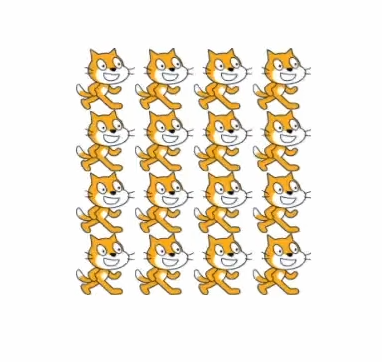
Scratch mosaic effect

Acts just like the mosaic effect from Scratch
NOTE: In order for it to work, you have to change this setting on the sprite:
Texture > Repeat > Set to “Enabled”
Shader code
shader_type canvas_item;

uniform float amount = 0.0;

void vertex() {
	if (amount != 0.0) {
		float newAmount = trunc(((abs(amount) + 5.0) / 10.0) + 1.0);
		UV = UV * vec2(newAmount);
	}
}

Hi, this shader is only for godot 4, but i re-code it:
shader_type canvas_item;
uniform float amount_x : hint_range(1, 500) = 2.0; // Número de repeticiones en el eje X
uniform float amount_y : hint_range(1, 500) = 2.0; // Número de repeticiones en el eje Y
void vertex() {
UV = UV * vec2(amount_x, amount_y);
}
void fragment() {
vec2 repeated_uv = fract(UV); // Esto asegura que las coordenadas UV se repitan correctamente
COLOR = texture(TEXTURE, repeated_uv);
}
This code can add a mosaic effect in the X cord and Y cord
DESIGNED AND TESTED IN/FOR GODOT 3.5