
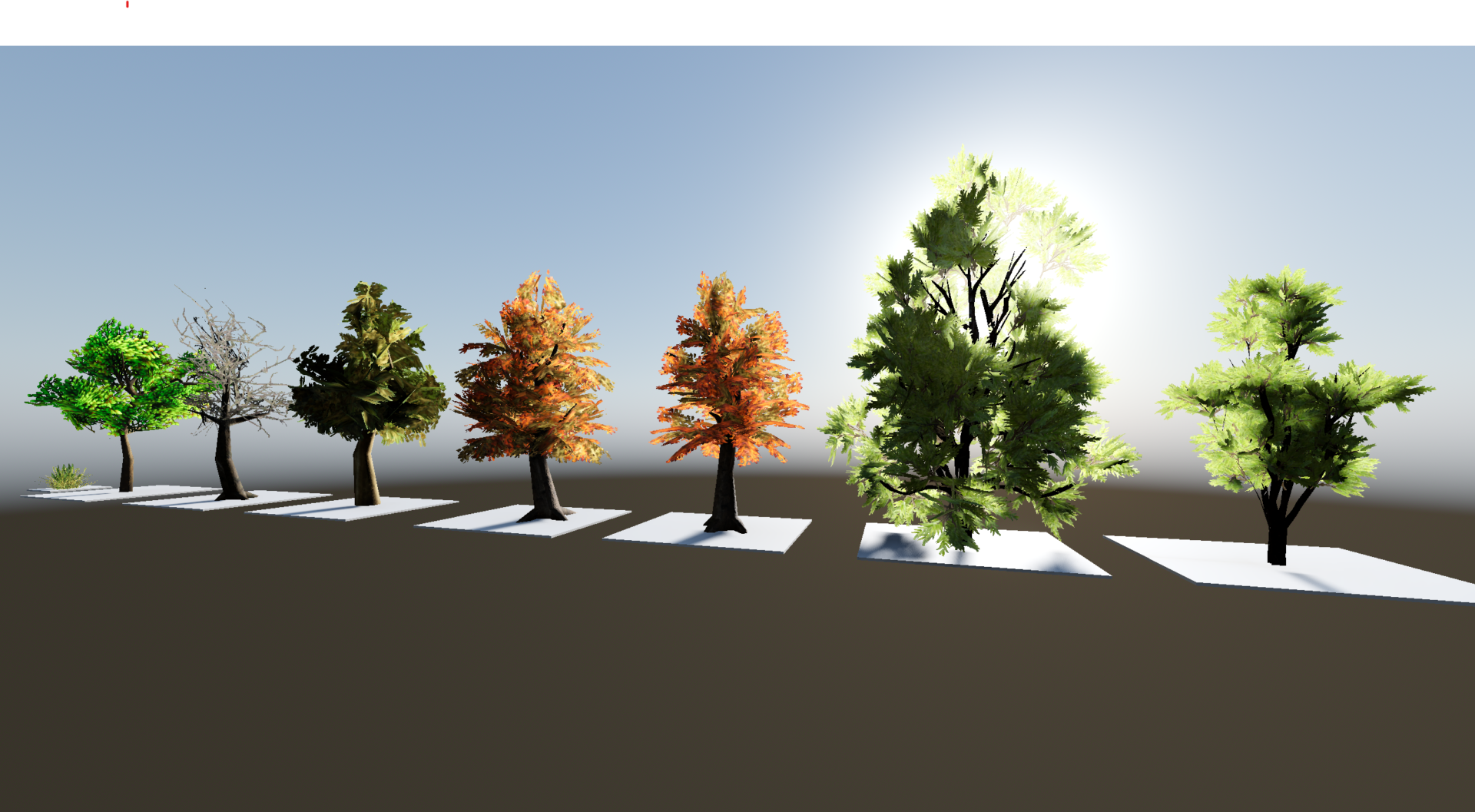
Simple Foliage/Subsurface Scattering Shader

NOTE: Assets used here are not mine. You can find links to each in the description.
This is just an experimental shader I made to see if I could make a handmade foliage shader using the method of subsurface scattering described in this article by Alex Zucconi: Fast Subsurface Scattering in Unity (Part 1) – Alan Zucconi
I recommend keeping the normal bias (sigma) small, like .02, and keep the attenuation influence close to 1 (like .98). Also I had it marked as Vulkan only, but I’d recommend trying in compatibility. Not sure if it’ll work, but try it.
Assets I used:
Low poly trees: https://www.fab.com/listings/cb071600-85b3-4888-b4d7-bc7c7f644e8e
Low poly trees scene: https://www.fab.com/listings/38e872cc-bb49-4f70-b063-68bc92bbb57e
Creeper vines: https://www.fab.com/listings/4e28a9e4-9a9b-4d1f-b245-39a3dcd7469f
Wall: https://www.fab.com/listings/70c20598-4acd-43c7-925c-fbe02bb98902
Grass: https://www.fab.com/listings/50d9a417-73ed-4132-9421-6be3d4f7432e
Shader code
shader_type spatial;
render_mode cull_disabled;

uniform sampler2D _tex: source_color;
uniform sampler2D _normal_tex: hint_normal;
uniform sampler2D _opacity;

uniform sampler2D _thickness;
uniform bool use_thickness_map = false;

uniform float sigma: hint_range(0.,1.,.01) = .5;
uniform float power: hint_range(0.,100.,.25) = 5.;
uniform float scale: hint_range(0.,50.,.1) = 3.3;

uniform bool use_opacity = true;
uniform float alpha_cutoff: hint_range(0.,1.,.01) = .1;
uniform float attenuation_influence: hint_range(0.,1.,.01) = 1.;

uniform float albedo_influence: hint_range(0.,1.,.01) = .7;
uniform float light_color_influence: hint_range(0.,1.,.01) = .3;

uniform bool do_vertex_sway = false;
uniform float vertex_sway_intensity: hint_range(0.0, 10.0, 0.01) = .3;

float get_sss(vec3 n, vec3 v, vec3 l, float s)
{
	l = normalize(l);
	float kSSS = pow(clamp(dot((-l+n*s), v),0.,1.),power);
	return kSSS;
}

varying vec4 vtxColor;
varying vec3 normal;
varying mat3 tbn;
void vertex()
{
	vtxColor = CUSTOM0;
	tbn = mat3(TANGENT, BINORMAL, NORMAL);

	if (do_vertex_sway)
	{
		vec4 wp = MODEL_MATRIX * vec4(VERTEX,1.);
		vec3 wind_plane = vec3(wp.x, wp.y, wp.z);
		wind_plane = vtxColor.y*(sin(wind_plane+TIME));// + .05*sin(wind_plane+TIME*8. + 3.4));
		vec3 offset = (vtxColor.y*.1*(.5+.5*sin(wind_plane.zyx + TIME * 4.)));

		VERTEX += vertex_sway_intensity*wind_plane+offset;
	}
}

void fragment()
{
	vec4 c = texture(_tex, UV);
	float o = (use_opacity) ? texture(_opacity, UV).r : c.a;
	if (o < alpha_cutoff)
		discard;

	ALBEDO = c.rgb;

	vec3 n = (1.-texture(_normal_tex, UV).rgb)*2.-1.;
	n = normalize(tbn * n);
	normal = n;
}

void light()
{
	// Called for every pixel for every light affecting the material.
	// Uncomment to replace the default light processing function with this one.
	vec3 n2 = normalize(vec3(0,1,0)+.5*normal);
	float kD = max(dot(normalize(LIGHT), n2),0.0);
	float s = (use_thickness_map) ? 1.-texture(_thickness, UV).r : sigma;
	float kSSS = get_sss(normal, VIEW, LIGHT, s);

	vec3 SSS_color = albedo_influence*ALBEDO+light_color_influence*LIGHT_COLOR;

	DIFFUSE_LIGHT += (SSS_color)*(max(mix(1.,ATTENUATION,attenuation_influence),0.001)*(.3+max(kD*scale,kSSS*scale)));
}
Live Preview
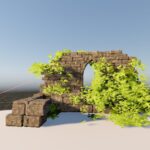

Very decent! Made my trees look much more vibrant and natural, something the built in subsurface scattering doesn’t quite manage to do.
Awesome thanks, looks great and don’t impact the fps too much 🙂