
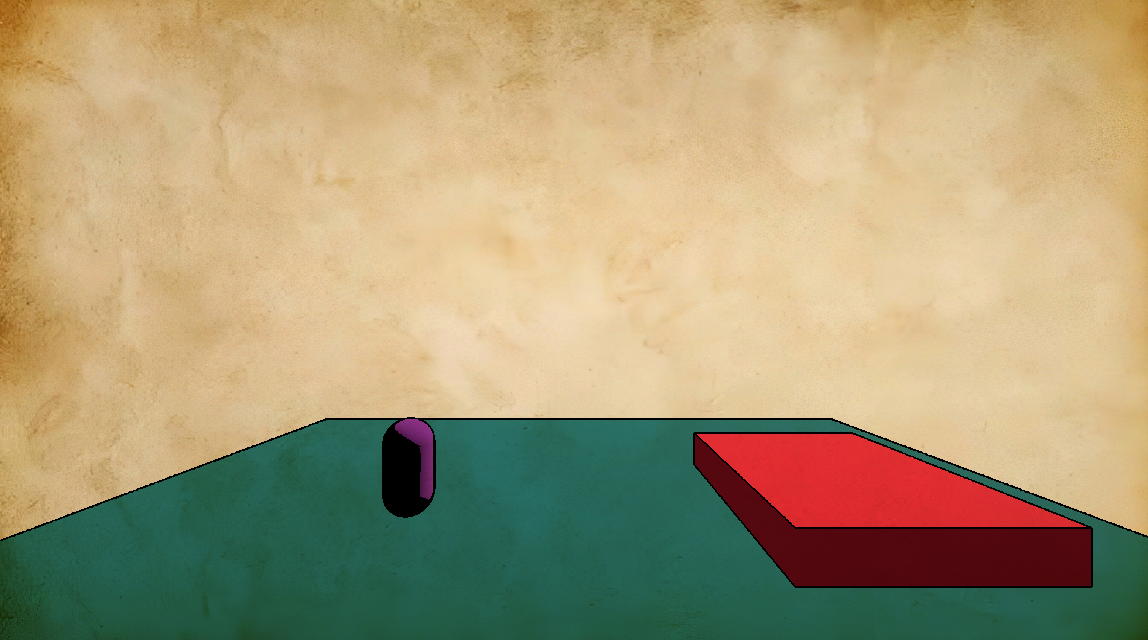
Simple paper-like illustration/effect

Just a little test I did to give my main game a book illustration-like appearence
The shader for the game itself still needs a lot of work, but the post processing canvas item part is kinda finished, so I decided to share it with you
Set up guide
- Make a new scene from a “another node” (white) type.
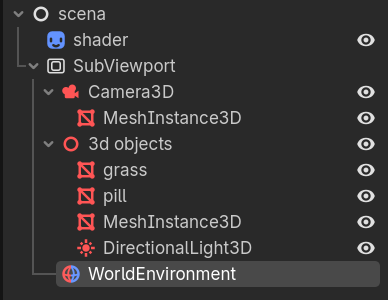
Set up your node tree like in screenshot one:
white node > Sprite2d (here called shader) – WorldEnviroment – SubViewport > Camera 3D (MeshIstance is facultative, as I placed it ‘ca in future I’m planning to use another shader in combo with this one) – a 3dnode to manage your meshes at once
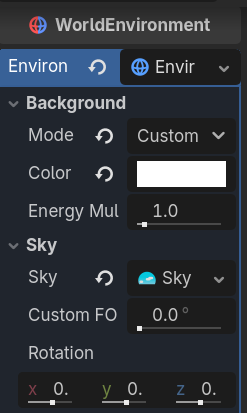
Then select your Sprite2d, go to Inspector an set your SubViewport as its mesh (by dragging the node into the texture slot) - Select your WorldEnviroment and in Inspector > background set the Mode to Custom Color (and set the color to pure white to see the texture colors)
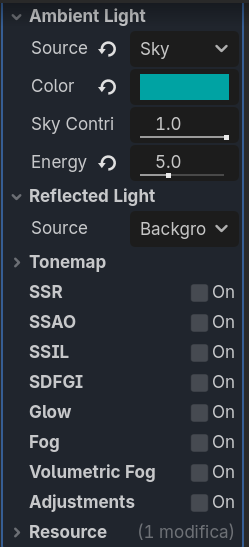
- Always in Inspector, set Ambient Light’s Source to Sky and set a color of your liking (I reccomend to select Dinamic Sky)
- Assign to the Sprite2d a new material (Inspector > CanvasItem > Material)
Then create a new empty Canvas_Item material and name it however you prefer
Copy and paste the code here in its Shader Editor file and drag and drop your paper texture in the texture slot (Paper) under ShadersParameters (If you can’t see the slot, just click on the slot Shaders, under Material)
DONE!
Now your game should look a bit similar to an illustrated book
If the line is too heavy or too thicc, just change the second number on the line
uniform float cut: hint_range(0.0, 0.97, 0.01) = 2.0;
NOTE: THE PAPER EFFECT DOESN’T WORK WITH THE 2D SPRITES/IMAGES ONLY!
Shader code
shader_type canvas_item;


uniform float cut: hint_range(0.0, 0.97, 0.01) = 2.0;
uniform sampler2D paper_tex: repeat_enable, source_color;

float get_pixel(sampler2D tex, vec2 uv, vec2 offset) {
	return step(cut, 1.0 - distance(texture(tex, uv), texture(tex, uv + offset)));
}

void vertex() {
	//Called for every vertex the material is visible on.
}

void fragment() {

	//outline
	vec2 ps = TEXTURE_PIXEL_SIZE;
	vec2 uv = UV;
	float pixel = get_pixel(TEXTURE, uv, vec2(ps.x, 0.0)) *
					get_pixel(TEXTURE, uv, vec2(-ps.x, 0.0)) *
					get_pixel(TEXTURE, uv, vec2(0.0, ps.y)) *
					get_pixel(TEXTURE, uv, vec2(0.0, -ps.y));
	COLOR = vec4(texture(TEXTURE, UV) .rgb * vec3(pixel), 1.0);


	//noise_texture
	COLOR *= texture(paper_tex, UV);
	// Called for every pixel the material is visible on.
}
Live Preview

Comments 0
No comments yet.