
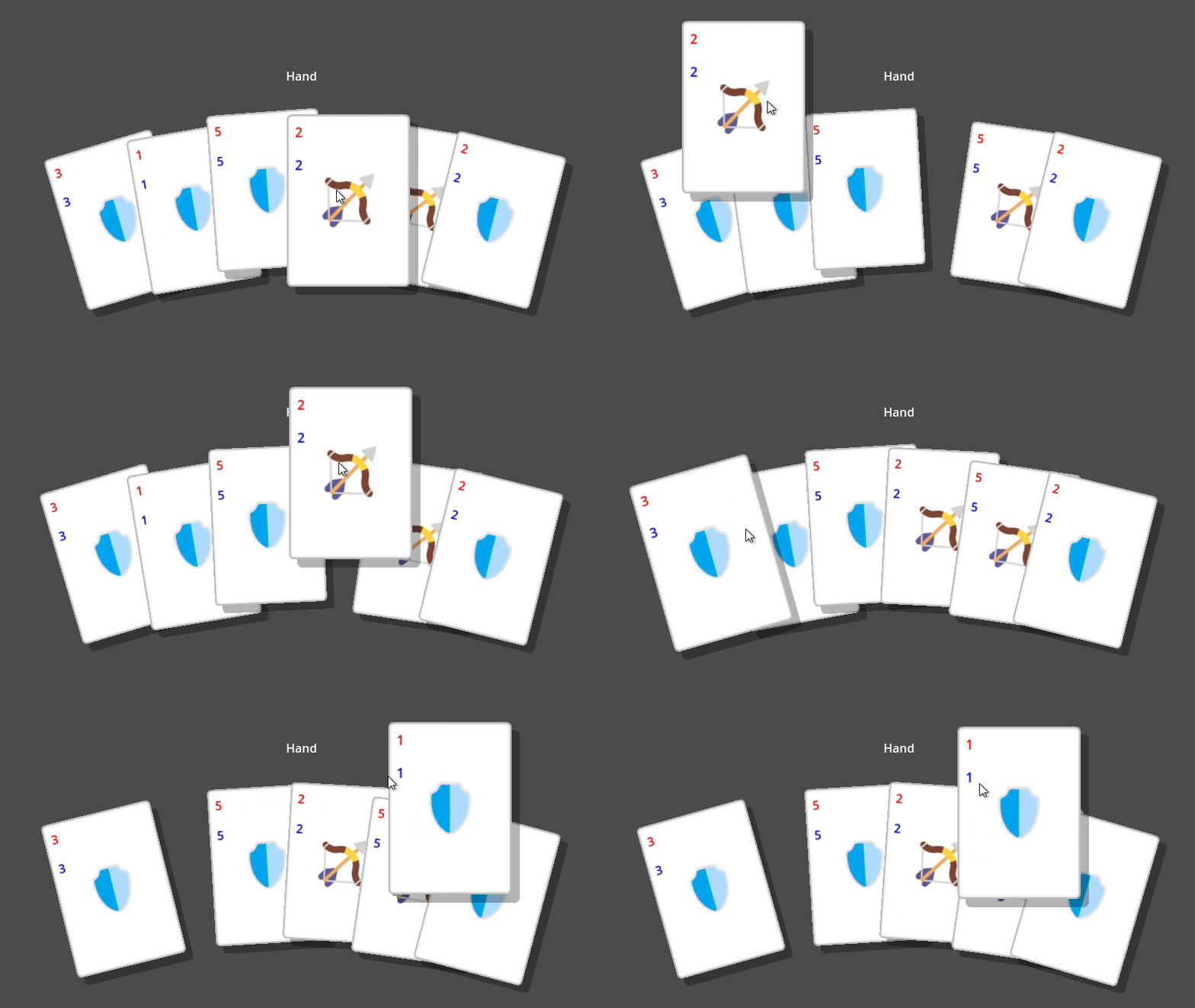
Simple Shadow Shader for 2D Sprites

This shader adds a simple shadow effect to 2D sprites, making use of a duplicated `TextureRect` node with an assigned shadow shader.
Usage: Duplicate a `TextureRect` node, assign this shader to the new one, and then adjust the `shadow_offset` to position the shadow.
Repository: https://github.com/joanroig/godot-shaders
Shader code
/**
Simple Shadow Shader for 2D Sprites

This shader adds a simple shadow effect to 2D sprites, making use of a duplicated `TextureRect` node with an assigned shadow shader.
Usage: Duplicate a `TextureRect` node, assign this shader to the new one, and then adjust the `shadow_offset` to position the shadow.

- Godot Engine Version: 4.4.1
- Shader Version: 1.0
- Repository: https://github.com/joanroig/godot-shaders
- License: MIT
**/

shader_type canvas_item;

// Offset for the shadow (in pixels).
uniform vec2 shadow_offset = vec2(10.0, 10.0);

// Color of the shadow (RGBA format, default: semi-transparent black).
uniform vec4 shadow_color : source_color = vec4(0.0, 0.0, 0.0, 0.3);

// A varying to store the sprite's rotation angle computed in the vertex shader.
varying float sprite_rotation;

// Function to rotate a 2D point by a given angle (in radians).
vec2 rotate_point(vec2 point, float angle) {
    float s = sin(angle);
    float c = cos(angle);
    return vec2(
        point.x * c - point.y * s,
        point.x * s + point.y * c
    );
}

void vertex() {
    // Calculate the sprite's rotation angle from the MODEL_MATRIX (rotation matrix).
    sprite_rotation = atan(MODEL_MATRIX[0][1], MODEL_MATRIX[0][0]);

    // Adjust the shadow's offset by rotating it in the opposite direction of the sprite's rotation.
    VERTEX.xy += rotate_point(shadow_offset, -sprite_rotation);
}

void fragment() {
    // Sample the original texture to obtain the sprite's color.
    vec4 tex_color = texture(TEXTURE, UV);

    // Apply the shadow color by multiplying the sprite's texture color with the shadow color.
    COLOR = tex_color * shadow_color;
}
Live Preview

Hi, just want to let you know that this can be simplified by using
render_mode world_vertex_coords;— that way, you don’t need to worry about rotation, just doVERTEX.xy += shadow_offset;