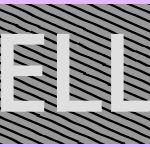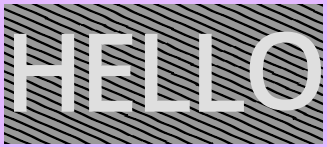
Simplified Hand-drawn Hatch Lines

This is a simplified version of “Hand-drawn Hatch Lines” — the curving has been removed so that shader can go into an eg. panel container without issues. But now you can set a color for the lines, and the sections without hatch lines will be alpha 0, so you can have a hatch over whatever background color or texture you want.
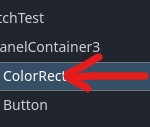
If you want to use this shader on Control nodes like I’ve done in the screenshot, you’ll need to put them into their own `CanvasLayer` or the shader will be rendered overtop any other control element. See the second screenshot: `HatchTest` is a `CanvasLayer`; the `ShaderMaterial` and shader are on the `ColorRect` node.
Shader code
shader_type canvas_item;

uniform vec4  line_color    : source_color = vec4(0.0, 0.0, 0.0, 1.0);
uniform float spacing       = 0.08;   // gap between lines (UV units)
uniform float thickness     = 0.015;  // half-width of each line
uniform float hatch_angle   = 45.0;   // degrees
uniform float jitter_freq   = 18.0;   // how fast the wobble oscillates
uniform float jitter_amp    = 0.008;  // how far each line deviates

// --- internals ---

float hash(vec2 p) {
    return fract(sin(dot(p, vec2(127.1, 311.7))) * 43758.5453123);
}

float noise(vec2 x) {
    vec2 i = floor(x);
    vec2 f = fract(x);
    vec2 u = f * f * (3.0 - 2.0 * f);
    return mix(
        mix(hash(i),                 hash(i + vec2(1.0, 0.0)), u.x),
        mix(hash(i + vec2(0.0, 1.0)), hash(i + vec2(1.0)),     u.x),
        u.y);
}

void fragment() {
    float a    = radians(hatch_angle);
    float cosA = cos(a), sinA = sin(a);

    // rotate UV so hatches run horizontally
    vec2 pr = vec2(cosA * UV.x + sinA * UV.y,
                  -sinA * UV.x + cosA * UV.y);

    float idx    = floor(pr.y / spacing);
    float localY = pr.y - (idx + 0.5) * spacing;

    // per-stripe wobble sampled continuously along x
    float j = (noise(vec2(pr.x * jitter_freq, idx)) - 0.5) * jitter_amp;

    float dist = abs(localY + j) - thickness;
    float mask = smoothstep(0.0, fwidth(dist), -dist);

    COLOR = vec4(line_color.rgb, line_color.a * mask);
}
Live Preview