
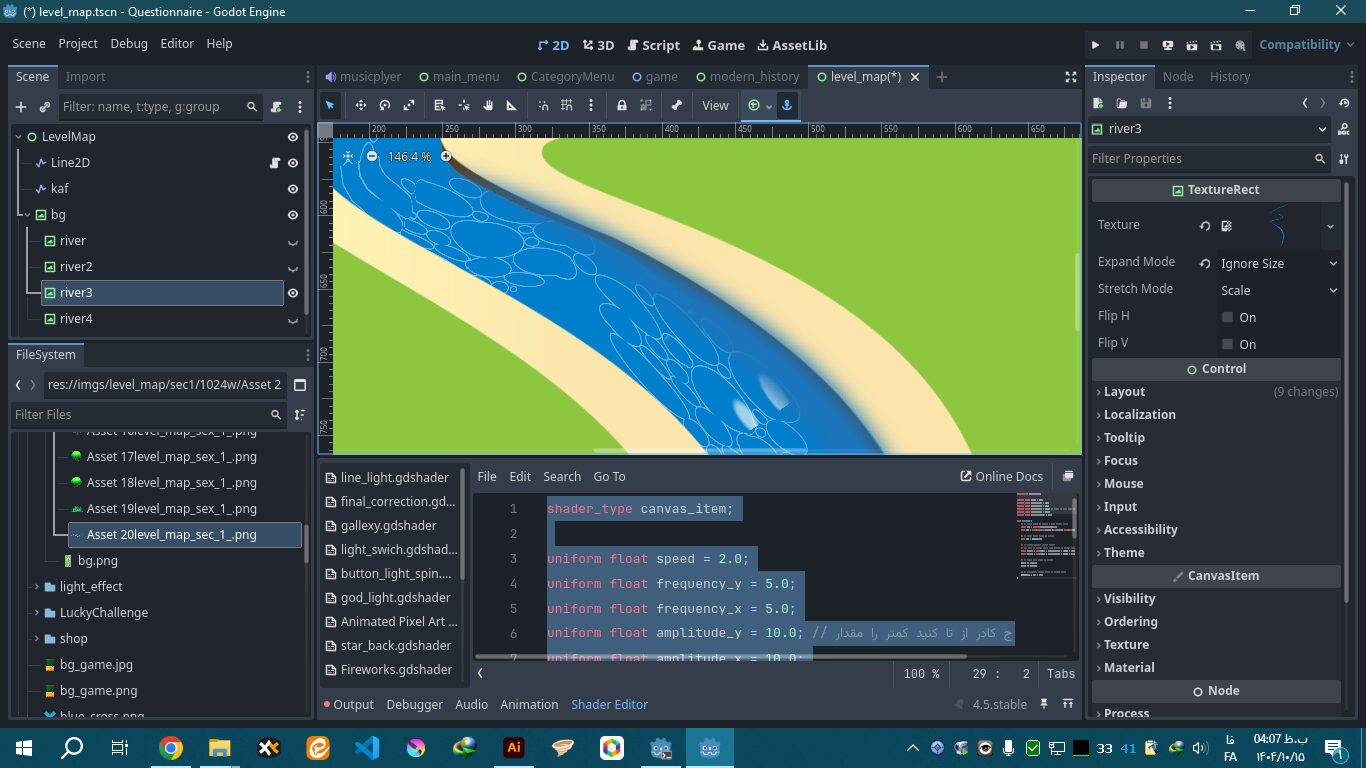
This is a shader for river movement within a Line2D node

It creates white lines and dots to visually represent the flow of the river.
Shader code
shader_type canvas_item;
uniform float speed : hint_range(0.0, 5.0) = 1.0;
uniform float wave_count : hint_range(1.0, 100.0) = 30.0;
uniform vec4 water_color : source_color = vec4(0.0, 0.35, 0.7, 1.0);
uniform vec4 wave_color : source_color = vec4(1.0, 1.0, 1.0, 0.7);
uniform vec2 obstacle_pos;
uniform float obstacle_size : hint_range(0.0, 0.5) = 0.08;
float hash(vec2 p) {
p = fract(p * vec2(123.34, 456.21));
p += dot(p, p + 45.32);
return fract(p.x * p.y);
}
void fragment() {
// ۱. گرفتن اطلاعات بافت اصلی اسپرایت (بسیار مهم)
vec4 sprite_tex = texture(TEXTURE, UV);
float x = UV.x * wave_count;
float t = TIME * speed;
// ۲. امواج اصلی (کد قبلی شما)
float center_waves = 0.0;
for(float i = 1.0; i <= 2.0; i++) {
vec2 grid_uv = vec2(floor(x - t * (1.0 + i * 0.2)), floor(UV.y * 6.0));
float rand = hash(grid_uv);
if (rand > 0.7) {
float dist = distance(fract(vec2(x - t * i, UV.y * 6.0)), vec2(0.5));
center_waves += smoothstep(0.4, 0.1, dist) * rand;
}
}
float main_waves = smoothstep(0.5, 0.9, center_waves + sin(x - t) * 0.2);
// ۳. منطق برخورد
float dist_to_obj = distance(UV, obstacle_pos);
float hit_front = smoothstep(obstacle_size + 0.04, obstacle_size, dist_to_obj);
hit_front *= smoothstep(obstacle_pos.x + 0.02, obstacle_pos.x - 0.05, UV.x);
float wake_shape = smoothstep(obstacle_size * 2.5, 0.0, dist_to_obj);
float behind_mask = smoothstep(obstacle_pos.x - 0.02, obstacle_pos.x + 0.3, UV.x);
float wake_flicker = (sin(UV.x * 40.0 - TIME * 10.0) * 0.5 + 0.5) * hash(UV + TIME);
float total_wake = wake_shape * behind_mask * wake_flicker * 0.6;
// ۴. ترکیب نهایی
float final_mask = clamp(main_waves + (hit_front * 1.2) + total_wake, 0.0, 1.0);
float object_mask = smoothstep(obstacle_size - 0.01, obstacle_size, dist_to_obj);
vec3 color = mix(water_color.rgb, wave_color.rgb, final_mask * wave_color.a);
// ۵. اصلاح خروجی: ضرب کردن در آلفای اسپرایت اصلی
// این کار باعث میشود شادر فقط جایی که پیکسلهای اصلی اسپرایت وجود دارند دیده شود
float final_alpha = water_color.a * object_mask * sprite_tex.a;
COLOR = vec4(color, final_alpha);
}