Transperent Window

Transparent Window Shader in Godot for 2D Games
Overview:
Ever wanted a transperent window in godot?
This guide explains how to implement a basic transparent window in Godot and still interact with buttons, images, animations, and more.
I KNOW THIS IS NOT REALY A SHADER BUT I THINK IT STILL FITS TO GODOTSHADERS
Step-by-Step Instructions:
-
Create a New Scene:
-
Start by creating a new scene in Godot.
-
Add a
Node2Dto the scene as the root node. This “Shader” only works on 2D Spaces
-
-
Add Shader to the Node:
-
Attach the provided shader script to your
Node2D. This will make the window transparent and enable other required features.
-
-
Adjust Project Settings:
-
Go to
Project > Project Settings. -
Under the
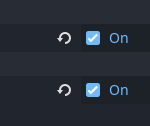
Windowsection, enable the following options:-
Per Pixel Transparency
-
Transparent
-
-
-
Resizeable Window:
-
Once the above steps are complete, you now have a fully resizeable transparent window.
-
The window can resize as you want, but it won’t be clickable by default (no click-through effect). However, we will ensure interactions work correctly for UI elements inside the window.
-
-
Add Interactive Elements (Images, Buttons, Animations, Scripts):
-
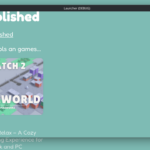
You can now add various elements like images, buttons, and animations on top of the transparent window.
-
These elements will still be fully interactive and clickable, despite the transparency, allowing the user to interact with them as usual.
-
TESTED ON KDE PLASMA KUBUNTU , GODOT 4.3
Shader code
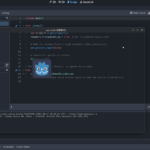
extends Node2D

func _ready():
	# Make the viewport's background transparent
	var viewport = get_viewport()
	viewport.transparent_bg = true  # Set transparent background

	# Ensure the sprite is visible
	$Godot.show() # Add all visible sprites
Live Preview