
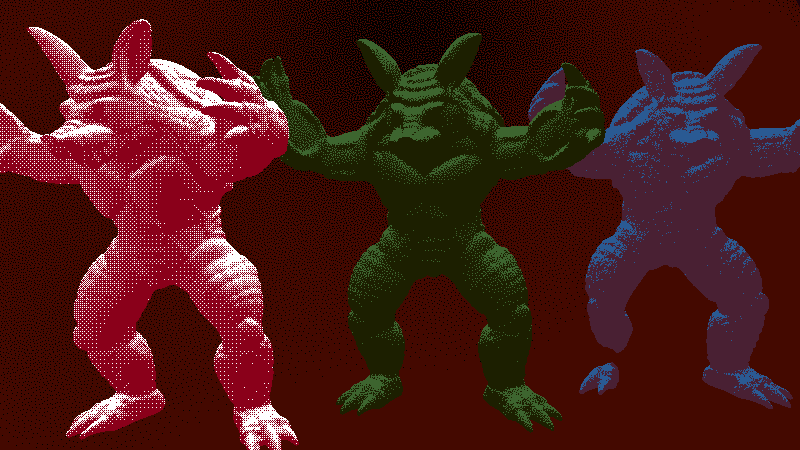
1-bit Spatial Multi-Dithering Shader with 1-Bit Per-Material Color Palette

This shader demonstrates how to use the compose() post-lighting function to perform 1-bit dithering with multiple dithering patterns selectable on a per-material basis with a Spatial shader. The technique requires light() to be computed first before the quantization can be applied, so it’s not possible to do using standard Godot shading at the moment.
Running this shader requires either building your own version of Godot on this branch, or Waiting For Godot™ to fully merge support for compose() into the engine.
Other approaches considered:
- Post-processing the viewport using a canvas shader. (Not possible: Only receives pixel colors, no per-material information. Custom writable texture buffers are not allowed. Not WYSIWYG.)
- Post-processing using a Spatial post-process (Cannot access per-material uniforms.)
- Post-processing using a ComposerEffect (Can only pass some information to this stage by packing values into the Roughness/Metallicity/Normal textures, but this requires too much extra setup and requires implementing roughness and metallicity in the
light()step yourself.) - Multi-pass rendering using the multi-camera, multi render layer technique. (Needlessly complicated, every single game object requires setting up multiple materials. Not WYSIWYG.)
For sharp nearest neighbor rescaling of the output rendering resolution (for chunky pixels), you will also have to manually merge this branch into your engine build or Wait for it to be implemented.
Shader code
shader_type spatial;

uniform int dither_type : hint_enum("NO_DITHER", "BAYER", "BLUE NOISE", "WHITE NOISE");

global uniform sampler2D bayer_texture: filter_nearest;
global uniform sampler2D blue_noise_texture: filter_nearest;
global uniform sampler2D white_noise_texture: filter_nearest;

uniform vec3 bright_col : source_color;
uniform vec3 dark_col : source_color;

uniform float dither_factor: hint_range(0.0, 1.0) = 1.0;

uniform float roughness: hint_range(0.0, 1.0) = 0.0;


void vertex() {
	// Called for every vertex the material is visible on.
}

void fragment() {
	// Called for every pixel the material is visible on.
	ROUGHNESS = roughness;
}

//void light() {
//	// Called for every pixel for every light affecting the material.
//	// Uncomment to replace the default light processing function with this one.
//}

void compose() {
	// Similar to fragment(), but runs after light().
	// Uncomment to replace the default composing function with this one.

	vec2 s_uv = vec2(0.0);
	float dither = 0.0;

	if (dither_type == 1){
		s_uv = FRAGCOORD.xy / vec2(textureSize(bayer_texture, 0).xy);
		dither = (0.5 - texture(bayer_texture, s_uv).r) * dither_factor;
	}
	if (dither_type == 2){
		s_uv = FRAGCOORD.xy / vec2(textureSize(blue_noise_texture, 0).xy);
		dither = (0.5 - texture(blue_noise_texture, s_uv).r) * dither_factor;
	}
	if (dither_type == 3){
		s_uv = FRAGCOORD.xy / vec2(textureSize(white_noise_texture, 0).xy);
		dither = (0.5 - texture(white_noise_texture, s_uv).r) * dither_factor;
	}

	// FIXME: This doesn't isn't an accurate way to mix the lighting terms in this step, it was just made as a quick test.
	DIFFUSE_COLOR = mix(dark_col, bright_col, round(clamp(DIFFUSE_LIGHT + SPECULAR_LIGHT + vec3(dither), vec3(0.0), vec3(1.0))));
	DIFFUSE_COLOR = mix(DIFFUSE_COLOR.rgb, FINAL_FOG.rgb, FINAL_FOG.a);
	SPECULAR_COLOR = vec3(0.0);
}
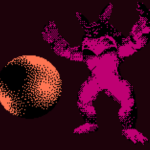
Live Preview

There’s also the option of accumulation hacks (under “Operating on the final sum”), but this is a lot cleaner